More
    Home Blog Page 33

    5 Best Family Locator Apps for Android to Track Your Loved Ones

    It certainly matters where you are. Many people are talking about shielding your position from major corporations like Facebook, Google, and other ad networks these days. For different purposes, you might want to share your location with your friends and family. For safety purposes, some families want to keep track of one another. You may want to give your location to a friend so that they can come and get you or locate you. Whatever the case may be, check out a list of the best family locator apps that will help you share your place.

    In the current times, tracking the whereabouts of your family or friends is a requirement that we cannot neglect. Every day the outside world changes, and it can be difficult to ensure the well-being of your loved ones. Although asking repeated questions can irritate users, certain apps can keep an eye on your loved ones for you without the need for questions or repeated calls.

    5 Best Family Locator Apps for Android

    Keeping track of your loved ones has become simpler and safer thanks to advancements in technology and wearable devices. With so many phone location tracking apps to choose from these days, choosing the right one can be difficult. But don’t be concerned! We’ve compiled a list of the best family locator apps for Android so you can find the one that best fits your needs.

    Must Read: 4 Signs You Should Upgrade Your Home Security System

    Here Are Some of the Best Family Locator Apps for Android -:

    5 Best Family Locator Apps for Android - Family Locator

    1. Family Locator – GPS Tracker & Find Your Phone App

    Using Family Locator, you will keep in touch with your family members during the day. The family location tracker makes use of your phone’s built-in GPS tracker to keep track of your loved ones even when they’re far away! This can prove to be one of the best family locator apps amongst all.

    Family Locator is your family’s link:

    • Receive alerts when tracked family members arrive at their destinations
    • On a family map, you can share your GPS location with your family members
    • Make private groups for your closest friends and family
    • Create GPS-based safe zones on the family map, such as your house

    2. Life360: Family Locator & GPS Tracker

    Life360’s Family Locator makes it easy to remain linked to the ones who matter most in the digital world. It is difficult to choose from so many best family locator apps but all your worries can end at this stop.

    Life360: Find Family & Friends
    Life360: Find Family & Friends
    Developer: Life360
    Price: Free

    • Build your own private groups of family members, called “Circles,” and talk with them in Family Locator for FREE with Life360.
    • See where your family members are in real-time on a private family map that only your Circle can see.
    • Get real-time notifications when family members arrive at or depart from their destinations (no more annoying “Where are you?” texts)

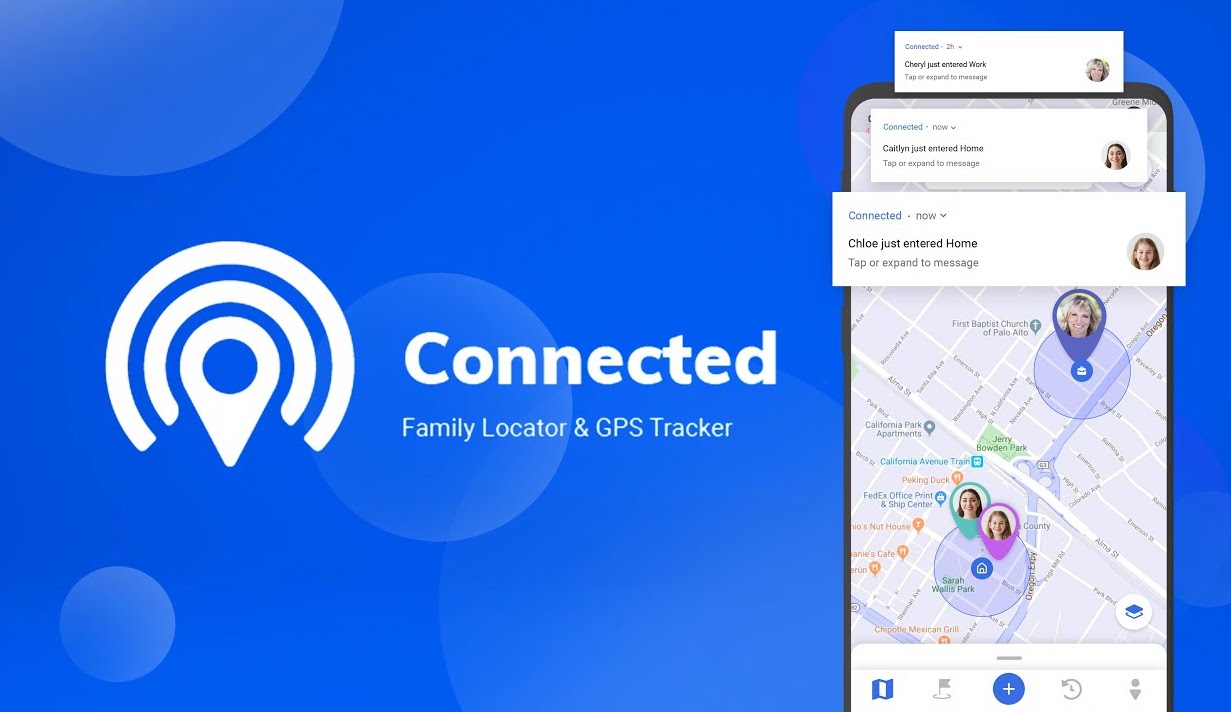
    3. Connected – Family Locator – GPS Tracker
    5 Best Family Locator Apps for Android - Connected

    Are you looking for the best family locator apps? Are you concerned about your family’s safety? Or would you like to keep in contact with them? This is also amongst the best family locator apps you’ve been looking for! Invite your family members to join you in a circle (group) that is only open to you and them.

    Connected: Find Your Family
    Connected: Find Your Family
    Developer: Kayisoft
    Price: Free

    What you should know: This software cannot be installed secretly on your computer, and it can only be used with your family member’s permission, allowing you to share your location with them at any time and in real-time. Without the user’s permission, the location cannot be shared. To use Connected, you must have an active internet connection.

    4. Find My Kids: Child GPS watch app & Phone Tracker

    “Find My Kids” is a family GPS tracker that allows parents to keep track of their children. You can attach the GPS watch to your child’s phone or install Pingo! on his or her phone. “Find My Kids” is a monitoring app for parents who are concerned about their children being missing or not answering their phone calls. This app helps parents to find a way amid some of the best family locator apps.

    • The GPS locator allows you to monitor your child’s location on a map and record their movements during the day, ensuring that they do not go to unsafe locations.
    • Listen to what is going on around your child to ensure that he or she is safe and in good business.
    • Loud signal – if the phone is in a backpack or on silent mode, the child’s phone will be alerted.

    5. iSharing – GPS Location Tracker for Family

    The iSharing Location Tracker app allows your family to communicate and remain linked with each other at any time. Family phone tracker is a real-time location tracking app that allows families to share and communicate their location information privately. With fast monitoring and alerting messages, the GPS tracker helps parents and caregivers minimize uncertainty about their family members’ whereabouts.

    With iSharing GPS Tracker you can:

    • GPS location tracker for stolen or missing phones
    • Shake your phone to give the Panic Alert in an emergency situation with iSharing GPS Tracker.
    • Use iSharing to transform your phone into a walkie-talkie and receive FREE voice messages.
    • Look up the whereabouts of your relatives in the past.

    Conclusion

    Users must be aware of the risks associated with location-tracking apps before using them. These monitoring apps were chosen based on consumer feedback and ratings. We’ve also taken into account the ease of use and affordability of these apps. All of the apps come with a variety of surveillance tools, as well as parental control functionality. Many of the location tracking apps discussed in this article are free, whereas some of them require a monthly subscription. Subscription plans vary and are curated according to the functionalities offered.

    We hope that you were able to find your choice from our list of the best family locator apps to monitor people’s whereabouts that suits your purpose. Still, if you have any questions, need more details, or are a product owner looking to have your app checked and to be included amidst the best family locator apps, contact Broodle.


    Best Way To Read Newspaper Online in 2022

    People no longer have to wait for days to get their newspapers, watch TV, or read the news. The advent of the Internet has resulted in the creation of the most recent breaking news websites, which provide users with a wide range of information without difficulty and helps them to read newspaper online. Furthermore, there are several advantages that online readers have over offline readers.

    If you read newspaper online, it is a good practice to develop because it can have a lot of educational value. Politics, the economy, entertainment, sports, corporation, manufacturing, trade, and commerce are all covered. This habit not only improves your general knowledge but also helps you to improve your language skills and vocabulary. Many people have developed the habit of reading newspapers daily, and their days would be incomplete without them.

    As a result, these are the advantages of reading the newspaper for readers. It is a good idea to read the newspaper every day in the morning while drinking a cup of tea or coffee.

    Read Newspaper Online - Discover different Apps

    From Apple to Google, all of the major players have their own take on the news, and we’ve included some of those choices here. However, we’ve also looked at other options to read newspaper online such as news curators and feed readers, that represent the best news apps for Android and iOS.

    Must Read:

    Top Apps to Read Newspaper Online:-

    Top Apps to Read Newspaper Online

    1. Google News

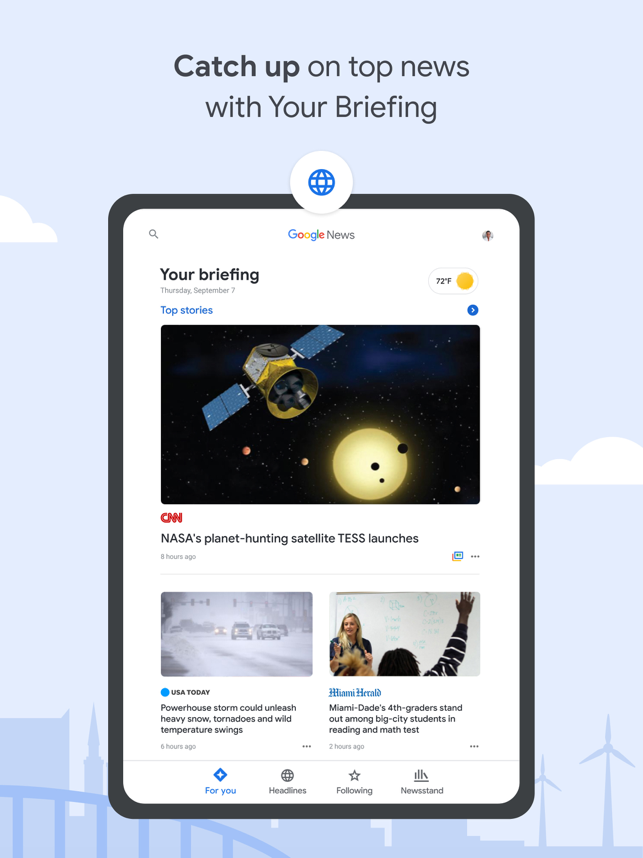
    Google News is a news aggregation service that Google has developed. It displays a continuous stream of links to articles arranged by publishers and magazines. Google News is available on Android, iOS, and the web as an app.

    It’s no surprise that Google has jumped into the newsreader app game, with its Google News app attempting to bring the most important news, features, and local stories to your touch screen by leveraging the search giant’s big data expertise.

    Google News - Daily Headlines
    Google News - Daily Headlines
    ‎Google News
    ‎Google News
    Developer: Google LLC
    Price: Free
    • ‎Google News Screenshot
    • ‎Google News Screenshot
    • ‎Google News Screenshot
    • ‎Google News Screenshot
    • ‎Google News Screenshot
    • ‎Google News Screenshot
    • ‎Google News Screenshot
    • ‎Google News Screenshot
    • ‎Google News Screenshot
    • ‎Google News Screenshot
    • ‎Google News Screenshot
    • ‎Google News Screenshot
    • ‎Google News Screenshot
    • ‎Google News Screenshot

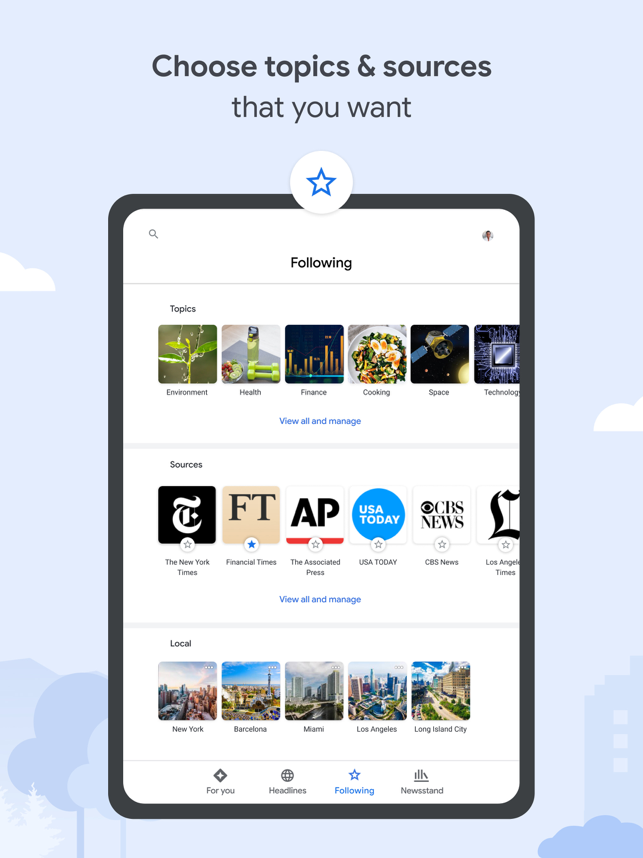
    Google News not only helps you to read newspaper online but also learn more about the stories that matter to you by organizing what’s going on in the world. Find high-quality content from a wide range of reputable publishers and learn about new outlets. Google News helps you to read news and articles online without any difficulties.

    2. Flipboard

    Top Apps to Read Newspaper Online - Flipboard

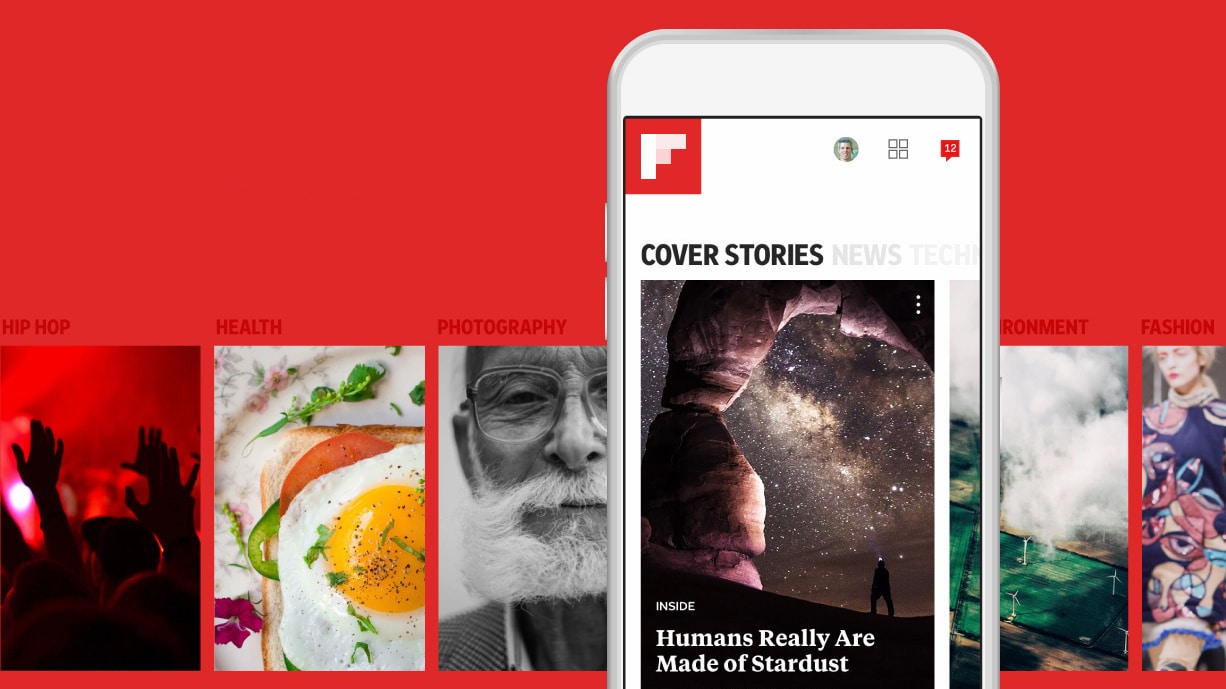
    An award-winning app that curates news and information related to your various interests. Flipboard is one place to stay linked and helps you to read newspaper online. Discover news that matters every day, with thousands of national and local outlets, as well as magazines with stories selected by the audience.

    You can customize it to follow the news that interests you; for example, you can follow industry, health, technology, sports teams, cooking, travel, and more to get up-to-date information as well as informative long reads and inspiration. You can also add stories you want to your own Flipboard Magazine by pressing the + button. Make your magazine public so that your group can profit from your thoughts.

    Flipboard: The Social Magazine
    Flipboard: The Social Magazine
    Developer: Flipboard
    Price: Free

    3. Inshorts

    Inshorts is a news app that gathers the most recent and important news from a variety of national and international outlets and summarises it in a 60-word or less format that is tailored for you in both English and Hindi. To keep you up to date on current events, all summarised reports contain only headlines and information, no opinions. The format in which the news is displayed makes it easy to read newspaper online.

    Whether it’s the new government initiatives or Hollywood shakeups, they have got you covered and delivered quickly! In a flash, stay up to date with the latest news and events!

    Inshorts - News in 60 words
    Inshorts - News in 60 words
    Developer: Inshorts
    Price: Free
    ‎Inshorts
    ‎Inshorts
    Developer: Inshorts Pte. Ltd.
    Price: Free
    • ‎Inshorts Screenshot
    • ‎Inshorts Screenshot
    • ‎Inshorts Screenshot
    • ‎Inshorts Screenshot
    • ‎Inshorts Screenshot
    • ‎Inshorts Screenshot
    • ‎Inshorts Screenshot
    • ‎Inshorts Screenshot
    • ‎Inshorts Screenshot
    • ‎Inshorts Screenshot

    4. Digg

    Digg brings you the most fascinating and trending stories on the web right now. The editors transform the Internet’s vast and cacophonous torrent of blogs, blog posts, and videos into an elegant and engrossing mix known as Digg, driven by social signals and discerning taste which helps the public to remain updated and read newspaper online.

    ‎Digg
    ‎Digg
    Developer: Digg
    Price: Free
    Digg
    Digg
    Developer: Digg.com
    Price: Free

    A constantly updated feed of stories hand-picked by a team of editors and authors from across the web. Today’s most fascinating viral videos, animations, and short films.
    Thousands of stories have been compiled and organized into categories such as Technology, Long Reads, Room, Funny, and more. Thus, making it easier to read newspaper online.

    5. Feedly

    Bye-bye, an overabundance of data. Keep up with the topics and developments that interest you without being overwhelmed. Feedly is the antidote to knowledge overload. Leading newspaper articles, trade magazines, prominent authors, Youtube networks, RSS feeds, Twitter feeds, and academic journals can all be found and organized in one place. Feedly allows you to fully use the web’s potential. It unifies different feeds in one place, hence making it easy to read newspaper online.

    Feedly - Smarter News Reader
    Feedly - Smarter News Reader
    ‎Feedly - Smart News Reader
    ‎Feedly - Smart News Reader
    • ‎Feedly - Smart News Reader Screenshot
    • ‎Feedly - Smart News Reader Screenshot
    • ‎Feedly - Smart News Reader Screenshot
    • ‎Feedly - Smart News Reader Screenshot
    • ‎Feedly - Smart News Reader Screenshot
    • ‎Feedly - Smart News Reader Screenshot
    • ‎Feedly - Smart News Reader Screenshot
    • ‎Feedly - Smart News Reader Screenshot
    • ‎Feedly - Smart News Reader Screenshot
    • ‎Feedly - Smart News Reader Screenshot
    • ‎Feedly - Smart News Reader Screenshot

    Feedly uses artificial intelligence which they call Leo. Leo is a virtual assistant, per say which helps to dig into topics and interests of users and helps to prioritize the news feed keeping it in your control. It reads and analyzes the feed and creates a tab of relevant topics under a priority tab. Leo can learn from the behaviour of the user and can be trained as well. You can input your topics of interests that will be used as a reference for providing suggestions.

    Pocket (Bonus App)

    Use Pocket to save all of the material that comes your way during the day and curate your own room with only the topics that matter to you. Save the most recent news, blogs, sports, and videos from any device, publisher, or app. Then feed your mind with a reading, watching, and listening experience that will leave you with relaxed eyes, free hands, and a renewed sense of concentration.

    ‎Pocket: Save. Read. Grow.
    ‎Pocket: Save. Read. Grow.
    Pocket: Save. Read. Grow.
    Pocket: Save. Read. Grow.

    Save the latest news, magazine posts, stories, videos, recipes, web pages, and how-to knowledge from any publisher that you come across online or subscribe to. The New York Times, The Guardian, The Washington Post, Flipboard, The Atlantic, The New Yorker, Lifehacker, Business Insider, The Verge, BBC News, Google News, Buzzfeed, Vox, Engadget, Medium, Newsweek, Twitter, and Youtube are among the most popular publications among users. This app not only helps users to read newspaper online but also helps them to save the news.

    Common SEO Problems to Avoid in 2021

    SEO is a complex and ever-changing concept. That does not mean you can’t get a hold of it. The basics are easily understandable and even a little amount of knowledge can make a difference. There are countless blogs with information about Search Engine Optimization and how to use it to your advantage.

    Some practice combined with all the free widely available knowledge, and in no time, you can master the art of SEO.

    Also See:

    SEO – Search Engine Optimization

    SEO or search engine optimization concept

    Definition 

    SEO is an acronym for Search Engine Optimization. It helps to improve the ranking of a website or web pages on a search engine so that it appears high in the unpaid section of the search engine.

    Basics

    Let’s break it down so that it is easy to understand.

    If we divide the term Search Engine Optimization (SEO) into two parts, we get Search Engine & Optimization as the core terms. We are quite familiar with Search Engines (such as Google) and how they work. We type in our queries and it displays a list of results that it thinks are related to our search. Optimization means to make the best of anything, and everything.

    Drawing the data from the two core terms, Search Engine Optimization is a process of optimizing the content on your website/web pages to achieve higher rankings on the search engine. Higher rankings refer to the position of your website when a search is administered.

    Breaking it down will give a better understanding of the process.

    Mistakes

    The most basic and common mistake people make is to stop. Keyword research as opposed to how it is perceived is not just a one-time thing. More than often, people make SEO mistakes that result in poor traffic or a decreased ranking in the search results. 

    Scavenging through the internet, we came across various blogs that inform about the different mistakes one can make with the technicalities of SEO. We have compiled a list of the most common mistakes, that are easy to identify and resolve.

    Common SEO Problems to Avoid

    Wrong Audience

    The wrong audience in this scenario means that the experience of the website is not curated for the audience that is targeted. It happens mostly when people do not follow a proper schema, or when they don’t have definitive knowledge of the same.

    Although it is a basic process of search engine optimization, it is one of the basic building blocks. The website is being built for some kind of interaction. The target audience, if not reached by the website, makes it a resourceful waste.

    Once the audience is identified, the content and the structure are routed accordingly to maximize the traffic from generic searches. Slower websites that are not mobile-ready. With easy access to high-speed data, the majority of internet traffic comes from mobile phones. 

    Right or wrong

    And search engines are continuously being optimized to improve the user experience. Google search engine can recognize the page speeds, as well as the different aspects of the website which includes it is mobile-friendly.

    Slow websites can push down SERPs ranking and overall hurting the traffic. The solution is simple – optimization. Over time, SEO has transformed; it is not just about the search engine or the keywords anymore.

    The overall user experience is important now and websites should be optimized to minimize the errors that result in poor user experience. Faster websites are prioritized by the search engines too!

    Key points to remember here are:

    • Websites should be responsive.
    • Better website speeds = better ranking.
    • Structured content

    Wrong Keyword

    Akin wrong audience, the wrong keyword is a common mistake too. More than often, beginners make the mistake of piling up keywords in their content. Google uses latent semantic indexing, the most basic translation of which is to identifying and understanding the patterns.

    So, instead of piling up the content with keywords, a better practice would be to create better, user-friendly content. Now that the clarity of keyword use is stated, the latter process is selection.

    Common SEO Problems to Avoid

    Keyword selection is directly proportional to the target audience. That is why the emphasis has been placed on keyword study. Using the wrong keyword(s) decreases the relevancy of the content.

    The things to keep in mind with keywords:

    • Thorough keyword research is vital.
    • Stacking keywords does not work anymore, quality content goes a long way.
    • Wrong keyword = redundant data.

    Knock-off content

    As mentioned before, the user experience is now important in the process of search engine optimization. Quality content is preferred by users as well as search engines. Duplicate data is discouraged and often penalized by search engines.

    It is advised to revise data, instead of copy-pasting it from one website to another.

    The key points to keep in mind here:

    • Strict no to duplicate content. It harms the rankings of the website as well as results in penalties.
    • Quality content is encouraged by search engines and users.

    SEO Tools to Help You

    After discussing the common SEO problems to avoid, let’s a sneak peek into the tools to help you with the SEO of your website. There are some tools available at the disposal of people who want to improve the SEO of their websites. The best part is – they’re Free!

    Google Analytics

    Business analytics on tablet computer

    Winning the search engine markets, Google Analytics is a tool designed to analyze the traffic and growth of a website. Users have access to in-depth analysis about their website, from traffic source to how much time different visitors spend on your website.

    Google Search Console

    Google Search Console is another service provided by Google with which users can monitor and maintain the presence of their websites in the search results of the Google search. It is free to use and helps users to understand how Google sees their website.

    Ubersuggest

    Acquired by Neil Patel, Ubersuggest is one of the best free SEO tools for search engine optimization. Ubersuggest specializes in generating new ideas for keywords and is also useful for content ideas, and an overview of your domain.

    MozBar

    It is a Browser extension that is made for SEO on the go. It generates instant Metrics while viewing any website or SERP. With MozBar, you can track your rankings and audit your websites.

    SEOWorkers Analysis Tool

    Just enter any website URL and you have access to a report generated by SEOWorkers Analysis Tool. The process is quick and the report is detailed. They teach users about SEO and there is a detailed discussion in each report within each category analyzed by the tool.

    Conclusion

    We discovered the common SEO problems to avoid above. With insights into the various stages of search engine optimization, few things that are to be kept in mind are:

    • Quality over Quantity
    • Keyword research is as important as using the keyword itself.
    • Master the basics and move on to advanced SEO techniques.
    • Think ahead, avoid mistakes to rank better, and get better traffic.

    The four points mentioned above are a handful of points that give a summary of the process. The points are prioritized on the basis of importance and how they affect SEO scores.

    Top 5 Best Android Emulators for Windows and Mac

    The search for the best android emulators begins and ends here. Android was the next big revolution in the mobile phone industry, and it took the market by storm. With more than 3.5 Billion Android Smartphones on the planet, Android is leading the retail market of the most popular smartphone OS. It gave the handheld devices ability to do things better and on a much larger scale. The capabilities shifted from a communication device to a pocket entertainment device. It multi-tasking on an android device was a smooth experience which indicated smart resource management, hence the name “Smartphone”!

    Android emulators are software that can emulate the Android Operating System on your Windows or Mac. We researched, we tested. Now it’s your turn to choose the best from the batch.

    Recommended:

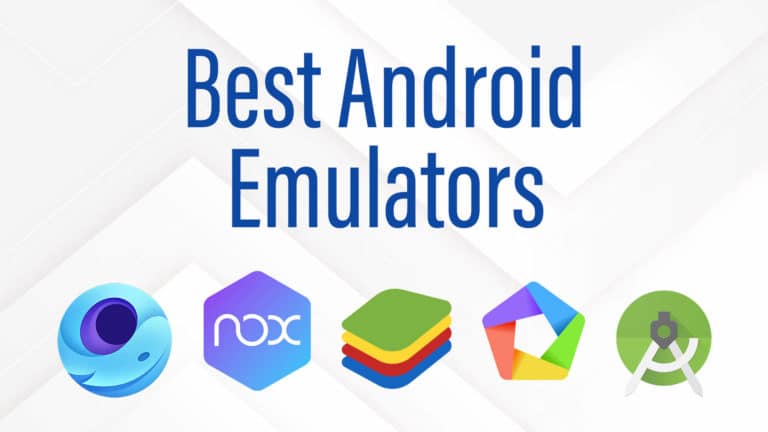
    The Top 5 Best Android Emulators are:

    1. Bluestacks

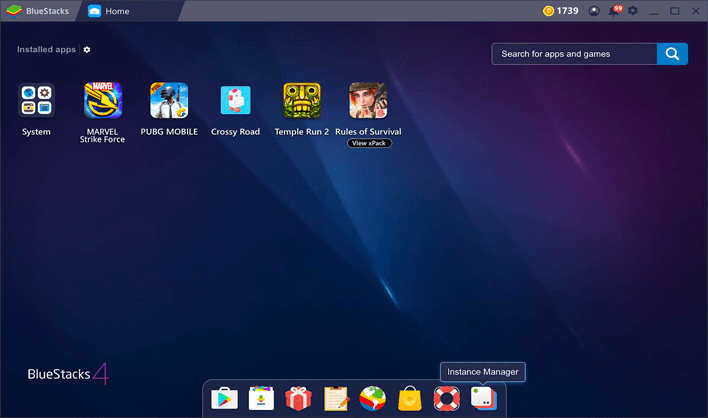
    If you have used an Android Emulator in the past, you already know what Bluestacks is. It is one of the oldest and best android emulators and came to markets in 2011! It has been one of the best for its features and capabilities. It supports keyboard binding, through which users can map a key to the touch part of the screen and play any single or multi-player games with a keyboard and mouse easily! You can root the system and install different apps that require root permissions. It is available to download for free for both Windows as well as Mac.

    Best Android Emulator

    Features of Bluestacks:

    • Game control presets and customizations.
    • Play multiple games simultaneously with multi-instance.
    • Real-time translations for gaming in your local language.

    2. Nox Player

    Best Android Emulator

    First released in 2015, Nox Player is a very popular android emulator among game players. It was build keeping gaming in mind. It runs other apps too and comes packed with several features such as screen recording and multi-instance. It runs Android 7 and offers superior performance. It is available to download for free for both Windows as well as Mac.

    Features of Nox Player:

    • Ample customization features and options.
    • Play multiple games simultaneously with multi-instance.
    • Real-time translations for gaming in your local language.

    3. MEmu

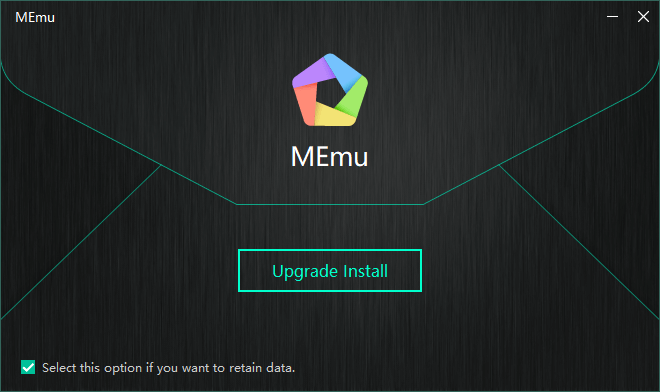
    MEmu Play is an android emulator created for gaming. Features like smart controls, game automation, and controller support make it a fine choice for gamers. The graphics on MEmu Play are stunning and provide a good UI experience for the user. The company boasts of its performance, and it has over 100 Million times worldwide downloads! It is only available for systems running Windows currently.

    Best Android Emulator

    Features of MEmu Play:

    • Key-mapping support.
    • Allows setting a virtual location.
    • NVIDIA chip support.

    4. Gameloop

    Gameloop is an android emulator, formerly known as Tencent Gaming Buddy. It’s made for gaming and gained a lot of popularity with its PUBG player. It has been one of the most downloaded android emulators and with over 500 Million downloads! Gameloop is very popular among PUBG and COD Mobile Players. The gaming experience is very smooth. It also runs on low-end systems with lower graphic settings. Overall, if you’re looking for gaming, you should consider Gameloop. It is only available for systems running Windows currently.

    Best Android Emulator

    Features of Gameloop:

    • Made specifically for Gaming.
    • Support for Multiple Languages.
    • Anti-cheat engine to avoid hacking and cheating during gameplay.

    5. Android Studio

    Android Studio is the official development platform for Android Apps and Games developed by Google. Apart from the os, it can also simulate hardware functions such as GPS, motion sensors, multi-touch, etc. It can verify apps and can emulate different Android versions, including the latest Android 11 release. So, if you are looking to develop, Android studio is your choice! It is available to download for free for both Windows as well as Mac.

    Best IDE for Flutter - Android Studio

    Features of Android Studio:

    • Feature-rich and fast emulator.
    • Build for development of Android applications.
    • Useful for people who want to test games or applications on android.

    Conclusion

    Hope you found this article useful. So we just saw the best android emulators in 2021. All of them have different features and are build for specific activities.

    Gameloop and Bluestacks are gamers’ favourite. They offer a seamless gaming experience. They have been on the list of best android emulators year after year.

    If you are into Android app development, Android Studio is the better choice.

    The Best IDE for Flutter App Development in 2021

    Hello guys! At the end of the day, it’s more of a personal preference when it comes to the best IDE for Flutter. Every program offers different features. Today we bring you a list of the best IDE for Flutter.

    Introduction

    Flutter is an open-source Software Development Kit (SDK) for mobile devices. It can be used to develop a native-looking Android and iOS application using the same codebase. Flutter makes use of widgets. An entire User Interface (UI) can be built combining the different widgets.

    Flutter offers a reactive-style view; developers do not need to restart the app to check the changes. It does that without the need for a javascript bridge. That makes it the only mobile SDK to offer this feature. Flutter uses the Dart language which compiles into native code. There a lot of additional benefits of Dart too, but let’s skip ahead to check out the best IDE for Flutter.

    For a comprehensive comparison between Flutter and Android Studio check out this article titled ‘Flutter vs Android Studio: Which is Better’.

    Top 5 Best IDE for Flutter

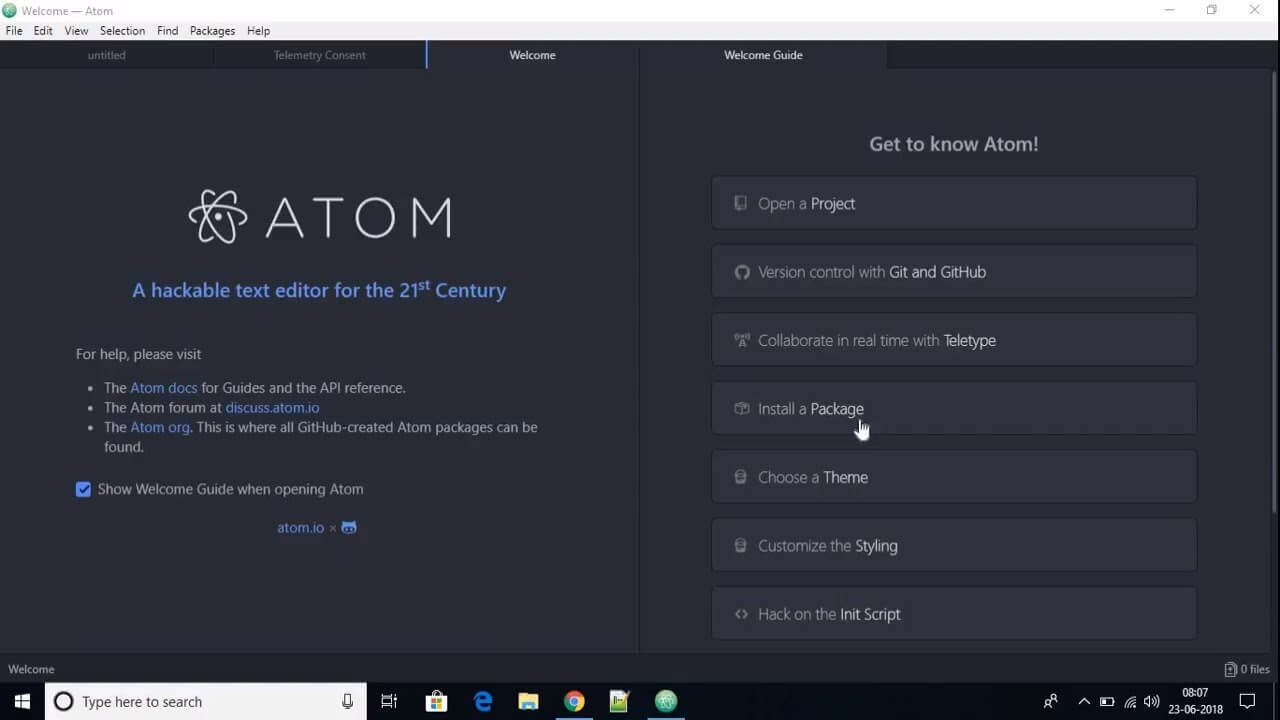
    The Best IDE for Flutter – No. 5: Atom

    Best IDE for Flutter
    The Best IDE for Flutter – No. 5: Atom

    Atom is an open-source text and source editor. It is 100% free to use and comes with support for plugins developed in JavaScript. GitHub has developed Atom and it comes with embedded Git Control. It has been named as the “Hackable Text Editor of the 21st Century” because of its massive library of tweaks and customizations and is up for whatever you want to do with it.

    Highlights of Atom

    • Massive library of plugins with seamless integration.
    • 100% free to use.
    • Lot of customisation options.
    • Good syntax highlighting.

    The Best IDE for Flutter – No. 4: Emacs

    Best IDE for Flutter - Emacs
    The Best IDE for Flutter – No. 4: Emacs

    Emacs is one of the recommended IDE by the Flutter team. It is a lightweight text editor and supports Dart and Flutter. It is easy on the system resources and is free to use. Another reason is that it uses keyboard bindings. Almost all the actions in Emacs is a Lisp function that can be assigned to a keyboard combination.

    Highlights of Emacs

    • It is quite extensible.
    • Has a mass number of extensions.
    • It is a lightweight program which can run smoothly on a low-end system.

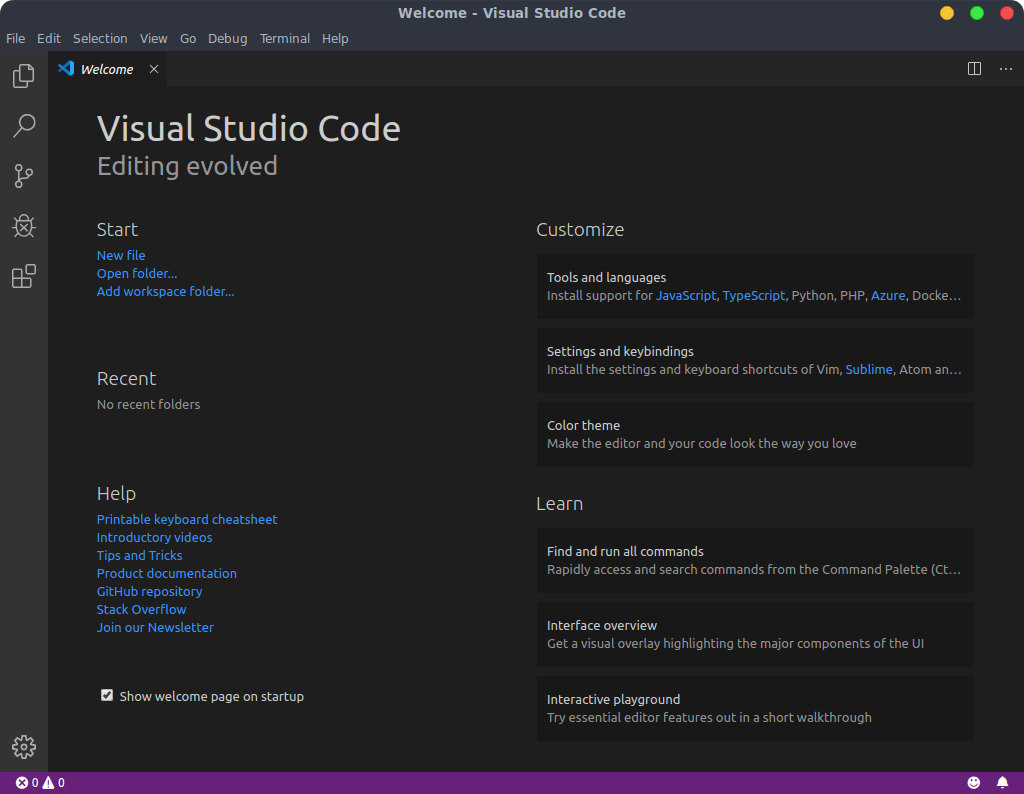
    The Best IDE for Flutter – No. 3: Visual Studio Code

    Best IDE for Flutter - Visual Studio Code
    The Best IDE for Flutter – No. 3: Visual Studio Code

    Visual Studio Code is a very popular and lightweight editor. It comes with support for Flutter App execution along with debugging. The Flutter extension can be installed from the Extension section which also installs the Dart plugin. It is loved by plenty of code writers because it comes with a lot of customizations and is also one of the recommended IDE for Flutter, by the Flutter team.

    Highlights of Visual Studio Code

    • Cross-Platform support.
    • Lightweight software.
    • Intelligent code sensing.
    • Great tool(s) support.

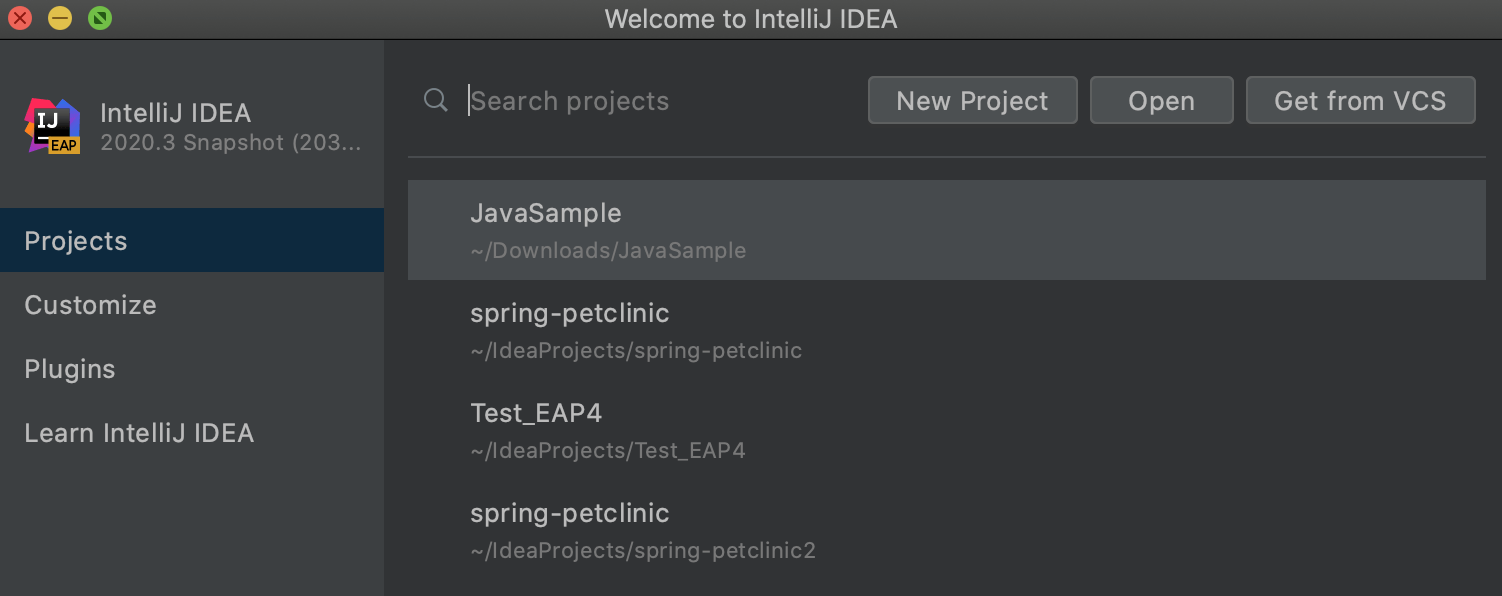
    The Best IDE for Flutter – No. 2: IntelliJ IDEA

    Best IDE for Flutter - IntelliJ
    The Best IDE for Flutter – No. 2: IntelliJ IDEA

    Maintained and Developed by JetBrains, IntelliJ IDEA is a feature-rich IDE that was created for creating software. It boasts features such as code refactoring and advanced code navigation. Error checking becomes faster and easier with its advanced error checking features.

    Highlights of IntelliJ IDEA

    • Smart code completion.
    • Auto imports.
    • User-friendly.

    The Best IDE for Flutter – No. 1: Android Studio

    the best ide for flutter

    Built on IntelliJ IDEA, Android Studio is a complete IDE experience for Android App Development. Built by the Official Google team, it is a unified environment where development can be done for all android devices. It is a good tool for beginners and comes with features such as code auto-completion and Git integration. It works well with a good system and can provide a laggy experience on low-config devices as it consumes more memory. It is recommended by a lot of experienced developers as well as the Flutter team themselves.

    Highlights of Android Studio

    • Excellent debugging mode.
    • Easy to use and understand.
    • Huge Community of Developers.
    • Features customised for Flutter.

    Conclusion

    It is really a matter of personal preference when it comes to a text editor. Every individual has a unique preference when it comes to the kind of features they expect, so there can be no winner as such. Although, personal preference aside, if someone new is starting to work with Flutter and is seeking advice, we have a final verdict for you.

    If you have a high-end working system, it is recommended that you use Android Studio for your projects. It is a recommended IDE for Flutter, by the Flutter Team!

    If you run a low-end system, it is recommended that you start with Emacs or Visual Studio Code. Both of them are lightweight editors and can reduce the load on your system.

    5 Easy Ways on How to Increase Website Page Speed

    We all understand the frustrations of waiting for a website to load so we can get the information we want. We’re all guilty of throwing our hand in the air and hitting the back arrow to find an alternative source on how to increase website page speed.

    Impatience isn’t unusual in these times of instant online gratification. A 2018 Google study showed that most people lose faith in a website if it hasn’t sprung into action within three seconds.

    Must Read: Why Search Engine Optimization is Important for Your Website?

    Is your business website one of these offenders? Take a look at these actionable tips to increase your website page speed and keep prospective customers on your site.

    How to Increase Website Page Speed?

    1. Test Your Website Page Speed

    There are several ways to test your website’s speed that can provide useful insights into bottlenecks and other performance issues. You can use Google’s Page Speed Insights (PSI) or any one of the other highly-rated tools available online.

    GTMetrics is another excellent tool that helps you pinpoint why your website’s slow. It also offers suggestions to get it running at its best. This report shows you how your website performs according to Google Page Speed and YSlow performance tests.

    YSlow tells you how many seconds your page takes to load and grades your site according to 23 different criteria. Ideally, you want to get your load speed as close to 2 seconds as possible and achieve the highest grade, which is A. 

    GTMetrics help you understand this rating and how to fix it. When you look at the report, you’ll see a color allocated to each aspect. Green areas are good, while yellow and red need improvement. Helpfully, GTMetrics tells you exactly what you can do to achieve green ratings throughout. 

    Whichever tool you use, take a screenshot of your original results so you can reference them later.

    2. Check Your TTFB (Time to First Byte)

    time to first byte

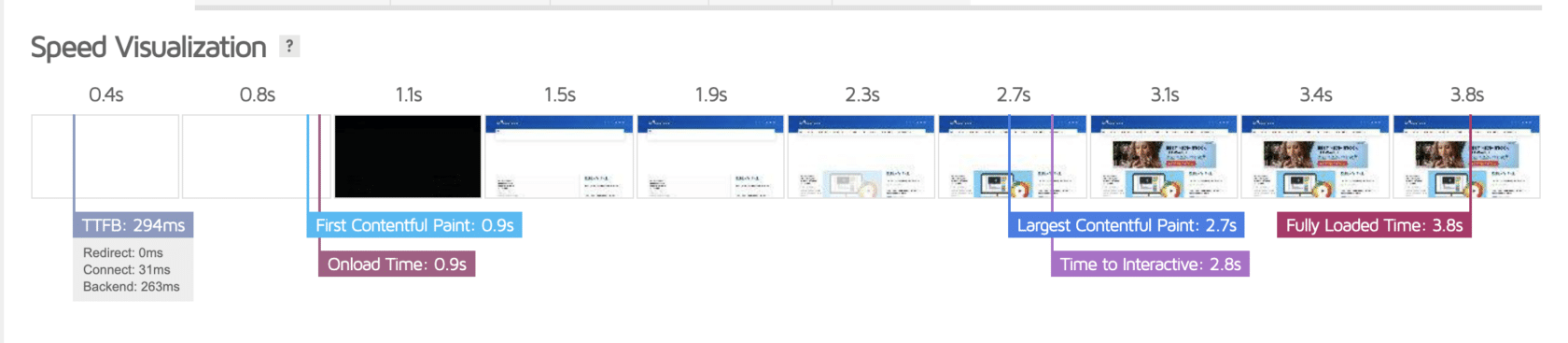
    You’ll find this information in the waterfall diagrams provided with most speed test tools. TTFB refers to the time it takes for your website to load and become available to viewers.

    Problems with TTFB usually stem from using an inferior hosting provider, DNS server, or Content Delivery Network. 

    Choosing the best combination of these services involves a lot of technical jargon and detail beyond the scope of the average business owner. So it’s best to enlist the help of a web design expert.

    3. Minify Your Files

    Most delays relating to website speed stem from downloading page elements like stylesheets, scripts, and images. While loading, each of these elements makes an HTTP request to your server.

    minify files

    You can see how many of these requests stem from your website with Google Chrome’s Developer Tools. 

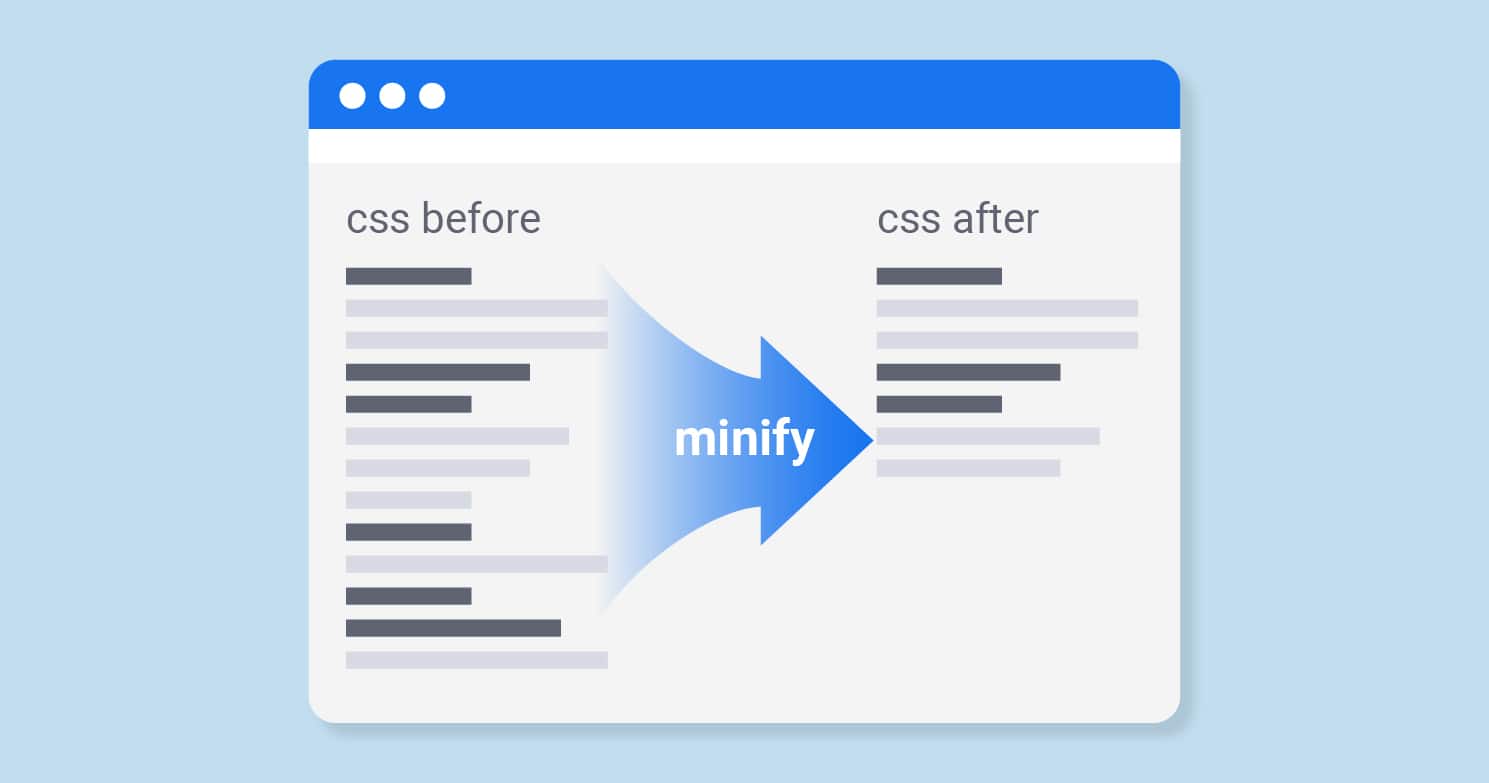
    One way to cut down on these time-consuming requests is by removing unnecessary code, whitespace, and formatting. It’s easy to do this using the WordPress plugin WP Rocket where you can minify and combine files with a few clicks. 

    4. Enable Image Optimisation and Compression

    Images are a critical part of web design, but their load times can slow down your site. Compressing your image files with a tool like Gzip is the most effective way to speed up load times for images.

    Gzip is an easy tool to use. Simply download it and then enable image optimisation and compression in the relevant tab.

    WP Smush is a WordPress plugin that automatically optimises and compresses all the image files on your website as soon as you upload them.

    It can also resize your images according to your criteria. 

    5. Choose a Website Theme for Speed

    Some website themes have extra elements, icons, and dynamic inbuilt features. These code-heavy themes can slow down your website.

    A lightweight, simple theme’s the best option if you want to prioritize speed. To check how a theme will impact your site, you can run a speed test on the demo site first. 

    How to Increase Website Page Speed & Monitor Your Website Page Speed

    A slow, dragging website causes a high bounce rate and lost sales. The steps above will help you keep more visitors on your site. Your work’s not done once you’ve got your website up to speed though. Dan from Pixelstorm suggests “test your website page every 3 months or so to ensure new images or code additions have not had a huge image on your speed, and potentially your SEO rankings or user experience.  These regular audits and adjustments will keep it working at its best.”

    How to Root any Android 10 Q Device in 2021 the Easy Way?

    3
    Root any Android 10 / Android Q device in 2021 – a step by step guide.

    It’s 2021 and the popularity of smartphones has increased intensively. Android devices have gained a lot of popularity as they ship with economical price-tags. There’s a lot that can be done on an Android smartphone, and a lot’s that you can’t. But after gaining root access you can do so much more than you can imagine.

    Rooting can be a tough task, so we bring you methods that will help you root your smartphone. Let’s take a look at the methods to root your Android 10 smartphone:

    Recommended : How to Root Any Android 9.0 Device – The Right Way

    Method 1: Root any Android 10 / Android Q device using Magisk Root

    Note: Make sure your device is charged above 50% and is connected to Power before starting the rooting process.

    Magisk Root is the most popular rooting method that has gained a lot of reputation with time. It has a powerful USI a.k.a. Universal  Systemless Interface, allowing immense potential.

    To use Magisk, there are some pre-requisites:

    • An unlocked bootloader,
    • A custom recovery, like TWRP.

    Step 1. The first step is to unlock the bootloader of your device. More details on unlocking the bootloader here.

    Step 2. After the bootloader of your device has been unlocked, the next step is to install a custom recovery on your device. Download a suitable Custom Recovery for your device.

    Step 3. Place the Magisk zip file on your phone’s storage. Download the zip here:

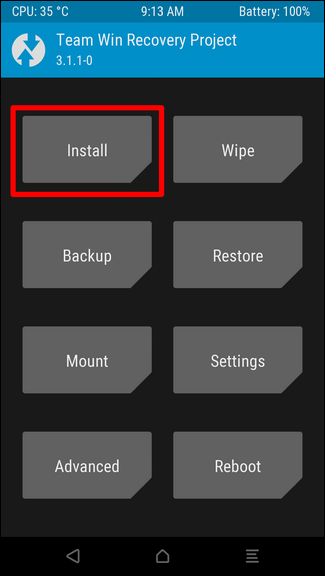
    Step 5. Restart the phone into recovery mode to gain access to the custom recovery.

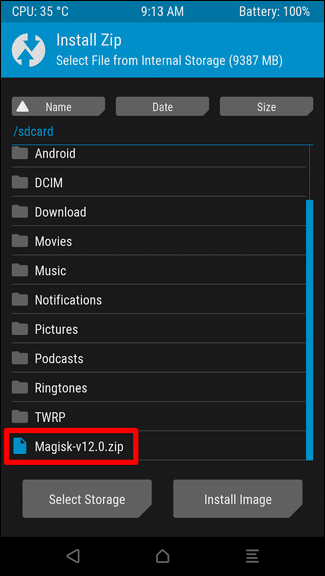
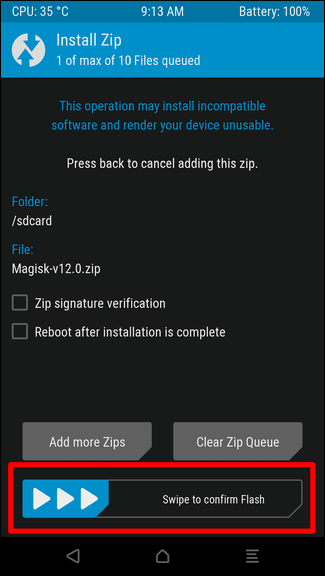
    Step 6. From the dashboard, click on Install. Now, navigate to the Magisk zip file and click on ‘Swipe to Confirm Flash’ to initiate the flashing process.

    Step 7. After the installation is completed, select the “Reboot System” in order to finish the rooting process.

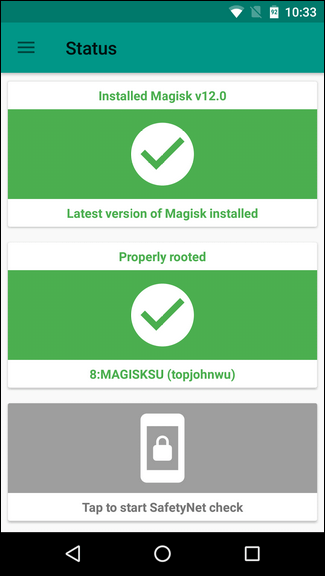
    Step 8. Once your phone reboots, you can verify if Magisk is installed properly on your device.

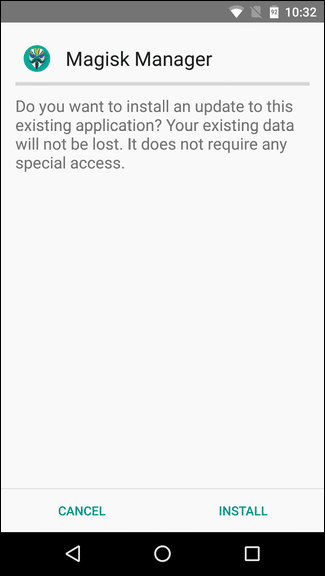
    Check your app drawer for the ‘Magisk Manager’ app. Open the app to check the details of the root and the version of the Magisk. And, you have rooted your smartphone successfully.

    Using Magisk Android App

    • Magisk is a very easy-to-use application with many features. Think of it like Xposed and SuperSU composed into a single UI.
    • If you have rooted an Android device before, you might already recognize the Magisk app and the different functions you can control via the app.
    • You can install different modules from the modules tab that you can find in the app menu.
    • These modules give you access to different functions that you can check for in their description.
    • After installing a module, you should restart your android device to experience the changes.
    • You can check all the modules installed on your android device from the “Downloads” tab in the menu.

    Method 2: Root any Android 10 / Android Q device using KingoRoot Android APK

    Step 1. Download the KingoRoot Apk file from the button given below:

    Step 2. Locate the downloaded file on your Android 10 smartphone and install the apk.

    Step 3. If you get “Install Blocked” message, follow these few steps:

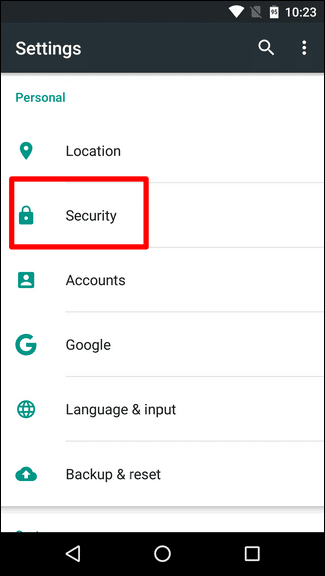
    • Open Settings.
    • Go to Security and then to Unknown sources and enable it.

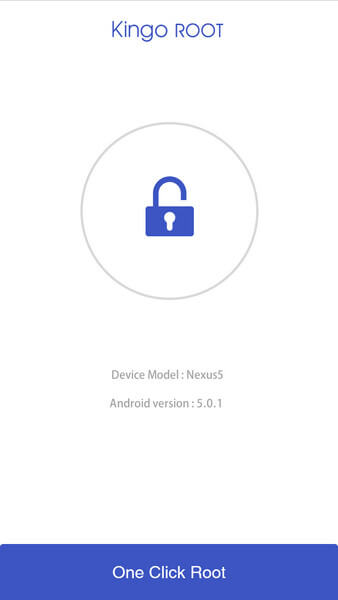
    Step 4. Open the app and tap on “One Click Root”.

    Step 5. Result will be displayed as “Success” or “Failure”.

    Step 6. If it fails, try the process again a few number of times.

    Root any Android 10 / Android Q device using KingoRoot Windows App

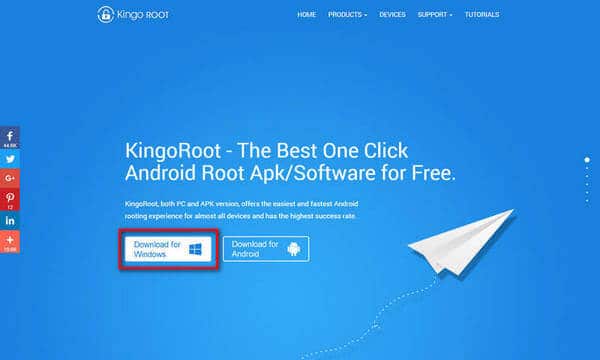
    Step 1. Download the KingoRoot PC Software from the button below:

    Step 2. Install the KingoRoot PC Software downloaded above. After the installation is complete, launch the app.

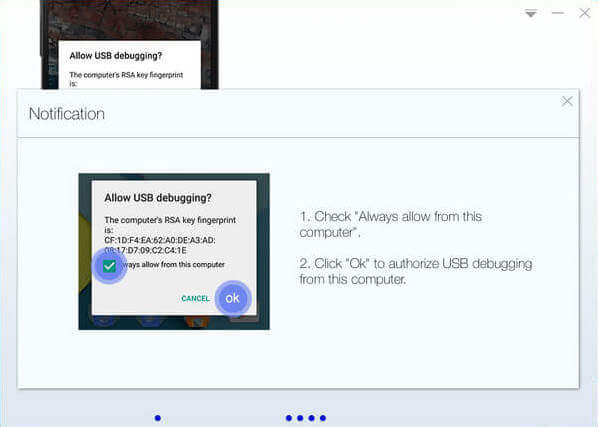
    Step 3. Connect your Android device to your PC. Make sure to enable the USB Debugging on your Android device.

    Step 4. Click on “Root” to begin the rooting process.

    Step 5. The result of root will be displayed when the process is complete.

    You can check the status of the root on your Android device. The root status should display as rooted. Check for root by downloading any root checking app from the play store.This way you can root any android 10 device

    10 Things to Check Before Collaborating with Instagram Influencers

    1

    Trying to find Instagram influencers to help your brand with its social media marketing? If so, you need to know what to check into before choosing someone to represent your brand. And while follower count is important, it’s definitely not the only thing you should consider. Brands should look into the following 10 factors when considering influencers for collaborations.

    Must Read: How Influencer Collaborations Can Market your Brand

    1. Content category and quality

    When you first start evaluating an influencer, take a look at their content. What is it about? Obviously, you want an influencer who posts in the same category as your brand. If you’re a brand that produces kitchen products, for example, you’ll want to find a food influencer. If your brand makes clothes, a fashion influencer, and so on.

    Further, how is the quality of their content? Are their photos clear and well-composed? Do they know how to upload stories and reels? For social media marketing, the influencer needs to be able to clearly transmit your brand’s message. Make sure they look capable of doing that.

    2. Influencer location

    Some influencers list their location in their biography. If you’re evaluating an influencer that hasn’t done that, scan their profile to see if you can get a sense of where they’re located. Maybe they’ve geotagged their photos, or maybe one of their captions mentions it.

    Gen z, social media, influencer, technology, youth millennial people concept. Young brunette girl

    Location is important for a few reasons. First of all, it may affect the influencer guidelines that apply to your collaboration. Remember, many countries regulate how brands and influencers disclose their partnerships, and it’s important that you comply with any requirements in place.

    Second, choose an influencer who is located in a place relevant to your campaign. If you’re launching a campaign in a specific country, region or city, it’s best to choose an influencer from that area. This way, there’s coherence between your goal and the content created to help you achieve it. For example, a campaign targeting Spanish customers might not perform well if the influencer is from Mexico.

    3. Aesthetic style

    Appearance isn’t everything. But it is important. Look at the influencer’s aesthetic style. What colors, settings, filters do they use? Find someone who more or less matches your brand’s style. For example, if your brand sells bohemian-style dresses, find an influencer with that same vibe. Their followers are more likely to be interested in the same, and that means they’re more likely to be interested in your brand.

    4. Follower count

    Follow me

    Follow count defines two factors in influencer marketing. First, the number of followers determines an influencer’s reach or the number of people who potentially see their content. Second, follower count impacts the influencer’s price tag.

    There are five types of influencers based on number of followers:

    • Nano influencers, 1-5K followers
    • Micro influencers, 5-50K followers
    • Medium influencers, 50-100K followers
    • Macro influencers, 100K-1M followers
    • Mega influencers, 1M+ followers

    Higher reach isn’t always better. Engagement rate is also very important, and nano and micro-influencers have the highest averages in the business.

    Nano and micro influencers will usually collaborate with you in exchange for free products. After that tier, influencers start to ask for fees for their work. Medium, macro and mega influencers also generally have managers, who can further drive up fees.

    5. Follower growth

    Business economy growth prediction graph

    In addition to the number of followers, look at how an influencer accumulated their followers. Healthy growth is slow and steady. With good, focused content, influencers will attract more and more followers with time. However, if you see that an influencer has suddenly gained a ton of new followers, they may have purchased fake followers.

    To determine an influencer’s follower growth, you’ll have to do one of the following: (1) track their profile over time; (2) ask them for this data; or (3) use an influencer marketing platform, which provides data like the graphic seen above.

    6. Followers to following ratio

    When it comes to followers, also compare the number of followers an influencer has to the number of profiles they’re following. If this number is close to 1, it may suggest that the influencer is using the follow/unfollow strategy. These followers are just trying to be polite, and might not be actively interested in the influencer’s profile.

    7. Engagement rate

    We mentioned above that the engagement rate is important. That’s because the engagement rate shows how interested followers are in an influencer’s content. The more interested they are, the more likely they are to engage with it. On Instagram, engagement is measured in likes and comments.

    Also as we noted above, engagement rate varies depending on number of followers. As follower count rises, engagement generally falls. Therefore, it’s important to compare an influencer to the averages for their follower range. This is a breeze if you use influencer marketing software. If not, ask the influencer for their metrics.

    8. Audience demographics

    When checking out an influencer, vet their audience too. Make sure that the target audience you’ve defined for your campaign is in sync with the influencer’s audience. Look at age, gender, location, language, and interests.

    This can sometimes be surprising. You may find an American influencer and think their audience is almost entirely located in the US. However, analyzing these demographics can reveal just the opposite, as seen in the graphic above.

    9. Audience authenticity

    Furthermore, look at audience authenticity. Influencers can easily buy fake followers, but these bots aren’t who you want to market your products to! Influencer marketing software can analyze this for you.

    If you’re not using an influencer marketing platform, sift through the influencer’s audience a bit directly on Instagram. Do the “people” who like and comment on their posts look like real people? Bots will generally feel fake, with a lack of profile picture or info, or unnatural speech patterns.

    10. Past collaborations

    Finally, have a look at other brands the influencer has collaborated with. What type of content did they post? Did that content get good engagement? Looking at this can help you predict how well their content would perform for your brand. You might also want to see if the influencer has collaborated with your direct competitors, and in those cases, it may be best to avoid collaborating with them.

    Conclusion

    If you want to find influencers and choose the best one for your brand’s Instagram campaign, keep these 10 points in mind while doing so. Careful influencer evaluation is an important step in any successful influencer marketing strategy, so take the time to do it well.

    7 Ways Your Business Can Benefit From Cloud-Based Marketplaces

    Companies have always sought to use the latest technology to gain an advantage over their competitors. The development of the Cloud and GCP marketplace technologies has changed the face of web-based services forever. In the past, the use of new technologies has been expensive because it required investment in people and equipment.

    The Cloud-based marketplace has allowed business leaders to invest in this new form of technology without spending the vast sums needed with location-based technologies. The Cloud marketplace can improve the operations and efficiency of a business, with its positive impact trickling down into every part of a company. Each business can choose the service that fits them best, including those offered by some of the giants of the tech market:

    • Amazon Web Services
    • Google
    • Microsoft

    1. Save Time and Money

    Time is money
    Time is money

    Implementing a new technology strategy has always been seen as taking time and money to complete. The use of GCP marketplace technology can be positive for business leaders hoping to save time and money. The implementation of a new piece of software to make a company more efficient has never been as easy as it is in the 21st-century. Connection reports the switch to new technology has been made simple by the use of the Cloud marketplace. Large tech companies have created off-the-shelf solutions to common technical issues that are available through the Cloud marketplace.

    2. Become a More Agile Company

    To remain successful in the fastest-moving industries, a company needs the ability to implement technology speedily. The Cloud marketplace is implementing a project faster and more efficiently through the use of experts who have identified areas of business in need of automation. When software is purchased through the Cloud marketplace, the ability to cut the implementation of a new project from months to weeks is available. The completion of a technology project allows a company to enter new sectors and accept new clients faster.

    3. Add Revenue Streams

    Wired reports the agility of a company when new technology is made available adds revenue streams. The pandemic has affected the profitability of several industries, with the ability to move into new areas and increase their revenue streams. By working with Cloud-based technology suppliers, a business has the opportunity to reduce the cost of the implementation of new software and hardware.

    Must Read: Free Alternatives to WeTransfer in India for Cloud File Sharing

    4. Make Sure the Salesforce Understands the Benefits of the Marketplace

    Sales forecast on digital tablet

    Among the benefits of Cloud, marketplaces are the ease with which salespeople can achieve success is through the access provided to reports for salespeople. Being able to monitor sales in real-time is a benefit for the leaders of a company and the salesforce, who will be able to keep track of their work. Salespeople can be unsure of using new technologies because they fear losing their commission and fear changing their daily routine. To ensure all members of staff are using the available technology training should be available during implementation.

    5. Use Self-Service Options

    Choosing marketplace technology gives a business the chance to take control of the direction it takes. The use of the marketplace offers a level of control not often seen with custom-made software solutions. The marketplace allows a company to set limits on its spending and the purchases made by clients to ensure it stays within its borders. The ability to limit the time between decisions and orders will be lower, to make the process of orders more time and cost-efficient.

    6. Choosing the Correct Product

    The products available through the Cloud marketplace are many and can provide a difficult choice for a company. Making sure the right products are purchased can be difficult unless the products are accompanied by educational materials. The use of yet documents and videos to help customers understand products can limit the interaction between salespeople and clients. Along with the use of educational materials, the Cloud allows access for customers to salespeople using online chats and video calls. The ability to interact with clients is one that can limit the issue of incorrect orders and returns.

    7. Lowering Expenses

    The decision to invest in a new technology comes with some concern at all levels of a company. The first step is to source the materials and decide on how they will be paid for. There are two options open to a company, operational expense, and capital expense. Choosing between these two forms of financing is important because of the impact on the long-term future of the business.

    Choosing to finance a project as a capital expense means finding the funds to pay for a project must be done before the project is begun. The marketplace opens up the possibility of starting a project as an operational expense. Starting a project as an operational expense makes it easy for a company to pay for its new technology while it is being implemented.

    There are several reasons why the switch to Cloud-based marketplaces is positive for the majority of companies. The success available by switching to a Cloud-based marketplace can be seen in the financial and time savings. Cost-efficiency is a powerful tool for every company to enjoy after making the switch to the Cloud.

    Underrated Ways to Refine Your Marketing Strategy

    1

    Apple can comfortably be called one of the world’s most famous companies because of its marketing strategy. While it is true that their products are excellent, there are many comparable products on the market. Many accredit Apple’s success with Steve Jobs. However, Steve Jobs didn’t have much of a hand in the product. What he was a genius at was marketing. Steve Jobs took marketing to the next level and made decisions about their products with a focus on how he would have to market them.

    Having a solid marketing strategy can truly make or break your business. Whether you make a product or provide a service, there are enough advertisements and marketing campaigns in the field to overwhelm customers. You need to stand out and make your voice heard in today’s crowded markets. To do this, your marketing game needs to be on point from day one. If your marketing plan needs an overhaul, check out these underrated tips to fine-tune your way to profit!

    Must Read: Meme for Marketing: A Guide to Adding Spice to Your Social Media Strategy

    Email Marketing

    Email is often seen as a dinosaur of the internet age. Most people don’t check their emails for anything other than work. This is especially true of the younger generation like Millennials. This is why many people are shying away from incorporating emails into their marketing strategy. Instead, there has been an increased focus on social media like Facebook, Instagram, and Twitter.

    Reading glasses and notebook with word email marketing on a white background

    However, research has shown that email marketing can have a return on investments of over 40 times what it costs you. If you take some smart steps and amplify your efforts, you will indeed find yourself moving beyond your current hurdles. Make sure you spend time editing what you use in your email campaigns and tailor it to your customer. Since customers don’t like frequent emails, make sure your emails include high-value information that your customers can act on instead of just crowding their inbox.

    Leverage the Weather

    You must be wondering why you should care how your customers feel when it’s sunny. However, sales and the weather have a very close relationship. Customers’ moods change with the weather, as do their needs. To fulfill these needs, they go out and purchase products that give them solutions to the issues they are facing. For example, when it’s raining, a customer will go out and buy an umbrella if they don’t have one. You can use this need to optimize your marketing strategy.

    If you can target your ads so that your customers see them during times of need, they will be more receptive to it. Incorporating the weather can be as simple as checking out weather forecasts on your phone. If you want more details and insight, check out ClimaCell’s SUPER review of the weather apps available on the market. Choose one that fits not only your needs but also your thematic approach to marketing.

    Aim to Go Viral

    We are constantly inundated with a vast amount of information. Popular culture is filled with images, videos, and texts that capture the imagination of billions for a few days till it gets replaced with the next big thing. It is nearly impossible to predict what will go viral, but you can aim for it. Instead of doing the bare minimum and focusing on the technical details of your company, aim for a wider audience sometimes.

    This accomplishes two things. Firstly, you will avoid putting out the same information as your competitors. Marketers often focus on the quality of their material, which is not a bad thing. Unfortunately, only expert audiences can understand the nuances in quality, leaving out a large customer base. Secondly, it will force you to creatively innovate with the material you’re putting out. Out-of-the-box thinking can lead to significant breakthroughs and will put you in a different class from your competition.

    Keep an Eye Out for Opportunities

    Don’t wait for opportunity

    The internet is in constant flux. While you know the most well-known social media sites, do you know about any others? Besides social media, there are many websites and forums that your customers use. Reddit is an excellent example of this. On Reddit, people congregate in specialized forums dedicated to specific subjects, platforms, or even ways of thinking. There are many dedicated to other websites, services, and even video games.

    You can leverage forums and websites like this to build relationships with your customers. By being active on these platforms, you can monitor your customers’ actual problems, participate in discussions regarding your company, and build relationships with the broader community. This is an excellent way to prove your worth as a new company and build trust for older business ventures.