More
    Home Blog Page 160

    Smart Tips For Boosting Your Career Success

    0

    A day does not have enough hours for a person to effectuate everything he or she intends to accomplish. Each individual wants to be productive and be able to manage time well to have a lot of things done and have some free time too. To achieve that, a person needs to adhere to a certain schedule.

    Steps that should be undertaken to increase work productivity:

    1. Exercising

    Exercising Woman

    Exercise must be included in a working schedule. Exercising regularly can bring you more strength, greater focusing ability, and more health. What you only need to do is come up with a reliable plan that is not overpowering.


    1. Meditation

    Meditating daily improves productivity since one’s potential to remain focused will improve. Meditating trains the brain to stay focused and oppose the desire to deviate. Studies show that there is a great improvement in a person’s ability to focus after few days of meditating for at least ten minutes.


    1. Sleeping Well

    The same way there are not enough hours during the day to have all things done; there is also not sufficient time at night to get enough sleep. To be able to get enough sleep without extra time, there is a scientifically proven tactic to use.


    • NAP

    The number of continuous hours that you are awake matters a lot. This means that even having twenty-minutes power sleep has great benefit to your self-control. Self-control enables you to have a good mood, which is essential for succeeding in your career.

    Taking a Quick Nap


    • Sleep in a dark place

    To acquire extra strength from sleeping without increasing the hours spent in bed, you should sleep in a totally dark room. This way you will get a sound sleep and the brain will be able to rest well.


    • Build a reserve

    Even though it is not a fail-safe criterion, catching up on a sleep can reverse some sleep loss outcomes. Sleeping more during weekends can form a reserve of strength that the brain can utilize during weekdays

    Sleeping on Couch


    • Eating healthy foods

    When exerting mental strength, the brain burns a chemical referred to as glucose. Foods that have calories give the brain glucose. However, the glucose is not formed equally. Nourishments which contain sugar bring a fast spike of glucose thus providing cognitive strength for a short duration and they will cause a subsequent crash that will deplete the energy fast.

    Eating Healthy Food

    You should keep your bloodstream energy level steady because that will provide the brain with a consistent reserve of fuel to produce mental energy for a long time. This can be achieved by eating foods like lean proteins, nuts, fresh fruits, and vegetables.


    Conclusion

    The routine described here will assist in increasing focus and energy, however, the most crucial thing is the way you are working.

    There is no production schedule in this world which can go beyond a strong desire to create awesome work no matter the nature of work.

    18 Amazing Apple iPhone X Features that You Should Know

    0

    Now that iPhone X is coming, we look at the goodies it promises to bring. In this article, we will review 18 awesome additions that you will definitely be interested in.

    18 Features in the New iPhone X


    1. Neural Engine

    If you want to know how 600 billion operations per second feel like, then iPhone X gives you exactly that. An improvement from the Bionic A10 capacity.


    1. Apple-Designed GPU

    Armed with three core graphics, it is tipped to do better than iPhone 7 by at least double digits. Considering that it is Apple-designed, it is likely to enhance compatibility.


    1. Surgical Precision Stainless Steel Frames

    To support an all-glass front and back display, the precision frames add a touch of gloss that iPhone 7 lacked. Here is a chance to get rid of the aluminum back in style.


    1. No Home Button

    No home button and large screen in the iPhone X

    Without a home button and a wide-screen 5.8 inch, the screen is over 80%. Also, it has allowed new features to be added such as face ID in place of touch ID.


    1. Motion Coprocessor

    To view quality video and pictures, this phone comes with top of the range motion processors that improve your performance by about 70%.


    1. iOS 11

    Unlike iPhone 7 that only allows upgrading to iOS 10.3.3, X offers iOS 11 as the default processor, which provides you with more compatibility.


    1. Bluetooth 5.0

    An upgrade from 4.2 is welcome. It comes with an 8-fold broadcasting capacity and doubles the speed. That’s not all, you can broadcast four times far away from your device.


    1. Faster Wireless Charging

    The future of charging is wireless and iPhone introduces you to Qi wireless charging system. It is also optimized to charge your phone 50% in 30 minutes.


    1. 2 More Hours of Battery Life

    An upgrade from 1960 mAh will add two more hours for you. One advantage that iPhone boasts of is energy efficiency and this system is built for just that.


    1. Dual Lenses Frontal Camera

    To improve your picture and video capture, dual lenses are introduced and two sensors to optimize your experience. Also, the camera uses telephoto technology.


    1. 1080p Slow Motion Video Recording at 240 FPS

    iPhone 7 was only able to do 120 FPS at 1080p. iPhone X is a step up to record at 120 FPS at 2160P.


    1. HDR10

    Everyone wants a high-definition display, but it comes at a cost here and well worth it. You can view Dolby Vision compliant videos flawlessly on top of other display features. At 150mbps, you can even stream the videos.


    1. Portrait Mode Selfies and Animoji

    Taking face detection to another level. The phone makes and animates emojis based on your facial qualities.


    1. OLED Display

    The first phone to feature the display and boast of 1m: 1 contrast, true black, and seven colors display quality.


    1. 5.8-Inch Display

    It exceeds iPhone 7′ 4.7-inch display by a whole inch. It makes good use of the screen to make your experience better.


    1. 458 Pixels Per Inch

    This feature surely shows what an upgrade it brings to the phone compared to iPhone 7’s 326ppi.


    1. Face ID

    Instead of touch, Apple is moving on to facial recognition intelligence. They argue 1000000/1 odds of error.


    1. Dual Optical Image Stabilization

    Minor image shaking cannot affect the picture.


    Overall, the iPhone X is chock full of great features, sure to please current and new Apple lovers.


    About the Author:

    This post was written by Alissa Davis. Follow her at Allisa B. Davis where she writes articles on technology.

    Best Free WordPress Plugins for Content Creation and Management

    Developing the perfect system for your content management on WordPress takes some time and patience. You will spend much of your time as an administrator configuring different plugins to work together and maximize your workflow efficiency while also paying attention to SEO and ranking.

    This can be quite a task for a single person, which means that WordPress plugins are essential to your quality of life and management experience. What are some of the most important content creation tools you should consider when configuring your WordPress site?


    1. TinyMCE

    This plugin was designed with the intention of custom-made content management in mind. You might be a regular content creator that manages their own content but wants to customize their visual toolbar every now and then.

    While the default WordPress configuration doesn’t allow you to do that, TinyMCE will allow you to access various configurations of the toolbar in order to ensure your productivity and comfort. Consider using this plugin should you ever feel the need to add or remove buttons and options from the visual toolbar in WordPress content management.


    1. PrePost SEO

    As the name suggests, the plugin revolves around SEO optimization of your content before it gets published. WordPress plugins are usually targeted at making sure that your ranking becomes higher. They are also focused at making sure that your visitors have the best possible experience when viewing your content, which is why PrePost is essential to your content management.

    You can easily manage your keyword density, check any backlinks you have or even optimize your titles and automatically fix mistakes in typing. PrePost is an all-in-one tool when it comes to SEO optimization of written content before publishing it for the audiences to see.

    PrePost SEO
    PrePost SEO
    Developer: Ahmad Sattar
    Price: Free


    1. EWWW Image Optimizer

    Optimizing your image files for maximum quality VS minimum size has always been a struggle for bloggers and site administrators. While some might say that a WordPress blog plugin can only make things difficult for you, those without knowledge of modifying images for lower size can use EWWW as their tool of choice.

    The plugin is made with quality and size in mind, making sure that your images are always optimized for the device that the visitor is using to see your content. Using a professional writing service to optimize your alternate text will do wonders for your SERP ranking. This will not only make your site more lightweight but also increase your ranking based on accessibility, which Google’s algorithm considers highly positive.

    EWWW Image Optimizer
    EWWW Image Optimizer
    Developer: Exactly WWW
    Price: Free


    1. Post Title Formatter

    Many bloggers struggle with optimizing their titles and subheadings for SEO. While it can be done manually, it can take much longer than it otherwise would if you used specialized plugins to do so. Post Title Formatter is an example of a plugin designed to help you shape post titles for SEO.

    WordPress plugins


    It capitalizes first letters of your titles, removes full stops and any elements that Google might find detracting, as well as feature quality of life options such as adding a space after a comma. These small tweaks are exactly what bloggers need if they want to rank their posts higher, and Post Title Formatter can ensure just that.

    Post Title Formatter
    Post Title Formatter
    Developer: Get Good Grade
    Price: Free


    1. Editorial Calendar

    Using outside applications and notebooks for your post scheduling can be tiring and difficult. What happens when you lose track of your writing and don’t know what to publish at what intervals? Editorial Calendar is a plugin designed to fill that void in your content management scheduling.

    Placing the plugin in your WordPress plugin directory will allow you access to a plethora of scheduling options. You can easily set up a publishing calendar for your content and follow up on any plans you set for your site without having to worry about scheduling. It’s also possible to automate your publishing by allowing the plugin to do it for you even when you are away from your site for a while.


    1. Zedity

    For those that want content management freedom outside of text management, Zedity is the perfect plugin to consider. Built from the ground up as a visual content management tool, Zedity allows an unprecedented level of design and visual manipulation of your WordPress content.

    You can set up pages so that their flow is exactly the way you want it to be and combine this with your written content in order to provide the most enjoyment for your visitors. Zedity requires zero coding skills and all you have to do is install it and start redesigning your content pages.

    zedity
    zedity
    Developer: www.zedity.com
    Price: Free


    Conclusion

    Combining different plugins into a coherent whole is something that takes time to master. You can easily install several plugins and see if they make your content management easier or more difficult. However, the more plugins you have installed, the “heavier” your site will become, so limit yourself to essential tools that are absolutely necessary. Only then will you discover the perfect content creation combination that suits you completely.

    Top 5 Must Have Essential Apps for those Who Love Travelling

    Nowadays traveling is enhanced by technology. Whether you’re stuck-talking through Chiang Mai or strolling the Champs-Élysées. Technology helps wanderers keep things organized, notice relevant data and even fix their sleep schedules once jetlag has gripped them.

    When traveling the globe solo, it’s vital to seek out helpers anyplace and all over doable. These five apps can simply become must-haves for anyone who enjoys traveling.


    1. Google Maps

    I think this app doesn’t need any introduction From the name itself; Google Maps is one of, If not so we can say it is the ultimate mapping service that exists. This app is an essential app infect this is the most important app that you should install on your smartphones. Showing comprehensive map of your destination is not only the feature of this app, but it is also integrated with several apps like uber, cream. If you know to use this app, you will surely never get lost.

    Google Maps
    Google Maps
    Developer: Google LLC
    Price: Free
    ‎Google Maps
    ‎Google Maps
    Developer: Google LLC
    Price: Free

    2. Instagram

    If you are a teenager, then this app also doesn’t need any introduction. If not, therefore Its an era of social media, You can post your travel snapshots in some social media platforms, and Instagram is one among it. You’ll be able to edit your snaps here: add some filters, resize, crop and far a lot of. Other than snaps, you’ll be able to post a 15-second video clip on this platform; you can live on this app from anywhere in the world but if you have internet lol. By the way, I am using Instagram not solely to post my travel snapshots however also to look for stunning alternative places to go to through the photos that are announced.

    Instagram
    Instagram
    Developer: Instagram
    Price: Free
    ‎Instagram
    ‎Instagram
    Developer: Instagram, Inc.
    Price: Free+


    3. Uber

    As far as ridesharing goes, Uber is wherever it’s at. The corporate has become a well-liked name worldwide, serving to those while not cars get around in the associate economic manner that’s additionally cheaper than any taxi ride. With ordinary voters serving as drivers, Uber is that the useful tool for travelers UN agency don’t have access to an automobile and wish to urge somewhere with ease. Everything is completed through the app: ordering a ride, following the driving force and even payment. This makes it simple to push from place to position whereas traveling—without the headache of transit systems or the expense of taxis. Presently active in additional than eighty countries, it’s useful in most of the biggest traveler regions within the world.

    Uber - Request a ride
    Uber - Request a ride


    4. VPN

    When we travel, we tend to run the variety of security risks. Those risks are present whether we are traveling in our town or overseas, and whether or not the trip is for work or a vacation. Public wireless permits us to relish the web while not paying for data. However, attaching to public wifi hotspots means we tend to are at risk of being exposed to cybercriminals. A Virtual Private Network (VPN) or we can say fast VPN is the best solution and is the personal cybersecurity product for travelers that everybody is talking regarding.

    You can check out some of our VPN articles:

    5. Wikitude

    You won’t catch a Pokémon with this AR app. However, you may study those winged horse-fish creatures within the Trevi Fountain. Simply purpose your phone-cam, and it annotates the scene with pop-ups on everything from ancient ruins to taco stands.

    Wikitude
    Wikitude
    Developer: Wikitude GmbH
    Price: Free


    There are still many travel smartphone apps out there. However, these five apps area unit tested and verified to be helpful when before, during and after your travel escapade. Ensure to download all of those apps, and set up your trip rigorously, be safe and secure and keep connected with Broodle.

    How to Schedule Messages on WhatsApp?

    Sometimes we wish to schedule messages on WhatsApp It happens in some special cases like when your friend’s birthday is tomorrow and you are feeling so sleepy. In this case, you can wish him/her at exact 12 Am by scheduling a Happy Birthday message on WhatsApp. Well, there is no feature available on WhatsApp, like this. It is very bad news but what if I say that you can schedule messages on WhatsApp? Heard interesting?

    WhatsApp is the best chatting app in the world. Most of the people love it because of its simplicity. This is one of the reasons why WhatsApp doesn’t include more features. It is a very fast messenger because of light burden. But many of its users like to get some additional features in it. They can use any other Mod app of WhatsApp which have lots of additional features.

    As we all know, there is no feature to schedule messages on any chatting app at the time. But they are so many ways to schedule messages on Social media apps. How? Well, this whole article is based on this. We are only talking about WhatsApp in this article, so we will not consider any other application. Okay, so let you know you can schedule messages on WhatsApp. There is no option in their official app but it is available in some MOD apps like GBWhatsApp.

    Maybe you have heard about GBWhatsApp before. Haven’t you? No problem, let you know it is one of the most popular MOD of official WhatsApp. It has lots of awesome features which are not available neither on official WhatsApp nor on any other MOD apk. This is why lots of people prefer to use Mod apps instead of official one. If you haven’t used this app before then don’t worry. It will work same as like original WhatsApp application.

    Requirements to Schedule WhatsApp Messages

    Many people want to check out what things we should need to follow this tutorial. Well, let them know there is nothing special requirement in this trick. But to solve your confusion, I am sharing required all things name here:

    • An Android Smartphone
    • Internet Connection
    • GBWhatsApp Apk

    That’s it, Let me ask, is there anything special which you can’t manage? Actually no. You will get GBWhatsApp download link too so there is nothing hard for you. Whenever you are ready with these all required items, you can proceed to the main steps.

    How to Schedule Messages on WhatsApp?

    Is this your question what I have typed in above heading? I am going to answer this question in few simple steps. but before proceeding to the steps, make sure you have already check out Requirements section. if not yet, scroll up, read it and come here again!

    Step 1: The first step is, you have to uninstall old WhatsApp app from your smartphone. Why? Because we are going to install another Mod app and both of the WhatsApp accounts will not work with the same number.

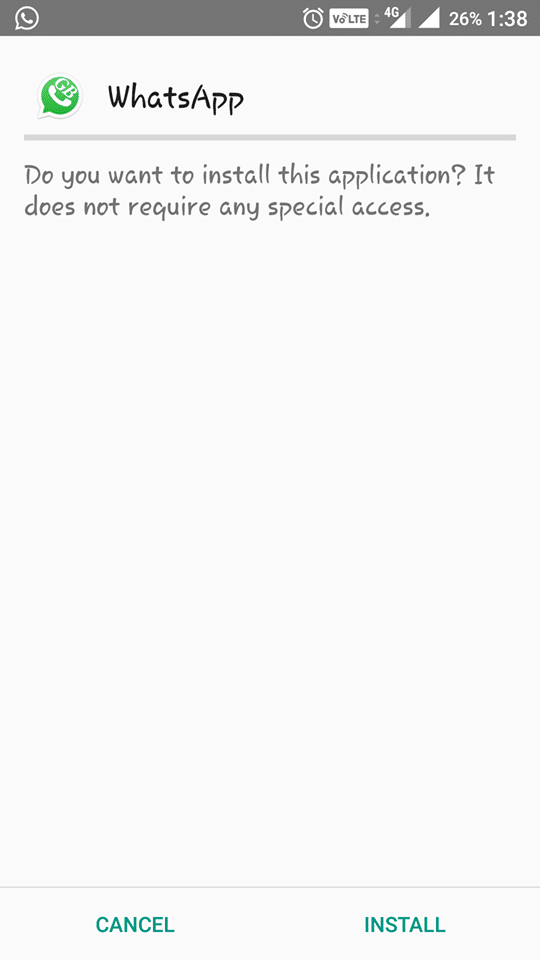
    Step 2: When you have uninstalled official WhatsApp from your device, it is time to install GBWhatsApp APK. – Download GBWhatsApp for Android

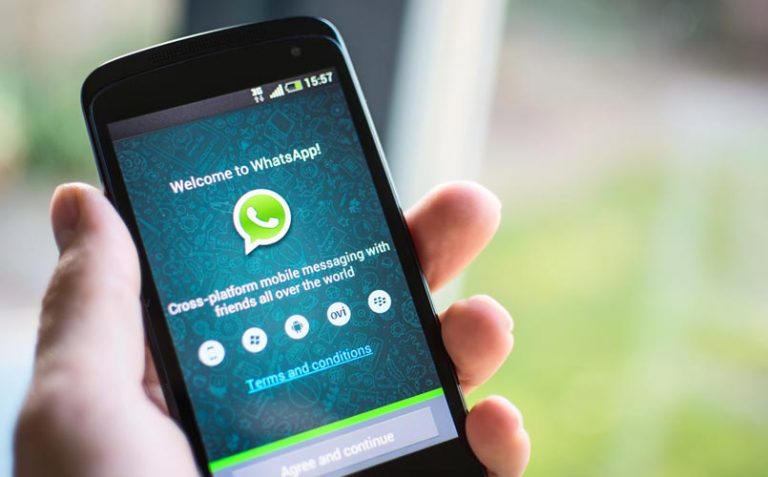
    Installing GBWhastApp


    Step 3: After successful installation, Open the app and Enter your mobile number.

    Step 4: Verify your phone number via OTP and proceed to next steps, set DP and your Name.

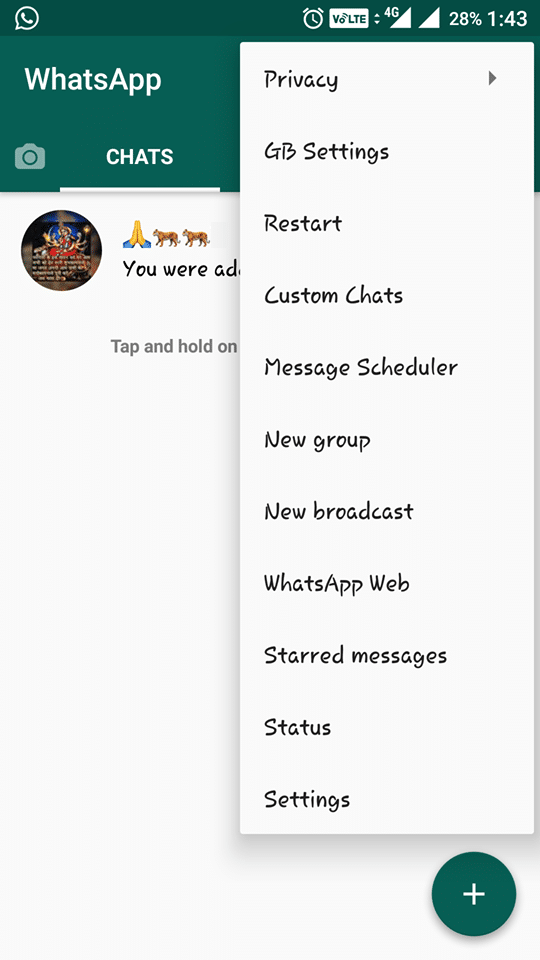
    Step 5: Now, your WhatsApp is ready to use. To Schedule a WhatsApp message, click on the top right corner and choose “Message Scheduler” option.

    gb settings

    Step 6: Click on “+” button to add new Schedule, fill the details like Number, Text message, set Date & Time.

    Step 7: At last, click on “Schedule” button and you are done!


    Voila!! You have successfully scheduled a message on WhatsApp. This is how it works, is there anything hard in it? According to me, No. Even it is the simplest trick to schedule messages on WhatsApp.

    Final Words

    Let me ask, have you got the trick what you are searching for? I hope your answer is Yes. As I have explained the best and simplest way to schedule messages on WhatsApp. This tutorial can be followed any phone running on a 4.0+ Android version. If you have any doubt or query, feel free to comment below. Don’t forget to share this amazing trick with your friends too.

    5 Mistakes You Should Avoid When You Create an Infographic

    0

    Nowadays businesses keep on changing and infographics seem to be the next big thing, which is why implementing them in your marketing strategy is a must. When it comes to internet marking providing users with information quickly is key, since people on the net have short attention spans.

    One amazing thing about infographics is how quickly they can become popular and go viral. At this rate, infographics can reach an unlimited amount of traffic with a push of a button. As we know only infographics can do this and nothing comes close.

    Which is why if you have an amazing thought or a product to offer you should definitely covert it to an infographic, that will be shared all over the net. To achieve a viral infographic you must first know what to avoid. Here are some common traps.


    1. Wordiness and Fluff

    Copying content in an infographic is a huge mistake and should be avoided. The goal when creating an infographic is not to write an article, but to create a picture that represents a thousand words. Viewers who like to look at infographics want to see clever to the point information and nothing else. If they wanted more content they would open up an article and get content there.

    The main factor of an infographic is to tell a story with key elements of information. However, you can use bullet points or short sentences, but make sure they look good when reading.

    Furthermore, when creating infographics it is a must to always use facts. If there is no way to back up your images with hard facts then you are throwing fluff to the audience. Providing false content will always lead to negative reviews and unhappy readers. How do you expect users to share content they find untruthful?


    2. Not Knowing the Audience

    There is no point in starting the project without having thought of the target audience, consider who you want to target first. For a business strategy to work it must be aimed to the right people, which is the reason why most infographics fail – they target the wrong audience.

    You can create the best infographic with the most beautiful design, but if it’s not targeted towards the correct audience then your infographic will not be shared as much. Firstly ask yourself these questions:

    • What audience are you trying to reach?
    • How can you find these people on the internet?
    • Where will they be able to see the infographic?

    Find out the answer to the questions above and you will know which steps to take when it comes to the infographic. Thus, you will have an understanding of what to include and what not to include, as well as how to popularize the product.


    3. Underestimating the Power of the Design

    Although using templates seems like a great idea for those of you who do not have the time to create your own. In actuality using templates is not a good idea, what seems to be hot right now can become unpopular by the time you create your own. It’s fairly simple, if you want a high-quality infographic that will be shared on the internet you will need to make it yourself.

    However, we’re not saying that using templates is a guaranteed failure, but there are some bad designs people fall for. Furthermore, a template may be successful for one great idea, but terrible for another. Every idea needs its own unique design, which promotes the main points correctly.

    How do you pick a great infographic design?

    First, consider the target audience, what do they like to see? Maybe they enjoy more pictures and less writing or it could be the complete opposite. Don’t make the project overcrowded with too much content but keep it simple. Look at the story bit by bit make sure not leave out key parts, otherwise, the infographic will be lesser quality.


    4. One Size Does Not Fit All

    There is no image that will work for every idea you have. Not even one infographic design or template can fit all ideas. Knowing this information, you need to consider what’s the most important piece of content you need to show.

    We’re not only speaking of the design of the infographic but also when you create it, does it actually fit on the platform you are promoting it on. A great example is Instagram, they require square images. Instagram isn’t the only platform with limitations, each social media site is mainly about one thing. Facebook is about entertainment and communication, Pinterest is about inspiring others through images.

    Therefore, you need to know what you can upload for maximum potential. The one size fits all doesn’t work for infographics, you must be creative.


    5. No Call to Action

    Viewers won’t take action if you don’t ask them to, they will read the content and leave the page all because you didn’t ask them to give you something in return.

    Don’t think of this as annoying the reader, but as a little nudge for them to share the content if they liked it. Viewers love sharing content all over the internet to their friends and families and social media sites make this extremely easy. Provide them with the chance to do so with a call to action, in fact, most readers forget to share content, which is why you must remind them.

    There are many ways to handle the call to action part it all depends on what you need. You can ask for the audience to like, share, comment, follow your brand or even buy a product from you.

    In addition, you can choose where the call to action is going to be, whether it’s on the image itself or in the description underneath it.


    Conclusion

    There are many strategies when it comes to creating an infographic. First focus on the mistakes you can make and avoid them as much as possible. Use the advice in this article to help you create a viral infographic the will be shared all over the internet.


    Top 5 Reasons Why People Crashed their Phones

    0

    Nowadays most people would do just about anything in order to keep their phones safe and avoid damaging them. The newer smartphone models have advanced quite a great deal, offering extremely fast and accurate solutions for a large part of the essential modern needs. While some will go to the extent of purchasing special accessories in order to protect their phones and prevent losing them, every once in a while, the calm daily routine is interrupted by a nervous breakout and followed in very close by a phone exploding to pieces after having been smashed to the wall.


    Needless to say, most mobile phone users have felt at least at one point in life, the avid need to grab their gadget and crash it towards the nearest hard surface. So what is it that makes some transfer their anger to the most efficient communication gadgets ever created? Here are 5 of the most common reasons behind people feeling the pressuring need to crash their phones:


    1. Breakups via SMS

    Believe it or not, one of the most frequent incentives for destroying a mobile phone is that one final text received from the partner, announcing the immediate and definitive breakup, without any possibility of reconciliation. Lacking the actual interlocutor, most people feel the abundant need to blow off steam by exercising violent damage and the most at hand target is, in the majority of cases, the smartphone.


    2. Online Video Games

    Modern phones also allow fast and stable Internet connectivity at all times, thus most users have at least one game or gaming platform installed, that helps them past the time during breaks or while waiting for transportation means. However, there are also those who end up completely absorbed by the in-game universe, and when they fail to achieve the certain mission or face repeated failure, the anger generated is rapidly manifested and directed at the gadget through which the game comes to life.

    Cracked iPhone Screen


    3.Depersonalization

    From social media networking to job-related communication, from simply catching up with the latest events via media channels to reading books, phones contain so many digitalized instances from real life. This is how sometimes users end up feeling alone or just a small piece of an infinite circuit, identifying themselves with the other participants. At the same time, the feeling of uniqueness disappears, leaving them frustrated and uncertain of their own distinct characteristics and values. This modern type of “loss of self” is also one of the main reasons for which persons will try to destroy their phones and break outside the digital circle.


    4. Slowed Down Intelligence

    Statistics show that digital information is much easier to grasp, yet much harder to retain and actually apprehend. One can rapidly go over a very large quantum of information, but after a short, while nothing major is learned or derived from it. When one comes to realize that none of the diverse information recently read has actually stuck with them and helped them improve, the first reaction is to cut off the source of this perishable knowledge.


    5. Anti-Social Aspirations

    Finally, there are also those who reject the basic aspects of civilization, trying by any means to isolate themselves as much as possible from modern society. Having to co-exist with it due to basic needs, sometimes the first element they can manifest their sense of rejection is the mobile phone.

    Man Using Phone

    In the end, mobile phones remain simple gadgets that fulfill some of our social needs and requirements. One must identify and accept the instances in which these needs are not accurately satisfied and build better means to accomplish them.

    How to Get Your New Blog Post Indexed Instantly on Google

    0

    You had done spending lot of time in…

    • Discovering point for your next blog entry
    • Doing examination and composing post
    • Discovering picture and advancing it for SEO

    Still, your post is not getting index by Google.

    Why?

    • “why my new post are not showing up on google”
    • “new post not getting indexed by Google”
    • “why google not indexing my new posts”
    • “the most effective method to index my blog quicker”

    Presently what? What is the following stage? Do you simply continue sitting tight for Google to go to your blog or site? How to Get Index Your New Blog Post Super Fast? Is there a quick procedure? Step by step instructions to Get Index Your New Blog Post Super Fast. Here I chose to compose a point by point post on getting your next blog entry index super quick in Google or any web crawler.


    1. Compose Quality Content

    This is the initial step to get index your next blog entry quick.

    • Do appropriate research about the subject, locate some great catchphrases.
    • Try not to duplicate from some other site. Make wonderful content your own, compose a long blog entry at least 500+ words.
    • Compose blog entries frequently, and Google ought to be at your doorstep as soon as possible!
    • Begin Building Quality Backlinks
    • Getting amazing Backlinks is a standout amongst another approach to build site movement also getting higher rank in Google.
    • Attempt to construct backlinks from high page rank destinations. Here are a portion of the best and normal approaches to manufacture backlinks: Visitor Posting, Blog Commenting. Utilize Forums, Interlink Blog Posts. Submit RSS channel to RSS indexes, Compose Awesome content and others will love to connect back, Utilization of person to person communication sites


    2. Social

    Person to person communication is additionally essential to building quality backlinks. Google+ is assuming

    • Google+ is assuming a critical part in this. Attempt to get more Google +1 on your next blog entry as much as you can.
    • Facebook: Use Facebook and it will help you to drive more movement and getting index on Google Fast
    • Twitter: Tweet your next blog entry and endeavor to say other individuals in the tweet. They may likewise jump at the chance to share.
    In the event that you need others to share your content on the interpersonal organization, First, offer them and after that demand them. Keep in mind: Give and you should get!

    Google continually indexes these online networking sites, and any connection back to your blog would be taken after rapidly!


    3. Blog Commenting

    Begin leaving astounding content on another blog. It won’t just help you to get a backlink and in addition getting high page rank. Try not to leave “decent post” “a debt of gratitude is in order for sharing” remark on another blog. Read posts totally and after that offer your perspectives about it in the remarks!


    4. Utilize Pingdom Tool

    Heard the first time? Ping-O-Matic is an administration to refresh distinctive web crawlers that your blog has refreshed. It is exceptionally helpful and will work for both WordPress or Blogger Users. Simply go to Ping-O-Matric, enter your blog name, URL and bolster URL. Select every one of the administration and snap SEND PING. Simple, would it say it isn’t? It is critical to ping your blog. This technique will work for WordPress clients.

    In short words: Pings are administrations to refresh diverse web indexes that your blog has refreshed. This progression will work just in WordPress blog. Here is the way to refresh the ping list in WordPress in a couple of moments seconds.

    1. Login into your WordPress administrator.
    2. Tap on Settings>>Writing
    3. Look at the base and search for the Update Services area
    4. Erase the rundown current there. Snap beneath list and Past the rundown into the content territory


    5. Press Save Changes

    Once your new post gets distribute take after all the above tips, you’ll begin to see more movement from Google seek. An ideal approach to guarantee that your new content is found rapidly is essentially by sharing it via web-based networking media organizes through notices, particularly on Google+.

    How to Choose the Best Smartwatch For Your Day to Day Life

    3

    Nowadays, with so many smartwatches flooding the market, choosing the right one for you may be a tough task. Yet, a smartwatch is an extremely comfortable and useful device that can make your life much easier in many ways. Let’s take a look at how you can choose the smartwatch that you can benefit the most from.

    How to Pick the Best Smartwatch for You

    The first thing to consider when choosing a smartwatch is its compatibility with your smartphone. The compatibility depends on the watch’s operating system. Apple Watches are only compatible with iPhones, however, it is an advantage to some point, because it offers complete integration between the two devices. Tizen, an open-source operating system designed originally for Samsung Gear to be compatible only with Samsung smartphones, is now partially compatible with iPhones and other Android phones. Android Wear is a universal smartwatch operating system, allowing the watch to be compatible with most smartphones. It will run the best with Android phones but have some limitations with iPhones.

    Apple Smartwatch with iPhone

    Secondly, you need to consider a smartwatch’s functionality which needs to meet your needs. Decide what you would like to use your watch for apart from knowing the time: whether you need a heart-rate tracker, advanced fitness tracking features, or you need to swim underwater. The more advanced features will affect the cost of the phone and battery life, but it will also narrow down your options. Some smartwatches are better for office use or work, some are designed for active lifestyle or entertainment. Decide on the functions you need and ask the sales consultant to help you choose.
    Smartwatches cost on average from 120$ to 800$. However, most of the watches can perform most of the functions the users need. You will not need to spend more than 200-300 dollars on your watch. In more expensive models, you will pay for expensive materials of wristlets, brand names and precious metals incrustation.

    Battery life is another point to consider. Most smartwatches can last up to 5-7 days, and the duration of battery life depends on the watch’s functionality. The most advanced features, like heart-rate monitoring and advanced touchscreens, will eat up most of the battery in a day or two. So, if you need a smartwatch for lengthy hikes or travel, you may consider simpler features with longer battery life.

    Finally, physical comfort plays a big role in your overall satisfaction with your smartphone. Take your time to visit the nearest tech store and try all the watches yourself to see if they fit you well. Choose practical wristlet materials for your needs. If you need to get wet and dirty all the time, the best materials are rubber and plastic, and they are also cheaper.

    Taking into consideration all these factors, you will be able to pick the right smartphone for you with much more ease. Don’t forget to google user reviews to know what other people think about the smartphone you are about to buy.

    Android 8.0 Oreo Update for Xiaomi Redmi 2 (AOSP Oreo Based ROM)

    0

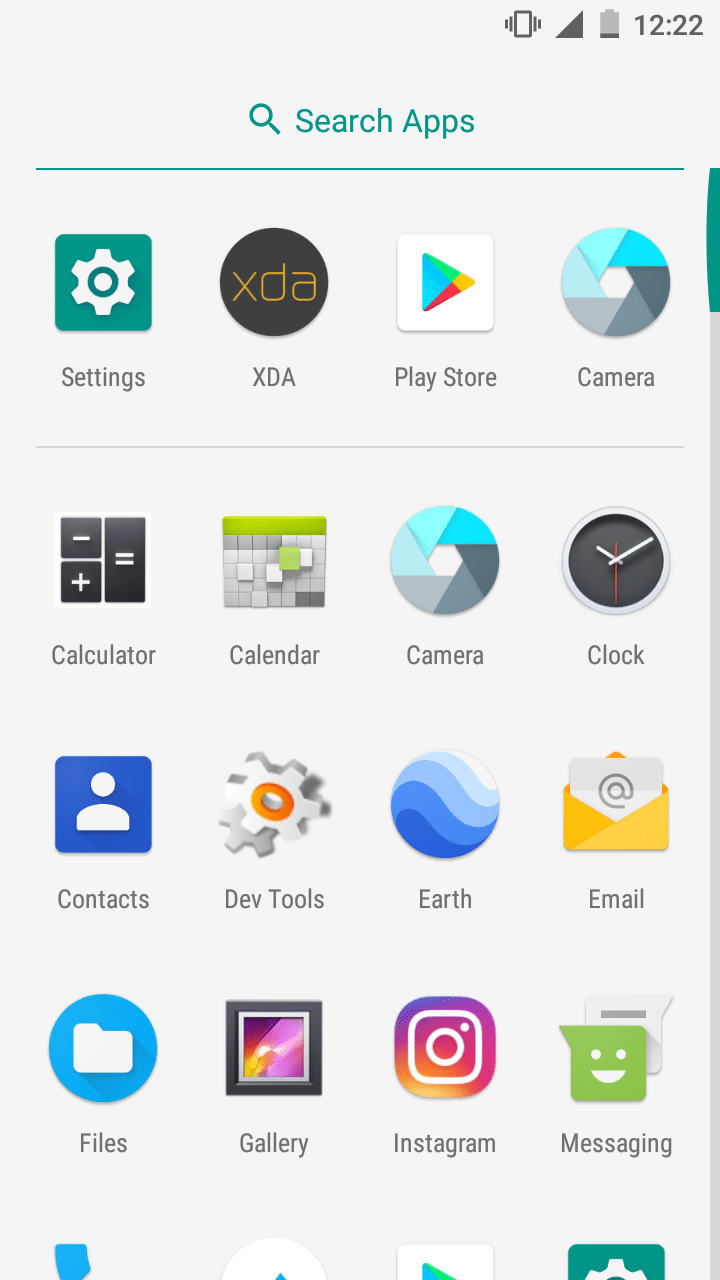
    Android 8.0 Oreo Build for Xiaomi Redmi 2 (AOSP Oreo Based ROM)


    Unofficial AOSP Oreo Build

    Android Oreo Based Custom AOSP Rom for Xiaomi Redmi 2

    Android 8.0 Oreo


    You Might Like:


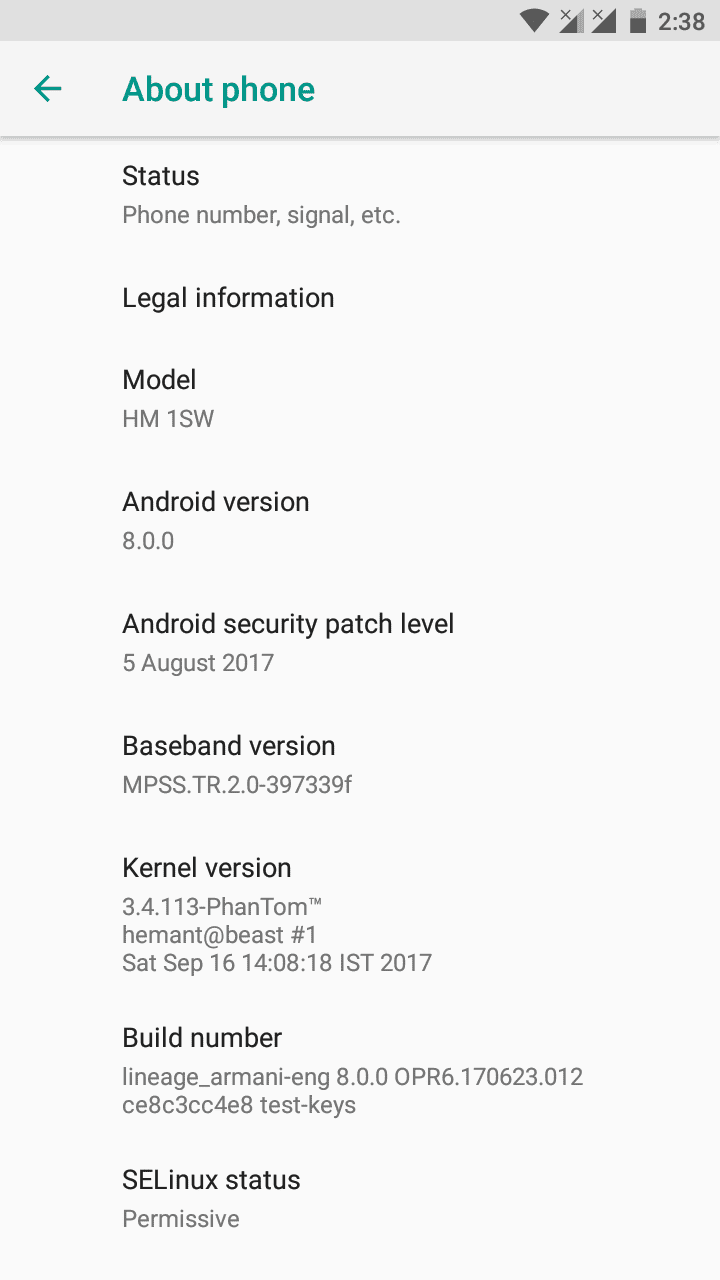
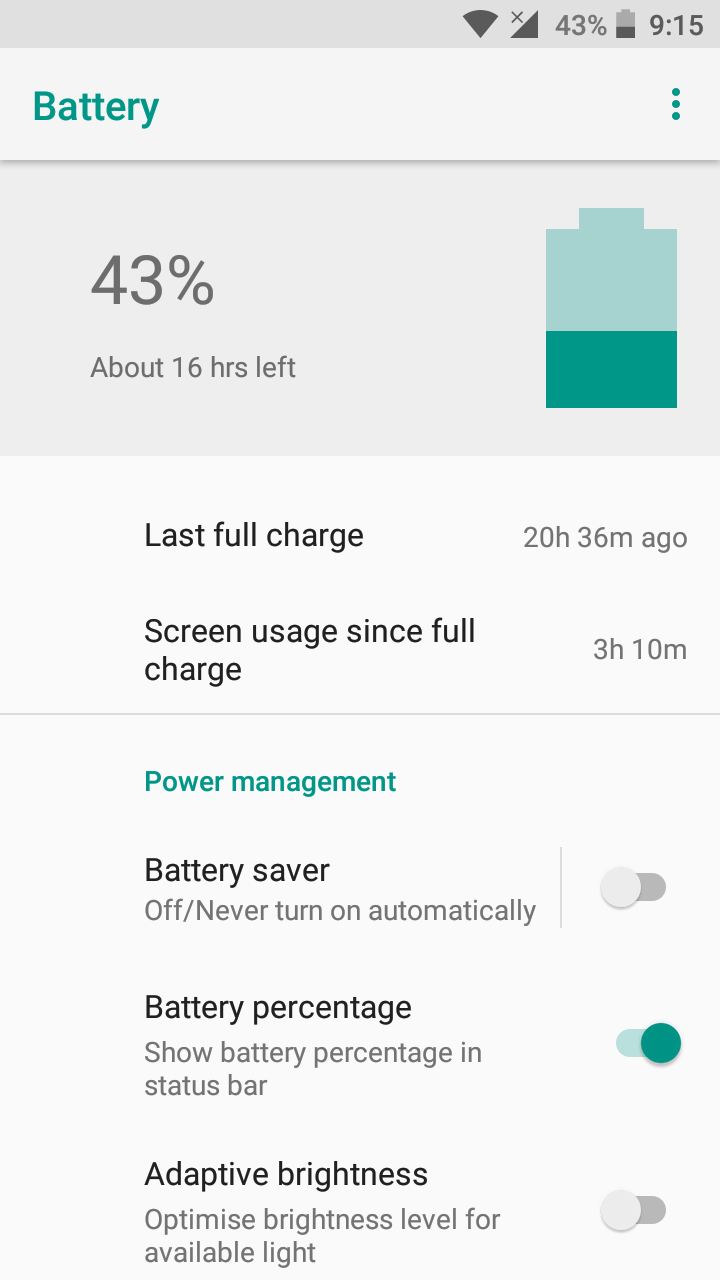
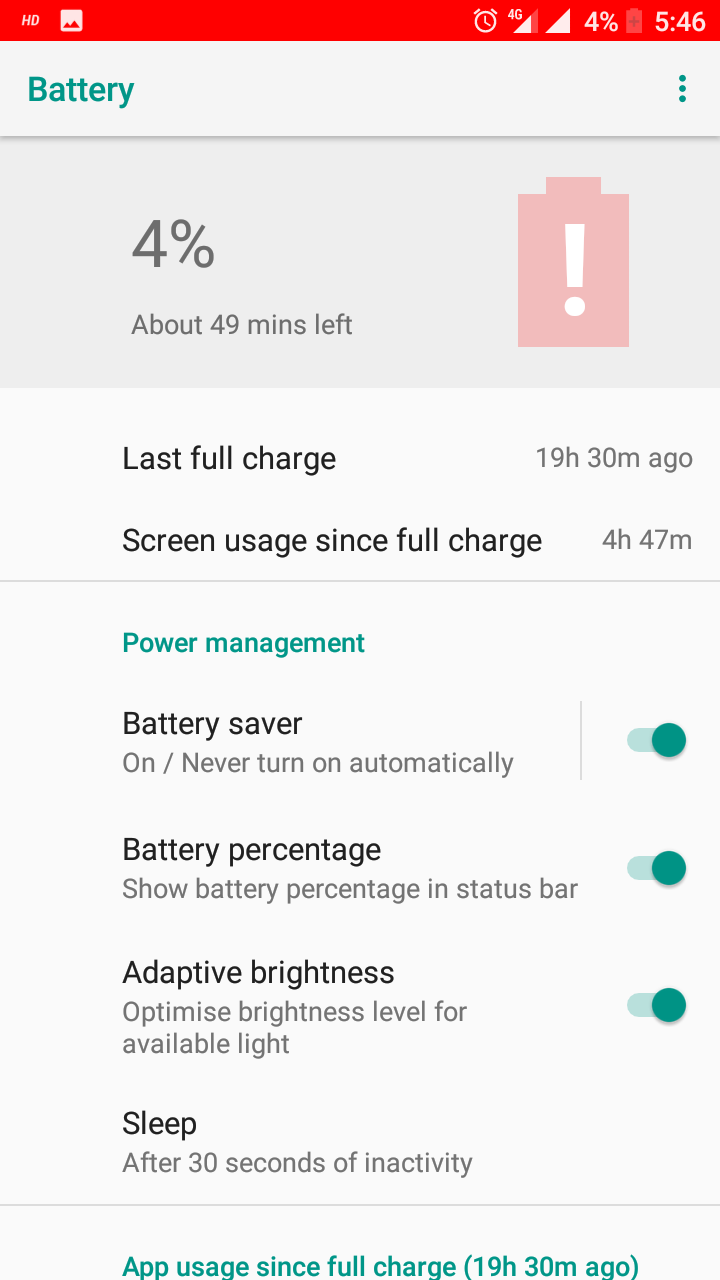
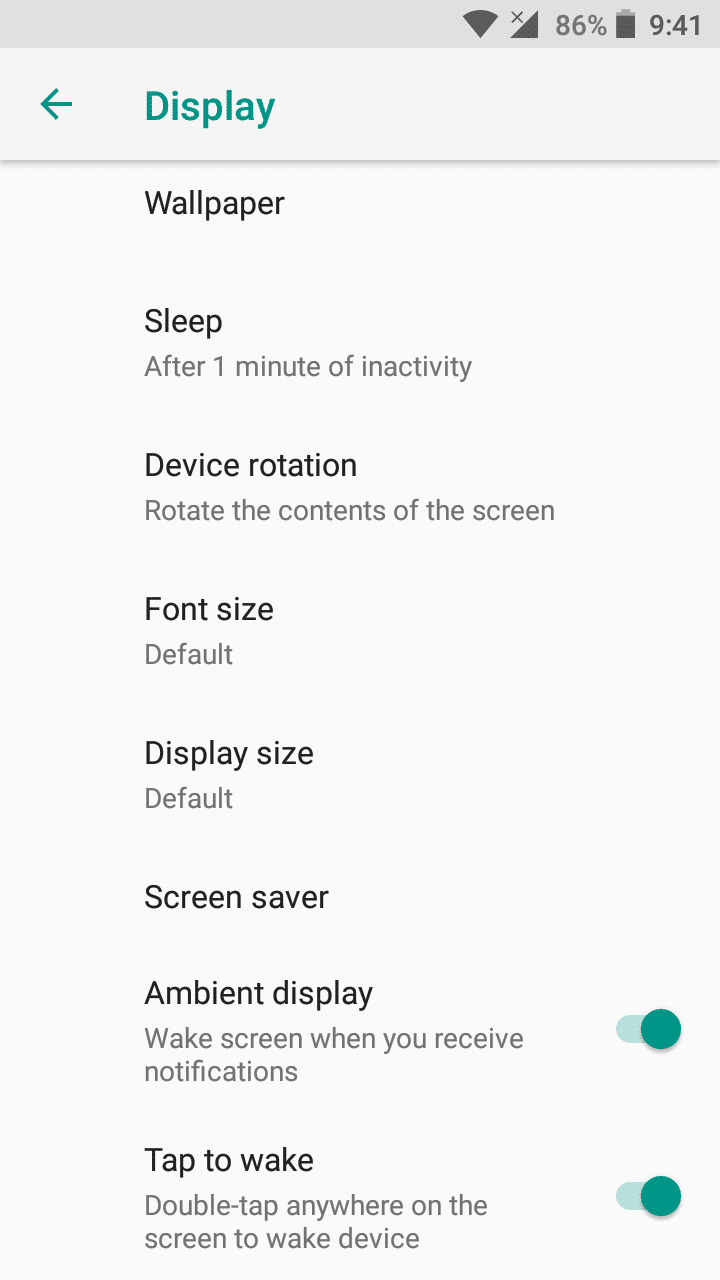
    Screenshots


    Installation Instructions

    WARNING: This procedure will factory reset your device! Accounts, applications, settings, contacts, etc will be lost, so make sure to backup them before going further!

    Step 1: First make sure that you have flashed CWM or TWRP Recovery, if not then follow this guide for CWM or this for TWRP to do so.

    Step 2: Download the file Rom zip file from the download section below to and place it on your phone.

    Step 3: Next Download the file Oreo OpenGApps for your phone from the links below.

    Step 4: Now reboot your device into Recovery mode by holding Power button with Volume Up + Volume Down button simultaneously.

    Step 5: In Recovery mode first format user data, cache and Dalvik cache.

    Step 6: After that choose to Install and install both the ROM and the GApps zip files.

    Step 7: After the process completes reboot your device.

    That’s it, first boot will take time after that choose your language and complete the setup process.


    Downloading


    Credits

    • s.sawrav 
    • LineageOS Team
    • @nicknitewolf
    • @kumajaya @pirej @balika101 @zwliew @Shubbhy
    • GZRTeam


    List of All the Custom Roms for Xiaomi Redmi 2

    Like Our Facebook Page for Development and Support related with Xiaomi Redmi 2.

    Share your experience with this ROM in the comment section below.