More
    Home Blog Page 39

    11 Best Video Presentation Softwares To Up Your Presentation Game

    Have you got a major presentation coming up? Wish to attract the attention of your audience? The best way to ensure that the target audience is engaged and fully drawn is by delivering eye-catching visuals and interesting animations. This implies that you are required to choose the right video presentation software that allows you to unveil your creative side while helping you create a video slideshow that stands out.

    Selecting the best video presentation software for your project can be time-consuming, especially when you are not prepared. This is why we have come up with a comprehensive list of a few video software to create presentations.

    Must Read: 6 Tips on How to Edit 4K & Long Mobile Videos Smoothly

    Here are some of our top picks:

    1. Visme

    With the latest update to the all-new Visme software solution, you can create, download, and even share your video presentations similar to creating any other type of content. Using the given software solution, you can look forward to uploading any video footage or clip while using the extensive list of clips available in its gallery. Visme is a leading cloud-based video presentation or YouTube video maker software solution providing access to tons of features. 

    2. Prezi
    By delivering contemporary video presentation ideas, Prezi does away with the traditional slide-to-slide presentations. The software is known to provide a large canvas, wherein you can use your creativity to deliver amazing, feature-rich presentations. There is also the option of adding blocks of texts & images while creating miniature slides simultaneously. During the presentation, you can easily browse across the canvas and zoom in to observe the individual pieces of content.

    3. VideoCreek

    This is another video presentation software solution by VideoCreek. It is a leading video content creation software known to provide access to innovative designs for video presentation slides. The specialized app is geared toward the creation of ads. It also allows you to create incredible videos following the horizontal format for working as presentations. 

    4. Canva
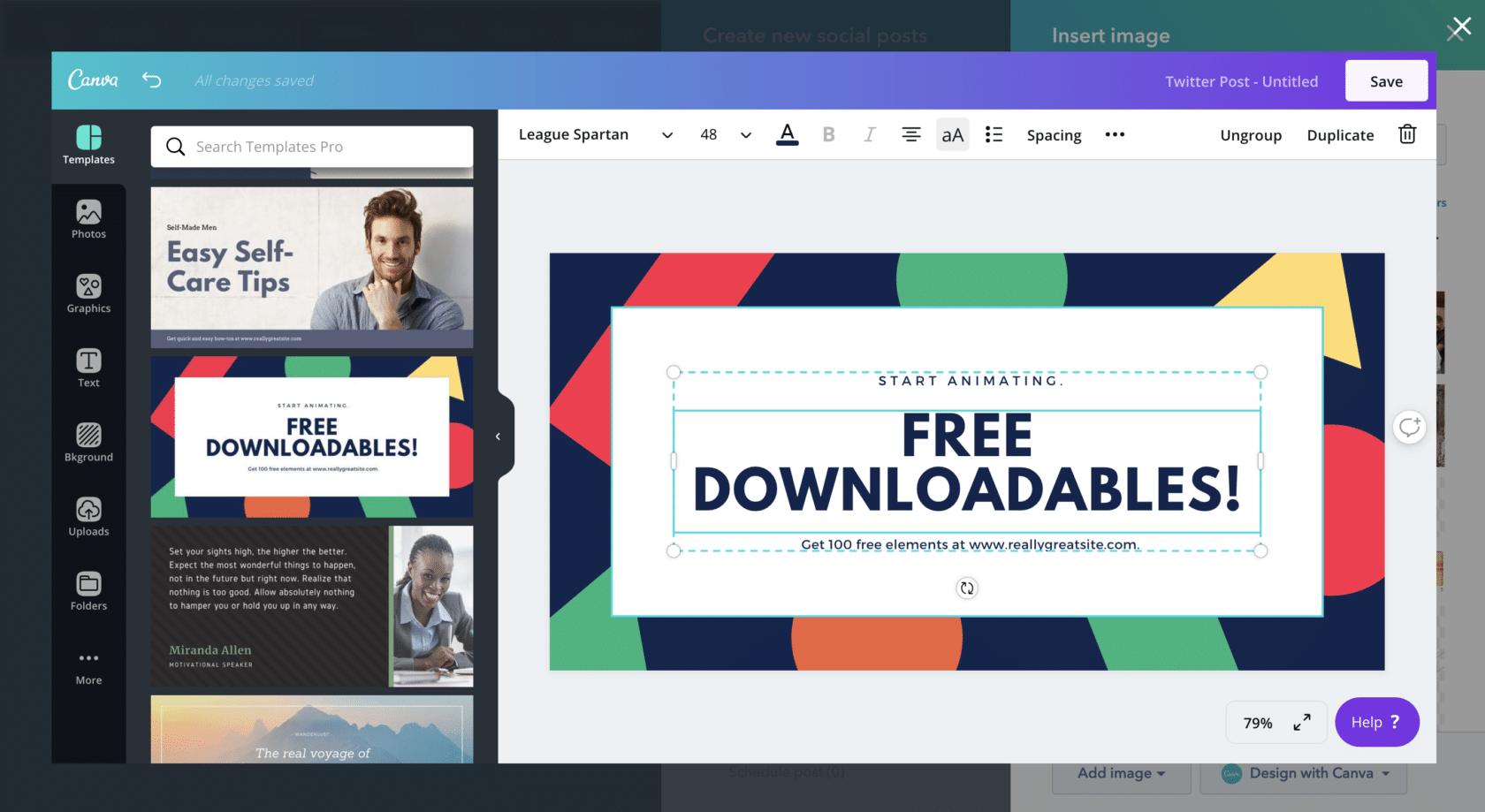
    This software is perfect for making speedy presentations right on the web browser and webinar platform. It is best known for providing access to a series of free layouts that help you to design the presentation video seamlessly. Moreover, it also gives easy access to customize the templates available to suit your purpose of presentation. You can even host Canva presentations live by inviting your friends or close ones to the online show.

    5. Biteable

    This leading cloud-based video presentation software is quite similar to Promo in a way that they promote the software in the form of a marketing video creator. The latest version Biteable 3.0 has been released lately and features an abundance of templates and advanced features.

    6. Powtoon

    This software solution has been the long-time favorite choice for the creation of feature-rich video presentations, especially for the creation of explaining through videos. The presence of whiteboard and animated explainers in the tool is quite famous among users. The software is also known to provide a variety of options for designing video presentations in five major styles.

    7. Animaker

    The best part about this slideshow maker software solution is that it provides access to an array of specialized tools and templates for your bespoke video presentations. The tools can be utilized for making complex videos of any kind. There is also the option to choose between live-action videos and animated videos.

    8. LibreOffice
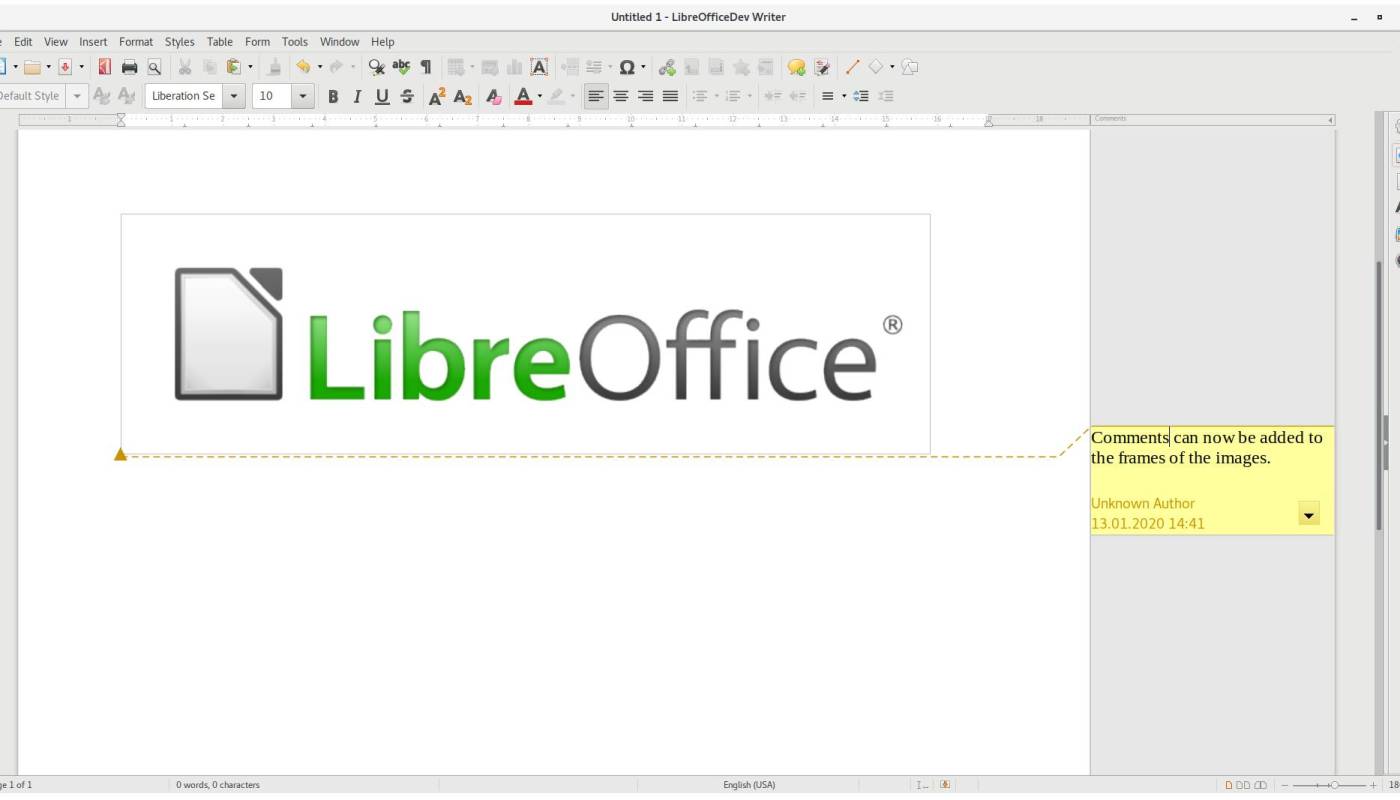
    It is available as a free alternative to Microsoft Office. It has an attractive PowerPoint feature in the software that delivers advanced functionalities to design amazing presentations. The software is capable of importing files from Keynote, the built-in presentation software on macOS. Moreover, it also has the presence of multiple free templates for you to choose from.

    9. Keynote

    It can be regarded as the Apple version of Windows Microsoft PowerPoint software. It is available in all MacOS systems and is considered quite a simple tool to design bespoke video presentations. The best part of Keynote is that it is available for free with Apple devices. Moreover, it comes with an easy-to-use interface for designing interactive video presentations.

    10. Vyond

    It is the new version of GoAnimate. The all-new brand comes with a new look and advanced features. The video presentations that are created with the help of this tool are all about the utilization of characters and the ways in which they can be customized easily. 

    11. Invideo

    It is easy-to-use presentation software that comes with an innovative set of tools to enhance your video-making experience. It is best used when you require making feature-rich video presentations quickly. The best part about this software solution is that it offers effective control over the utilization of animations and transitions. You check out more details here.

    Conclusion

    Make the most of these video making tools to deliver amazing presentations to the target audience. Start by choosing the software that suits your requirements and carefully selecting the one that is compatible with your device and other equipment. 
    Free Alternatives to WeTransfer in India for Cloud File Sharing

    Are you looking for reliable alternatives to WeTransfer? A new cloud-based computer file transfer service Do you also have to send large files and are searching for WeTransfer alternatives? Is WeTransfer blocked by your network provider too? Fret no more friends, we have a solution!

    WeTransfer has been “partially” blocked in India, a renowned file transfer service which was eminently used by a gigantic user base in India on an everyday basis. This has subsequently been done by network operators like Reliance Jio, Vodafone Idea, and ACT Fibernet. This new development passed by the Department of Telecommunications (DoT) comes at the time of COVID-19 lockdown wherein an exceeding number of operations have taken a shift towards ‘Work from Home’.

    If your answer to the above questions is yes and you have been desperately looking for alternatives for WeTransfer, you have come to the right place.

    Must Read: Why a Cloud Database is the Best Option For Your Business

    Credible and Tested Alternatives for WeTransfer

    1. Transfereasy.in (highly recommended)

    • It’s free, free, free! This unquestionably is the first thing we all are looking for!
    • It permits you a transfer up to 10GB worth of files for FREE. No other site is said to have this huge limit for A FREE VERSION. Others have a maximum file transfer limit of 3GB for a free version.
    • It gives you the ability to share files without even registering for an account.
    • Your files can be retained for 15 days. The link will be valid and up and going for 15 good days.
    • You can also add 20 files at the same time with Transfereasy.in so no need to struggle going back and forth to look for the specific files.
    • You can be secured with one thing with Transfereasy.in, that it has the ultra-secure feature which automatically deletes your files after 15 days guaranteeing the utmost safety of your files. So now when you have to share confidential work files, you can do it without looking for any other alternative.

    We have undoubtedly tried and tested Transfereasy.in and let me tell you it is beyond comparison with any other cloud file transfer service and the best one we’ve seen so far as an alternative for WeTransfer.

    2. Send Anywhere

    • This is a free service with a no-limit file-sharing ability.
    • You can use this to upload any content – images, files, documents, videos etc of ANY SIZE LIMIT for free.
    • As a reliable alternative for WeTransfer, this also enables the users to share files within an email or via a link.
    • You might have to face a few ads given that this is a free service.
    • No retention of your files is guaranteed, they disappear within 48 hours of uploading. Premium version for the same costs $6 a month.
    • It facilitates one by one file download or an option for real-time download where it is given that the receiving user also has to be online simultaneously.

    This cloud-based transfer service is a little different from the other services we’ve looked at. Because of its no size limit option, files over 10GB can be shared when your computer is switched on and is accessible to those you’re sharing it with which is called Real-time download.

    3. SMASH

    • Firstly, SMASH has a trusted customer base which includes, Disney, Starbucks, Coca-cola, Nestle, Airbnb, NASA, etc. This itself proves that this site needs no introduction to its safety and credible features.
    • Files can be password protected as well can be previewed if needed.
    • The user interface of this is also beautifully designed for an effortless file transfer.
    • The only demerit can be that in comparison to other file transfer services, it only gives a limit of up to 2GB for a free version with 14 days retention limit.

    4. Google drive

    • Flexible, easy to use, and filled with varied file-sharing options, we all are aware of Google Drive as one of the best WeTransfer alternatives.
    • It gives you a 15GB share storage, comes with a paid version with generous 100GB allowances.
    • With varied permission settings for shared files, it remains on the top list of WeTransfer alternatives.
    • It comes with an option for collaborative work with G Suite tools such as Google Docs, spreadsheets, and presentation software, the possibilities are near limitless.

    7 Assured Ways to Improve Marketing with Social Media

    If your marketing department doesn’t have a social media strategy, you are missing a huge opportunity to engage with your consumers. According to Oberlo, 3.5 billion people have a social media account. This equates to a lot of potential leads for your business.

    Other than its large audience, social media marketing is a time saver and cost-effective. It’s free to create a social media account as well as make posts. Advertising on Instagram or other social media channels is also much cheaper than traditional advertising and can help improve marketing for your brand.

    Must Read: Meme for Marketing: A Guide to Adding Spice to Your Social Media Strategy

    Optimal use of social media can be a game-changer for your marketing. But you must know which strategies to use for your social media marketing to be effective. Keep reading for 7 of our best ways to improve marketing using social media.

    1. Use Business Intelligence From Social Media

    Communicating with customers requires you to know who they are, what drives them, and what their needs are. Social media is a goldmine of business intelligence that you can use to improve marketing. For example, you can learn what customers think about your brand or product from reading their comments and messages to you and others.

    You can also use social listening tools that email you whenever someone mentions your brand online. This helps you to promote any good discussions about your brand or mitigate the damage if your brand is being criticized.

    Social media is also a great tool to use to profile customers. This is because you can read the personalities of your consumers from what they post about themselves online.

    2. Use Social Media To Analyze Your Competition

    Social media has forced companies to communicate transparently with their audience. This makes it a great tool for analyzing the strengths and weaknesses of your competition to improve your marketing. You can discover the marketing strategies your competitors are using to engage with their customers and what consumers love/hate about them.

    Follow your competitors’ social media accounts to learn what promotions they are currently running, how they respond to current events, and how their audience responds to their communication style. This will help you to analyze your social media marketing to take advantage of any gaps in your competitors’ messaging.

    3. Use Social Media to Upgrade Your Customer Service

    Social media can improve marketing by transforming your customer service delivery. Clients are increasingly using company social accounts to ask questions, seek technical support, and complain about products or services. In fact, social media has been the downfall for many companies following complaints on their social media pages.

    Prospective clients, employees, investors, and even competitors are watching how you engage with your customers. Friendly and engaging responses to your clients will earn you loyalty points from your clients and attract new buyers.

    Comments and messages that go unanswered will make your company appear cold and unbothered. To prevent this, hire someone to manage your social media accounts and respond to any client questions.

    4. Social Media Can Provide Proof Of Your Brand’s Authenticity

    Word of mouth marketing has consistently been praised for its effectiveness. These days social media can help you leverage customer testimonials to increase your sales. Establish a social media hashtag for your company and encourage your followers to use it.

    Restaurants, for example, get many new clients from pictures that clients took at their establishment and tagged them. Five-star customer ratings and reviews on social media posts are also effective at bringing in new clients.

    Smart brands curate all the mentions, photos, and videos that they get on social media posts. Then they share these with their users as proof of their great products or services. It is a great way to show that people genuinely love your brand─ especially in eCommerce advertising.

    5. Use Your Social Media Accounts to Beat Your Competition

    Social media is a great way to prove to consumers that you are better than your competition. consumers will perceive you to be a better brand if your social media pages have active followers. You also want to show lots of engaging content and communication with the audience.

    When people search for the product or service you are selling, the first pages that show up will be yours and your competitors’ websites and social media activity. If your social media marketing is superior, the consumer will buy from you. This is why you can’t afford to be silent on social media.

    6. Advertise On Social Media

    According to Adweek, Gen Z consumers are responding less and less to traditional advertising and are more accepting of authentic e-commerce advertising. These include influencer marketing and user-generated reviews and promotions.

    To survive the current and future marketing landscape your company must develop skills such as marketing with Facebook, Instagram, TikTok, and other popular social media platforms. Marketers must keep up with trends and learn how to communicate on whatever new platforms appear.

    7. Fuel Client Engagement By Being Real on Social Media

    The last way in which you can use social media to improve marketing is by giving your brand a human face. Modern-day consumers want to align with brands that share their values. They may expect you to take sides or make a stand on social and political issues.

    Social media is an effective tool to communicate what your company believes and where it stands. To do this successfully, you have to be clear about your brand values and make sure they align with those of your target customer base. Dropping the ball on this could lead to great losses for your business.

    Safer ways to communicate who you are could be to post candid photos of your employees while they are hard at work. Some brands also have regular blog posts from the CEO whereby they share snippets from their real lives.

    Social Media is a Must-Have to Improve Marketing

    The key takeaway is that social media is a tool that can amplify your marketing messages. You can improve marketing for your business just by being consistent on one platform.

    Consumers enjoy engaging on social media and don’t respond as well to traditional advertising. So your brand must have social media as part of its marketing strategy.

    For more tips and advice, check out the rest of our blog.

    5 Things To Do If Your IP Address Is Blacklisted

    In the technological world, there has been a boom in email marketing for the industries to share information regarding products and services with customers. Still, they have to be very cautious of spams, and to stay safe you can refer (https://iprouterlogin.com/192-168-2-1/). It is highly prominent for a known industry to be away from blacklisting their IP address as it may affect their company’s position and name in the market.

    Now, what exactly is blacklisting of IP addresses? What happens in it?

    Let’s look into the para below.

    Must Read: How to Determinate the Geolocation of an IP address

    What Is Blacklisting Of IP Addresses?

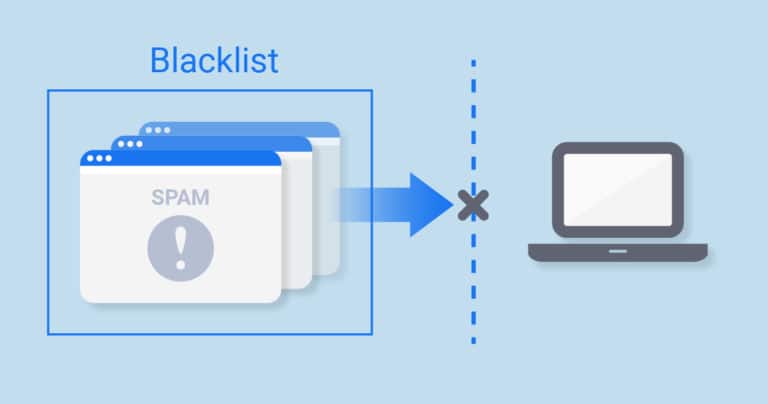
    An address is blacklisted when there is any instigation of sending spam. Blacklisting usually occurs when you share your IP address with an individual, and it is ignored by a web hosting company due to a reason. If you try to send mail via that IP address, the letter you sent is not delivered. It can also be blacklisted if your PC is infected. The most common way to get onto a blacklist is by having uncleaned lists, regularly getting spam complaints, and by discarding unsubscribers.

    There are two main types of IP address blacklisting:-

    1. IP based:-IP address referred only as IP, which stands for internet protocol, which is a set of characters that refers to a particular system connected to the network for communication.

    2. Domain-based:-domain is much larger than the IP address. It is an address that consists of various systems working under the same domain.

    An IP address is a house address while the domain is the street address.

    Suddenly your mails stop delivering to the address you want to. What can be the reason behind it? Is it blacklisted? If yes, then how are we going to check it out?

    How To Check Whether Your IP Address Is Blacklisted Or Not:-

    You need first to check on which blacklist you are on there are various tools available like MXTOOLBOX, WHATISMYIPADDRESS, WHAT IS MY IP. Many more wherein you have to enter your IP address or domain name, and within a single click, your IP address will be checked against over 100 DN based black laces, which are commonly known as real-time blacklist DNSBL or RBL. They will inform you on which blacklist your IP address is in. 

    There are various blocklists, but the most important thing to notice is which site has blacklisted your IP address because all of them are not equal. 

    Some listings, for example, from Spamhaus, are considered to be a severe issue by almost every email provider. It is one of the well-known non- profit organizations which keeps a track on email spammers and restricts the IP address of the person or organization if it is found to do any suspicious activity.

    If you find yourself in the blacklisting series, you will probably receive a rigorous call from your ESP, expecting you to take action and resolve the issue as quickly as possible. 

    Now, after you’ve checked your IP address, you must be wondering once it is blacklisted what you can do now to delist it because that is the main thing. So here’s a step by step process to get your IP address on track as it was before.

    How To Delist It:-

    Without proper protection, networks often yield thousands of spam emails, which leads to blacklisting their address. While using blacklisting tools, it’ll not only show you which ISP has blacklisted you, but also it’ll guide you throughout to delist it and bring your email marketing on track.

    As soon as you get to know that your IP address has been blacklisted, abruptly stop sending emails via that IP address and try to figure out the reason and the way to get it delisted. 

    Using available blacklisting tools, check which particular protocol has blacklisted your IP address or Domain name.

    • Open the link and type your domain name or IP address in the box provided. 
    • With a single click, you’ll get the series of protocols that have blacklisted your IP address.
    • To know more about the blacklisting, go to details.
    • A pop-up box will appear with a set of instructions.
    • Scroll down and go to the box naming reason
    • Copy the URL
    • As you’ll open the above URL, you’ll get a list of reasons among which one would have been the reason to blacklist your IP address.
    • To delist it, some tools only ask for IP addresses while some others ask for more information, including IP address, organization name, email id, etc.
    • Fill the particulars and the reason to delist your address. 
    • Later you’ll be notified within a day or two if the organization thinks that your request is valid.

    There has been an increase in the blacklisting of IP addresses from a decade because of suspicious and malicious activities. No doubt, blacklisting profoundly affects the organization or a company as all its mailing process will be stopped. So it is recommended to use tools to secure your IP address from being blacklisted. In today’s era, where everything works over the internet, you need to keep in mind specific rules and regulations that have to be followed to be on track. If violated, it’ll severely affect you and your company’s new reputation in the market.

    10 Pros and Cons of Translating WordPress Blog

    0

    As the world becomes faster and more energy-efficient every day, blogging becomes one of the top trends not only for celebrities or otherwise particular persons but for businesses as well. A lot of people would actually like to find out about a certain company from a blog more than from an advertisement or even the company’s website. In such a way is a fine SEO tool and a great fuel for monetization, blogs are quite easy to make, with countless popular platforms, such as WordPress, helping literally anyone with that. Yet, when your business gets international or you at least start planning such a venture, you might get stumbled upon a question, to translate or not to translate?

    Must Read: WordPress Tips for Beginners – Where to Start?

    Pros and Cons of Translating Your WordPress Blog

    Like with translating a website, translating a blog, or maintaining a multilingual one, there are a lot of benefits. As such, you might strongly boost your traffic, broaden your audience, and create competitive brand recognition. Still, there are some downsides as well. Most of them relate to the resource side of your business and actually depend on how you see the benefit-downside ratio, yet, they are worth mentioning too. Here is the list of some pros and cons of translating a WordPress (and any other) blog for you and your business.

    • Pro #1 – It is easy for WordPress blogs. WordPress contains a vast number of useful features for both the beginning and advanced bloggers, including a plugin for multilingual blog creation. You don’t have to post everything in a single stream as well as do not have to create multiple blogs. All you have to do is activate a needed language page and post the needed content there. The content that you post, however, will have to be translated by a professional rather than a machine. But more on that later.
    • Pro #2 – Reaching a bigger audience. It is quite obvious that if you post in more languages you will more likely reach a bigger number of people. This does not mean that you have to translate your blog into Chinese right away, for instance, yet, you can consider the second most spoken language, which is quite close to our heart and which is Spanish, in terms of the number of native speakers.
    • Pro #3 – Increased traffic and international SEO. With more people reaching your blog, you get bigger traffic, which means higher positions in search engine results. This way, you increase your online presence, which allows you to spread your ideas more widely and efficiently, create influence, or increase your revenue, in case your blog is related to your business.
    • Pro #4 – Increased trust. By maintaining a multilingual blog, you show great respect to your followers and impress strangers. You will more likely be visited by a bigger audience if it understands you better.
    • Pro #5 – Getting more content. The more content you have, the more interesting and diverse your blog is. Blogging in different languages means blogging for different cultural domains, which in turn will drive you to learn something new and largely diversify your content. Essentially, you will create an endless loop. You will be motivated to reach a bigger audience with the audience being interested in your content and, hence, motivated to be reached.

    Still, a multilingual blog has some downsides, most of which are related to extra effort and money.

    • Con #1 – Needing more content. While just a paragraph ago, having more content was pointed out as a benefit, getting more content requires you to put more effort into generating and developing more ideas. Unlike a website, a blog cannot contain generic or repetitive information. While it does not seem like a critical issue, bloggers’ burnout is actually a thing.
    • Con #2 – Need for professionals. Despite blogging being a rather informal work, you still have to approach it professionally in order to gain your audiences’ trust and respect. This strongly relates to translation as well. In order to make sure your blog shines in all languages, you will need to get a certified translation online. This problem, is, however, quite easily solvable even if you are low on cash as even top translation services do not usually charge that much.
    • Con #3 – Additional costs. As you will need professional translators, you will have to pay for them. Although translation companies and freelance specialists do not usually charge much for their services, you will have to use their service often, to make sure your blog stays fresh. The problem here, thus, is more in volume and cost, rather than a price.
    • Con #4 – Need for blog adaptation. Many languages have their nuances and specifics, however, some of them go extreme. In case if you, for instance, would like to translate your blog into Arabic or Hebrew language, you will have to reorganize your blog as those languages have left-to-right orientation, contrary to English, for instance. That, again, will create additional costs.
    • Con #5 – Additional SEO work. While international SEO was already pointed out as a plus, it also requires a professional effort and, hence, a corresponding specialist, who you will certainly have to pay additionally.

    If to Translate, then Approach Seriously

    While pros are many and sufficient indeed, there are some downsides with blog content translation. Although blogging might seem easy, it is actually hard work and may even be equal to a full-time job. So, it is important to approach your blog professionally, despite its somewhat informal nature.

    Author Bio:

    Mark researches and shares information about the modern ways of life, education, travel, and more. Every day, he makes sure to overview the latest trends and compile them into interesting and enjoyable posts. Join Mark on his journey through life’s modernity and learn something new every day!

    Searching Anonymously: How to Do Safe, Thorough Research for Your Blog

    Thorough research is key to a reputable blog. So how can you do your research safely without being tracked? Here’s how to search anonymously online.

    Google paid a total of $6.5 million last year to hackers, aiming at keeping the internet safe. Surprising as it might sound, most high-value multinationals including PayPal, have been on a spending spree paying hackers recently for the same purpose. This approach helps these corporations improve on any vulnerabilities that might emerge online.

    Online safety has become a persistent headache, even for the most technologically advanced companies. These emerging security concerns should send shockwaves down user’s spines considering the number of online activities being undertaken currently.

    The safest way to conduct research online is by searching anonymously. When you are surfing the web anonymously, you reduce the risk of any malicious tracking. Are you wondering how to browse anonymously online using your iPhone, Ipad or Mac?

    Here’s everything you need to know about private surfing.

    Must Read: What you Should do when your Blog is Hacked?

    Why Is Searching Anonymously Critical?

    The internet presents valuable information on almost every search query on earth. Google recorded, on average, around 1.6 billion visits per week in January 2018. This mind-boggling traffic on search engines exposes online consumers to multiple vulnerabilities.

    Apart from hacking or phishing concerns, your activities online are also subject to other exposures. Behavioral tracking for targeted advertising has emerged as another notorious reason you need to ensure you’re browsing anonymously.

    Data privacy will continue to be a major headache for online users in the future. This is why you need to find new ways of keeping your searches private.

    1. Private Browsing

    If you’re a blogger or a frequent online user, searching anonymously when researching sensitive topics is vital. The best place to start in your quest to remain anonymous is by switching to private mode. Once you switch private mode on, no record of sites visited or content downloaded is traceable back to you.

    This option ensures that both your personal computer and the websites you visit have limited access to your search activities. You can switch back to normal browsing as soon as you’re done with your private browsing.

    Private Mode on Firefox

    Most search engines have a private mode to ensure privacy. Firefox has a private browsing option, which helps you remain in private mode when surfing the web. If you’ve been wondering how to browse anonymously when using Firefox, then the private browsing option is the answer.

    Google Chrome’s Incognito Mode

    Google Chrome users also have the option of switching to incognito mode extension. The incognito option allows chrome users to surf the internet in private mode without having to worry about privacy.

    The browser creates a temporary session that ensures your anonymous search remains isolated from the browser’s main course or user data. Such data you search on incognito mode does not appear on both the browser history and the search history. When browsing on incognito, your search history won’t leave traces like cookies on your computer.

    Even while on incognito, Chrome gives a caveat that websites may still find ways to collect or share your information. This means that you might need to consider extra tracking options to limit the collection of personal information.

    Internet Explorer’s InPrivate Browsing

    Are you wondering how to ensure you remain private while using the Internet Explorer browser? Well, this browser has the InPrivate browsing feature to ensure you continue anonymously in your search activities. The InPrivate feature also provides a way for you to block sites from potential tracking selectively.

    Safari’s Private Browsing

    Apple users also share the same concern related to private browsing and tracking. The Safari browser has a hidden search mode option for Mac users. Searching anonymously on this mode prevents the browser from remembering any website or web apps you might visit in your search online.

    Are you wondering how to turn on incognito mode on iPhone, Ipad or Mac? This guide provides you with all the essential information you might need about incognito mode Mac. With this information, you can clear all the history, cookies, and caches that might form part of your past browsing records.

    Once you activate incognito browsing on your Safari, you can proceed to search on incognito. Unfortunately, even with the additional measures in place, your profile is still visible to the websites you visit.

    2. Complete Privacy with VPN

    VPN in Smartphones

    Most times, online users need to go the extra step even when they are in incognito mode. Ensuring that you enter every private session within a secure VPN is the first step. Mac users can now utilize full-featured VPN such as Shimo.

    With a VPN, you can hide your identity. This is achievable by funneling all your web traffic through an encrypted server. The approach ensures that your critical information is fully-encrypted before reaching the desired destination.

    Are you looking for ways of searching anonymously online with Your Mac? Using a VPN platform ensures that all your searches come from a third-party server without the possibility of tracing back to you.

    3. “Do Not Track” Feature

    The advancements in technology expose online users to numerous evolving risks. Even while using incognito browsing and third- party VPNs, you still need an extra layer of safety. You can use “do not track” features that offer additional protection from unknown tracking.

    With modern innovative software, you can utilize “do not track plus” browser add-ons. These options block websites or any other advertisement pop-ups from monitoring your activities online. With this option, you can easily see who is tracking you.

    You might need to opt-out of shared-endorsements and turn off all the add personalization options on any of your browsers. This way, even when you see ads, they won’t be able to track you.

    4. Stop Location Data

    All browsers send you geographical location data to help customize your search history. With behavioral tracking, ad networks use this information to segment clients. While using geolocation details, your personal information may be used for purposes you haven’t sanctioned.

    Avoiding the use of public Wi-Fi or other unsecured options would help hide your network location or IP address. Geolocation information presents serious privacy concerns. This is the reason you need to consider hiding your location information.

    Ensuring privacy Is the First Step towards Online Safety

    Search engines receive zillions of search queries in the modern age of information. You probably spend considerable time searching online for information that may, at times, be overly sensitive. Without proper privacy considerations, you might end up being a target by the numerous online cartels.

    The best place to start would be to consider private browsing. This article elaborates on the different options you can find while searching anonymously online.

    Check out our other posts for more informative content.

    Methods to Increase Sales on Ecommerce Store

    Have you been struggling with the problem to increase sales on eCommerce store? Most businesses experience bumps now and then. There are periods when a product or service sells better, and there are times when things are pretty stable. It is just the nature of the world.

    However, if you have been stuck in the same spot for a very long time, it is possible that the problem is more significant than the usual rough patch you experience every year.

    The growth of ecommerce across the planet continues, and it is hard to tell when and if it will stop. So there is definitely money to be made. 

    If you cannot figure out how to improve the situation, consider the methods mentioned below. Implement them in your strategy, and the situation ought to change for the better.

    Method #1 – Create Documentation for Products

    Documentation for products is something that a lot of brands forget. Having descriptions on the main store website is all well and good, but there are customers who prefer to get as many details about something before they spend the money.

    You can create a separate documentation website or at least add a page on the store’s website. As for the best WordPress documentation themes, HeroThemes has quite a selection to pick. Sticking to a theme made specifically for documentation will make the development easier, and you will end up with a good and simple page.

    Method #2 – Focus on Social Media

    Investing resources in social media is a priority for a lot of brands. Given how popular platforms like Facebook and Instagram are, it is no surprise to see the goal of increasing one’s presence on these platforms.

    Ecommerce stores face a challenge because they cannot produce enough content in the first place. Not to mention how hard it is to think of ideas that would attract more followers and keep them engaged. Finally, there are other brands you have to fight against.

    Being an eCommerce business, and one that is still relatively small, you have limited options. The main focus should be on running contests and giveaways, offering special discounts, and ad campaigns that can reach people who would not see your profile the other way. 

    Method #3 – Try PPC Marketing

    Pay-per-click marketing could be another method that will help you reach an even wider audience. It is possible that your competitors are sleeping on PPC and are focusing on other ideas.

    Look at the keyword situation and research the market. Perhaps there is still some room that you can fill with your ads. 

    The best part about PPC is how you can adjust the campaigns in real time. So you are free to change up keywords as well as the ad copy till you find that perfect formula. It will take time to become good at pay-per-click marketing, but the work is going to pay off once you see more visitors on the website.

    Method #4 – Emphasize SEO

    Search engine optimization should be one of the cornerstones of your strategy. A sustainable business online will not see a lot of success if there is no consistent flux of traffic from Google and other search engines.

    The optimization process is difficult, and those who lack experience can only do some of the basic stuff. But creating a long-term strategy will be impossible without a proper professional or a team of professionals.

    Hire someone who can help you with search engine optimization. If you are in it for the long run, you will have to invest money in SEO.

    Method #5 – Write a Blog

    A blog offers a lot of benefits. It might not seem that an ecommerce store needs a blog, but writing interesting articles will:

    • Boost SEO rankings.
    • Raise brand awareness.
    • Give people another reason to visit the website.
    • Help to establish you as an authority in the industry.

    Blogs are quite common even on eCommerce stores these days. Some people even expect to find one, and it would surprise them if there was no blog. If you are not willing to write the content yourself, there should be more than enough bloggers who would love to write for you and make money.

    Method #6 – Upgrade Customer Support

    Poor customer support is a hindrance. It can snowball out of control and leave in a terrible spot. Make sure that there is always someone who can answer customer emails or messages on the website.

    Offering an FAQ page and other types of knowledge base will also boost your standing as some people prefer to find the information themselves. Not everyone likes to rely on reps or wait for a response.

    Method #7 – Research the Competition

    You can always look at other brands and take some of their best points that can be applied to your strategy. Copying them word for word is not recommended, but there should still be something you can learn.

    Everything You Need to Know About Niche Edits

    0

    Niche edits have been quite the talk of the SEO town since the time SEO came into the fore. The difference was that the process used to be known as curated links and contextual links back then. With passing time, terms, and jargon used in the domain of SEO started becoming more refined.

    We now know the process as niche edits, but the underpinnings of the process remain, for the most part, the same as before. In the discussion that shall ensue, we shall take a plunge into what niche edits are, how they form an important part of SEO, and the reasons they can help in working in favor of your website’s ranking on the SERPs. There is also quite a bit of apprehension about the nature of niche edits. Are they white hat, black hat or do they reside in realms of gray?

    These are some of the questions that plague people who want to use this technique as a part of their SEO strategy. In all honesty, a niche edit by itself cannot be placed in any one watertight compartment of a white hat, black hat, or gray hat SEO technique. It really is in the nature of the link that decides what kind of niche edit is it that we are looking at. We shall take up these questions one after the after in the subsequent sections, and you must read through it all to know everything about niche edits. 

    Must Read: The Power of Link Building for SEO

    What Are Niche Edits?

    For the uninitiated, a niche edit is a process of inserting a link into the content of an aged article on a website that already has some kind of site authority. While talking about niche edits, it becomes imperative to mention guest posting in the same line. This is because, more often than not, niche edits and guest posting aim at acquiring similar sort of results. But, niche edits come at a much lower price when compared to guest posting, and that is what makes it a favorable choice for many SEO experts and analysts.

    In fact, if you buy niche edits from a well-reputed SEO agency like Sirlinksalot.co, you might even get a package at half the price than what the others in the market offer. Also, in guest posting, the effort that you need to put in is quite a lot. You have to write an article from scratch and look for websites that take submissions. But, in niche edits, you just have to make minor edits in a sentence or two in the already existing article to insert the link organically into the fabric of the content. Niche edits save time, effort, and money, and they bring you the desired results soon.

    The Nature of Niche Edits:

    We have mentioned once before this, and we shall do so again in greater details, about the nature of niche edits. Niche edits are not a white hat or black hat SEO hacks by themselves. When you have to decide upon the nature of niche edits, it is important that you look into the kind of link that you are looking to insert and the way you are reaching out for the same. For instance, if you had been able to contact someone who was already looking for resources to be linked to an article on their page, the process is an out and out white hat SEO technique.

    However, if you indulged in placing your links on hacked or spammy websites, or injected your links into the content of someone’s website, it is pretty much black hat SEO. Also, it is vital that you remember that Google does not approve of or appreciate artificial link building of any form. But, waiting for the organic acquisition of links and driving traffic to your website in the process could take a long, long time. Therefore, it is important to strike a balance in the job of link building and perform the task in a way that does not offend Google’s set standards for the ranking of a website.

    How Likely Are Niche Edits to Stay in Vogue?

    Niche edits are not just a passing phase if that is what has got you thinking. Niche edits have been in the SEO space for a very long time, just not in the same name as today, as we have already mentioned sometime earlier in the article. Niche edits help in elevating the rank of your website and driving traffic to the site in a lesser time frame than any other technique. And though, you must be a tad careful in going about the process, it is important that you recognize and acknowledge the importance of niche edits in reaching out to your target audience.

    In a Nutshell:

    Niche edits are an integral part of SEO. And though, the technique might not agree with Google, there is no harm in going about the process cautiously. When optimally implemented, niche edits can work wonders for your website and scale your business endeavor in a very short span of time.

    Tips to Maximize Google AdWords Campaign

    0

    Are you struggling to find new channels for your business marketing? Most brands tend to focus on social media and search engine optimization these days, but there are other methods that could give your business a big boost.

    Pay-per-click marketing is a good example, and it is one of those ideas that are underutilized by a lot of brands. All you need to do is to get started and learn as you move forward. Moreover, there are great supporting tools that will help you with campaigns, like the Google Ads automation tool by Cleverecommerce. 

    But how does one create a successful campaign with little to no experience? Well, there are certain pointers you need to focus on. Continue reading and implement the tips mentioned below in your PPC marketing strategy.

    Tip #1 – Define Clear Goals

    The goals ought to be one of the foundations of a campaign. It can become too much when you set high expectations but fail to meet them. This happens quite often, especially when you do not have a lot of experience.

    On the other hand, having clear and defined goals will help you pursue growth in sales and raise brand awareness using pay-per-click marketing. 

    When you are writing down your goals, start with small ideas, so you do not lose motivation in the middle of the process. 

    Tip #2 – Emphasize the Best Keywords

    Keyword research is going to be one of the most important aspects. It will determine whether you are going to succeed or not. 

    Beginners will have a hard time figuring out which keywords are worth the money and which are not. Thankfully, there is an option to make adjustments in real-time, so when a keyword is not performing to your expectations, you can remove or replace it.

    The budget also plays a significant role. If you have the money to spare, fighting for the best keywords will be easier. At the same time, you can find plenty of long-tail keywords that are not as competitive.

    Tip #3 – Add Extensions

    Ad extensions can be a life-saver in tight situations. Since the ad copy has a limited number of available characters, you do not have a lot of room to work with. Meanwhile, ad extensions allow you to add extra bits of information.

    There are separate extensions for contact information, like an email address or phone number. Working hours, locations, and special promotions can also be included. When you are looking to create the ultimate ad, make use of every available tool, including ad extensions.

    Tip #4 – Write Distinctive Ad Copies

    Copywriting is one of the hardest things when it comes to running a successful PPC campaign. Bigger brands are not afraid to hire a professional copywriter and leave the work to him or her.

    If you have the funds to spare, go for it. And if you do not, prepare to spend a bit of time learning to write something persuasive. It will take a while, but copywriting is a great skill to have regardless of whether you will continue to work with PPC marketing forever, meaning that what you learn can come in handy later.

    Tip #5 – Target a Demographic

    Each campaign should target a specific demographic. If you are going for global domination, expect to spend a lot of money that might not even return to you in the form of profits later. 

    Your product or service should be targeted at an age group or location. Adjust campaigns, so that have the highest odds of attracting the audience you want.

    Tip #6 – Focus on a Landing Page

    Some brands continue to mislead their customers by creating ads that lead to irrelevant landing pages. The method of clickbait titles is outdated, even more so when talking about PPC marketing.

    Do not try to fool people who click on the ads. They get certain expectations after reading an ad. Clicking on the ads, these people expect to end up on a landing page that coincides with what they read. Do not damage your reputation and make sure that every landing page is optimized properly. 

    Tip #7 – Conduct Tests

    The fact that you can make adjustments in real-time happens to be one of the biggest advantages of PPC marketing. You are free to test things and determine which keywords, ad copies, and combinations are performing the best.

    There is also an insight tool available that allows you to keep track of information and provides information on how the campaigns are performing. 

    Tip #8 – Research Competition

    Researching competition is something that you will find in a lot of different areas when it comes to marketing. PPC is no exception.

    Sometimes, it can be too difficult to think of new and fresh ideas. A source of inspiration becomes necessary. And other brands could be the best source for getting a fresh perspective and finding ways to become more productive.

    Upgrade Security Measures With Password Managers in 2020

    Every time someone uses the internet they use one online identification, most often a complicated password, be it an email address, an online bank account, an online retail account, or some other instant message. Off-line identity theft is often a piece-of-work, a thief steals small pieces of information and gradually creates the necessary information about a person or company. Online identity theft is a much bigger & faster threat that can be made by any criminal anywhere in the world. The anonymity of the Internet means that criminals can deceive the user outside of the user’s direct personal details and without knowing who did it or participated in the theft.

    By increasing information about an individual’s use of the Internet, such as using e-mail addresses, bank accounts, and reporting details, criminal elements can conditionally become that person online, without anyone later knowing who it was. Criminals can also use technology to their advantage, by releasing certain computer viruses or sending phishing emails, so that their actions can quickly hit, or conditionally say, process millions of Internet users.

    At the same time, they cannot maintain a high success rate because they have to stop such work quickly. After all, otherwise, it would be a lucrative way to constantly steal information. If they have identified details for a specific bank account or service, they can transfer money, open a new bank account or credit card account, close a loan or increase credit lines, or obtain new services over the Internet.

    Must Read: 5 Ways to Enhance Data Security

    Cyber Attacks – Are They Personal?

    Even if there is an attack, you feel that you do not have too much valuable data that can steal from you. Sooner or later, such an attitude can lead to a successful cyber attack. It is not a question of how important you are or not, because there is nothing personal in a cyber attack. Cybercriminals use automated tools to exploit your system’s vulnerabilities and take everything they can from you.

    They can steal your personal information and can use your computer as a means of attacking other users (DDoS), which in itself has a certain value. And the little information they get about you can be of great importance, especially if they combine it with the information they came from other sources. In that way, they create a more complete picture of you and increase the probability of becoming a victim of identity theft. Why take a risk when there are a lot of protection mechanisms and tools?

    You cannot expect one solution to protect you from malware, data theft, attacks, and all known and unknown threats. A good defense system must have more layers, just as a fortress has more protective walls.

    Strong Password Equals Better Security

    Yes, it is recommended to create a strong password. It should contain more than 15 characters, lowercase and uppercase letters, numbers, and symbols. In doing so, the password should be a set of random characters to make it even more difficult for potential attackers. But keep in mind that all this is not enough to be safe. This is just one of the few levels of security that must exist to be safe.

    The next security measure is to verify that the password is unique. Do not use the same password two or more times because this way the attacker will be able to access other accounts in which you used the same password by detecting one. Wherever possible, use two-factor authentication for added protection.

    Long, complex, and unique passwords have one major drawback – they are hard to remember. We all have dozens of different accounts so this problem becomes even more pronounced, especially if the recommendation to change passwords from time to time is followed. Do not write down passwords, either on a computer or on paper, as this only increases the risk. Instead, the problem can be solved by securely storing and encrypting passwords using password storage software called password managers.

    It is not difficult to make a fake order and put any name as the name of the sender. If you do not have enough experience in detecting suspicious mail, one click is enough to pick up the malware. If you click on send a link or attachment you can download some of the dangerous malware.

    Malicious emails can act as if they were sent by a colleague or some financial institution, most often a bank. They may seem convincing enough to trick you into sending sensitive information. As we said, cyber-attackers can also insert malicious content on legitimate sites that we consider safe. Worst of all, site owners often do not know that their site has been compromised, but only find out when visitors start complaining that they have picked up malware on their site. So don’t count on-site administrators, they are usually overwhelmed with work and can’t send all the activities.

    Password Managers & How They Upgrade Our Security

    Using a password manager will change your life. These programs store all your passwords in one encrypted vault that can only be opened using the master password you create and only you know about it. Keeper Password Manager & Digital Vault is a prime example of an easy to use the tool. Features like Breach Watch, Dark Web Protection, Keeper Chat, and Admin Console are just a few that provide you better password security. Since this software can’t even see that master password, you should choose a unique password that you can remember – but avoid the very simple ones (such as birthdays or pet names) that anyone can see on your Facebook page.

    Password managers have received excellent reviews from many security experts; it was easy to use. This software has the features you’re looking for, such as compatibility for added security and with a single mobile app that uses a fingerprint sensor on my phone. It also notifies me when my passwords are weak or used on multiple websites, and it can also automatically generate passwords and sync them to all my devices. The results are encouraging. Hackers are unable to gain access to password data (which is encrypted) nor have they accessed master passwords. Password managers store password information on your computer, not online and in the cloud.

    They are all good, with different features and interfaces. I recommend that you research them all and see which one suits your needs. So, in other words, it’s like looking for good opportunities for holiday gifts, but it can pay off much better.