More
    Home Blog Page 167

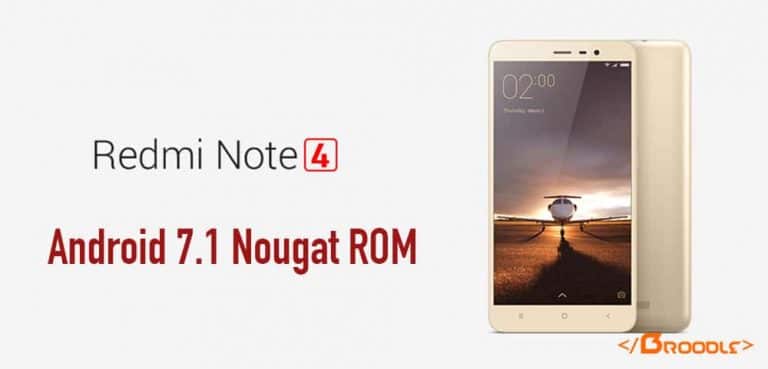
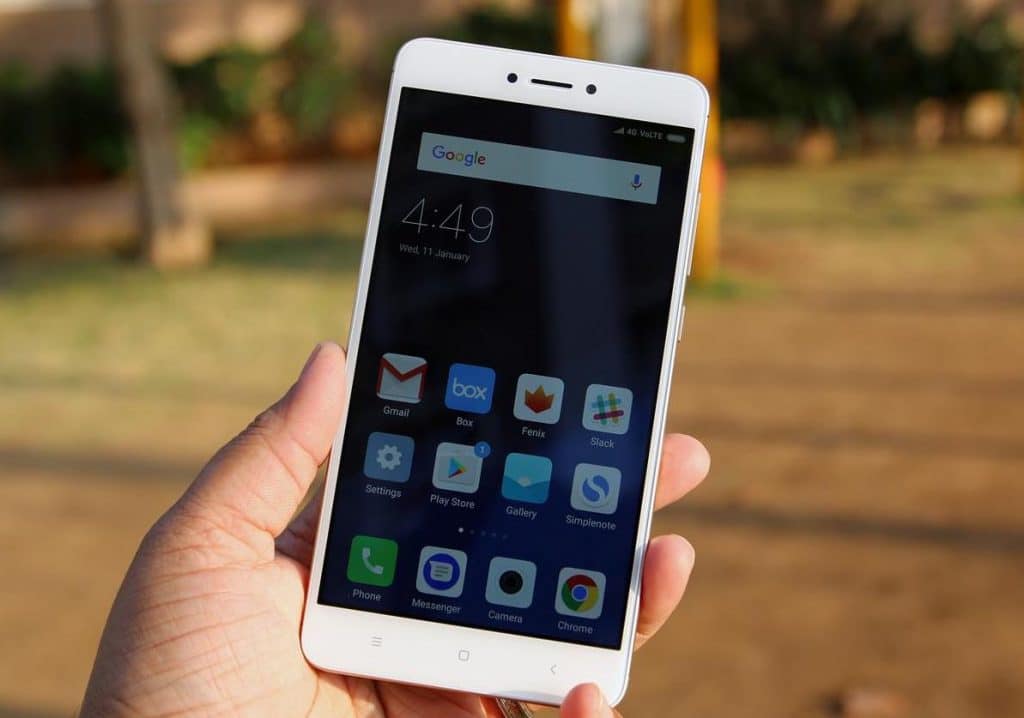
    Official Android 7.1 Nougat For Xiaomi Redmi Note 4 (Resurrection Remix)

    Android 7.1 Nougat for Xiaomi Redmi Note 4 with Resurrection Remix Custom ROM


    Official Resurrection Remix

    Android Nougat Based Stable Rom for Xiaomi Redmi Note 4

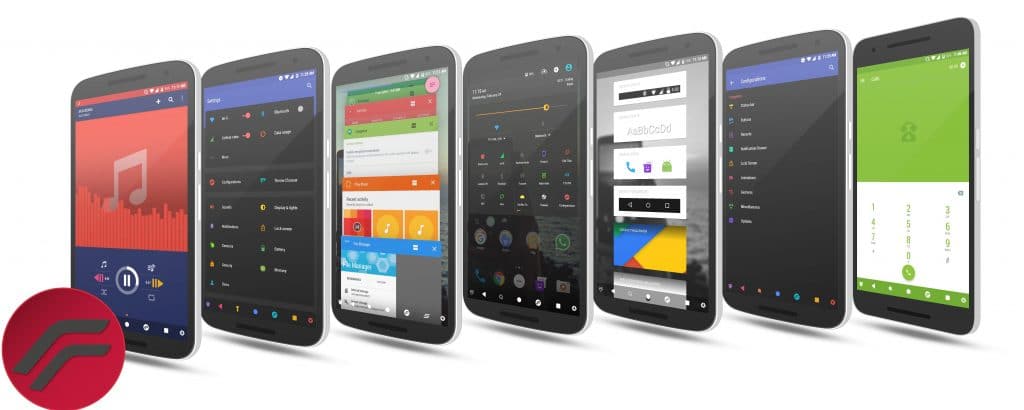
    Resurrection Remix is an AOSP based ROM which provides stock UI/UX with various customisations features. The project has been made by cherry-picking various commits from various other projects. Being based on AOSP it provides a smooth and lag-free experience out of the box. 


    You Might Like: 10 things that you should know about the Xiaomi Redmi Note 4


    Resurrection Remix Rom for Xiaomi Redmi Note 4


    Installation Instructions

    WARNING: This procedure will factory reset your device! Accounts, applications, settings, contacts, etc will be lost, so make sure to backup them before going further!

    Step 1: First make sure that you have flashed TWRP Recovery.

    Step 2: Download the file Rom zip file from the download section below to and place it on your phone.

    Step 3: Next Download the file OpenGApps for ARM64  to your phone from the links below.

    Step 4: Now reboot your device into Recovery mode by holding Power button with Volume Up + Volume Down button simultaneously.

    Step 5: In Recovery mode first format user data, cache and Dalvik cache and do a factory reset.

    Step 6: After that choose to Install and install both the ROM and the GApps zip files.

    Step 7: After the process completes reboot your device.


    That’s it, first boot will take time after that choose your language and complete the setup process.


    Downloading


    Credits


    Subscribe to our Mailing list for more Xiaomi Redmi Note 4 Roms.


    Share your experience with this ROM in the comment section below


    How to Improve the Performance of PHP for Faster Web Applications

    0


    3. Clean the filesystem


    10 Subject Titles Which Should Never be Used in Email Newsletters

    0

    Do your email newsletters never get opened? Do your newsletters gets into the spam folder? Many small businesses have trouble figuring out how to engage their customers and potential users. How you communicate with them is important, and newsletter marketing is a big part of that.

    Whether you send a monthly or bi-weekly email newsletter, the likelihood of a user clicking the link to “unsubscribe” from your newsletter is 67%, according to an ExactTarget study. Here are some helpful tips on direct marketing via newsletters and how to leverage chances of getting into the spam on your customer’s inbox.


    1. Excessive familiarity

    Example: “Hi! Come visit us, we have a new collection of dresses! “ 

    Do not use the theme of greeting phrase. Because reading the topic, the recipient must be at least roughly understand what will be the letter. Instead a Welcome you can place inside the body of your message. Avoid over-familiarity. Much depends on your target audience if only teens 14-18 years, or students, the appeal to them “you” possible. However, if you have a more general audience blurred, the appeal to “you” can cause a portion of anger, and you do not want such a reaction to his letters?


    2. Unfinished phrase

    Example: “Only today! If you go to our site, you will receive … ”

    This technique is one of the favorite techniques of marketing because they feel that in this way creates the intrigue – the client exactly interested and want to know what he will get! In fact, everything is already tired of such advertising, its principle is easy to read and does not cause anything but irritation. Although once try a similar technique, you certainly can.

    3. Caps Lock

    Example: “Just for today! SALE FOR ALL! ”

    Capslock – another way to draw attention to his letter. But in a bad way. Because the caps in one line always looks like a scream – and no one likes it when it suddenly begins to scream. Therefore, respect your subscribers, use the text of the letter other means of identifying the main idea, and even more so, in any case, do not write in capital letters in the subject line.

    4. Errors

    Example: “During this week you will be able to buy a dress for prevlekatelnoy price!”

    The recipient of the letters you can forgive a typo – but frequent errors immediately translate your letter (and you) to spam or trash because illiterate writing a letter – it is disrespectful to the readers, as well as an indicator of what your organization is not very serious. If you can not deduct the letter and correct mistakes (and even more so if you are even the subject line can not write without them!), If you can do other work, whether or not you trust? That’s about it will reflect the client as soon as getting such a letter. Therefore, always keep an eye on what you send to your customers. If you can not do it yourself, contact the professionals (editors and proofreaders).

    5. Long Thread

    Example: “Today is the very day when you can go to our shop and take advantage of the big discounts that we give it to you!”

    Every day, people get dozens of messages to your email address. And since people very value their time, they are running over the list members want as quickly as possible to understand what a particular letter. Long (and hard to take) threads have a negative impact on the attitude of readers angered them. And your job when you send a mailing – to gain the recipient, and this is done primarily by means of the letter topics.

    Therefore, all long, blurred, poorly perceived by message subject, leave in the past – now is the time intensive and catchy phrases that are placed even on the mobile phone screen. Ideally, the subject line must fit in 35-50 characters.

    Another reason to give up the long topic – a significant increase in the probability of getting a letter in the “Spam” folder. And there is something it exactly no one will see or read.

    Still, want recipients to see the brilliant long sentence, you came up with? Then place it in the text of the letter.

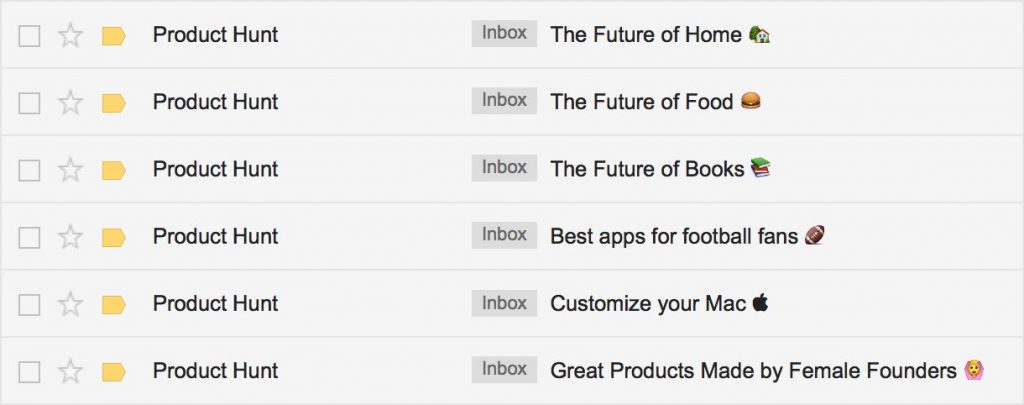
    6. Emoji

    Example:

    Emoji in Email Newsletters


    With smiles story is not as straightforward as in other cases: There is a study that letter icons really opens up more people than conventional letters. At the same time, Emoji should be used very carefully, if you do not want to pass for frivolous company sends out some baby pictures instead of writing the name. And especially never, under any circumstances, send a letter with some Emoji instead of threads!

    7. Pity or Anger

    Example: “Please urgently open and read this letter to the end.”

    Reasons why not to do so, are two: First, your purpose – not just to get the recipient to open the email, but to advertise their service to get to buy your product, etc. Secondly, reading your letter – it is voluntary, and try to persuade him pity (or ordering “! Come uncover letter”) immediately configures the recipient against you (as you would like it if someone in the mail tried to manipulate your feelings or made you do something?).

    In general, if you have a really urgent letter, then place in the beginning of the topic “Urgent!” – this is the normal solution. But if you do so you will entitle each letter is a good chance that most of your correspondence will go to the trash. Or do you just lose subscribers?

    8. False

    Example: “! Today only 50% discount on all *”
    * only applies to the two goods

    Generally this option to raise the cost higher, but it seems too obvious to start with him. No one likes it when they try to manipulate, and certainly not like to be cheated. Therefore, to begin customer familiarity with your letter stands with confidence and not with the desire to mislead his brains.

    Even one letter can hang up on you or branded a cheater – is it worth risking reputation only to the recipient opened the letter?

    9. Spam word

    Example:  “Do you want to get cash for free? We’ll show you how to earn additional income through a home business! ”

    If earlier to email-marketer was only the task force the recipient to open the email, but now everything is more complicated – now part of the letters sent directly to the folder “Spam” (which most people are perceived as a basket with unnecessary letters). Therefore, think about when creating a subject line – and if it sounds the same as the theme of the spam messages that are pouring tens to your email address?

    In order to reduce the likelihood of falling into the spam emails, give up the use of spam words. These are common words and phrases that have even themselves in the subject cause bad associations:

    • money,
    • is free,
    • cash,
    • limited supply,
    • purchase,
    • additional income,
    • home business
    • cheap,
    • rates,
    • credit,
    • creditors
    • bankruptcy,
    • debt,
    • Stop,
    • access,
    • success,
    • chance,
    • freedom,
    • market,
    • subscription,
    • do not spam,
    • instructions,
    • compare,
    • save,
    • supply is limited,
    • Start now
    • do not delay,
    • bonus
    • casinos and so on.

    Such words are, of course, much more, but the logic of you, I think, is already caught. Avoid these words. Even if the letter will pass the spam control, its theme could still cause mixed reactions from the recipients.

    10. No subject

    Example: “.”

    Sometimes mailing leave without any issues. Because all the attention was focused on the text and design of the letters and the theme … who does remember that it was necessary to write a theme?

    However, if you happened to such a disaster, panic is not necessary – just send a second letter is the same, but with a theme. Or even try to somehow beat this unfortunate mistake. But very carefully – the distinction between “who does not happen” and “company that even the subject line can not write a” very thin.


    Source: Timeweb Community

    10 Must Know Things About Xiaomi Redmi Note 4

    Xiaomi was founded in the year 2010 and it was started from China, but the expansion of the Xiaomi market started from the year 2014 with the launch of Xiaomi Mi 4i in India, Philippines, and Malaysia. These were highly successful device launch by Xiaomi and that became the reason for Xiaomi’s interest in exploring the market of these places even more.

    Therefore, in the year 2016, Xiaomi launched its flagship of smartphone named Redmi Note 4 that came with integrated MIUI 8 and Marshmallow. Since its launch time, Xiaomi Redmi Note 4 achieved huge popularity and that is why they also launched redmi note 4 accessories for their smartphone users.

    Apart from general accessories like Xiaomi Redmi Note 4 covers for functionality improvement of a smartphone, Redmi Note 4 flip cover became highly popular between audiences because this was the freedom of appearance for all users. These accessories are easily available in e-stores.

    If you are thinking about changing the appearance of your smartphone, then you might need to think about purchasing a new one. But with Xiaomi Redmi Note 4 cases, you can change the style and appearance of your phone without changing your smart phone. Finding the most suitable, durable and best Redmi Note 4 cover is the easiest thing to do due to the huge variety of choices available for users.


    Xiaomi Redmi Note 4

    10 Must Know Things

    1. Second Space

    This is a feature allow you to create a personalized space for your different kind of data. Such as, you can keep your work data and personal data separately which will require a tap of your finger under System And Devices option available in the settings menu. Switching these spaces will just require one click on the icon that will be visible on the screen.


    [amazon box=”B01N5PZKFS,B01MT4B7E9,B01N34JPSS” grid=”3″]


    2. Dual Apps

    It allows you to create two accounts on the same apps like Whatsapp so that you can keep your personal and business accounts separate which will make it easier to manage contacts and conversations. You can simply access the particular account by clicking on the icon that will be created on the home screen and you will not be confused about the profiles even after creating two profiles on the same app. It is like having Xiaomi Redmi Note 4 flip cover that will do the task of smartphone safety and pouch as well.


    3. QR Wi-Fi Sharing

    This is an amazing feature that allows you to do all different kinds of Wi-Fi sharing activities simply with the use of QR Code. It will be best for online sharing with your friends because you will no longer need to share the lengthy password and your friend will no longer need to authenticate the connectivity by inserting a password. All you need to do is share the QR Code and this will simplify the entire sharing process for everyone.


    4. Shake And Arrange

    If you see that your apps are not arranged properly and that is causing confusion then you can simply use Shake And Arrange feature of Xiaomi Redmi Note 4. You just need to shake your smartphone and then all app icons will be properly arranged without leaving any hide out gaps behind. This feature is best for those users who generally download a lot of applications and that is the reason why they don’t want to waste their time in managing icons.


    5. Long Screenshot

    Xiaomi Redmi Note 4 enables users to easily take a snapshot of the complete page. Unlike other screenshot taking a feature of other devices where only displayed image is captured, this device is offering you the feature of capturing a full-length screenshot. You can select the desired length of the screenshot in it.


    6. Automatic Calls Recording

    This smartphone has the inbuilt feature of call recording. You can choose to record all calls of certain contracts which mean that your calls will be recorded automatically every time a certain person calls you. This feature makes this smartphone even more exciting and useful.


    7. App Lock

    There are different kinds of apps that we use in the smartphone and some of them can be confidential as well. Therefore, you should use application lock feature that is inbuilt in this smartphone which will lock your app and strict it from use unless the pattern or passcode is provided. For example, you purchase Redmi Note 4 back cover to protect your smartphone from scratches and damages, these apps will be protected by the app lock feature properly.


    8. SMS Scheduling

    Applications can always do this but it is even better when you get the feature of SMS scheduling in your smartphone. This smartphone will allow you to schedule your SMS to the recipient of your choice. You can choose a date and then you can schedule it with a click.

    9. Quick Ball

    If we talk about Quick Ball feature of this smartphone then Apple’s Assistive Touch can be the most suitable example of it. You can set five different priorities on this assistive button. You can set this feature on and you can enjoy using features like app switching or any other feature more conveniently with the help of this button.


    10. Hide Files And Messaging

    If you have some confidential files or messages that you don’t wish to disclose to anyone then this is the best feature for you. You can hide desired messages and files with this feature so that no one can see even when they have access to your smartphone. Your private files will stay out of the sight of other people with this feature.

    Vesta CP vs ISPmanager: Which Web Control Panel is Better?

    The choice of control panels for server administration is no easy task. It may confound anyone who begins his journey in network administration. If you do not know what a control panel is, for which purpose they are used, and whether to use them at all and most importantly which control panel to select, then this article will definitely help you to understand these and other questions.

    What is a Control Panel

    Control Panel – A Control panel is a special software with a graphical user interface through which you can administer a server: view server logs, e-mail settings, add domains, work with the database, configure FTP access accounts, and much more.

    Control Panels are designed to simplify the user’s work with the server; even users without deep technical knowledge can use these panel to monitor and manage their servers. All necessary actions can be performed without the use of the console and the knowledge of any computer language.

    It is stipulated that the control panel is not recommended for complex server configurations, but in all other cases, it can greatly ease your life.

    Now there are over 20 different variants of the control panels available out there. They differ from each other by a plurality of parameters from the spread code and ending with transparency and a method of producing a remote access to support multi-servers. So in this article, we want to focus on two control panels which available for free on the market, and these are ISPmanager and Vesta CP.

    ISPmanager
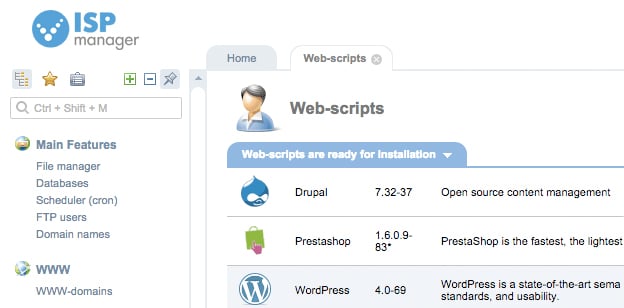
    ISPmanager Web Control Panel


    ISPmanager – is a licensed control panel with broad management capabilities. With the help of ISPmanager, you can manage accounts, domains, files, and databases. You can work with e-mail, security settings, backup and monitor the state of the server as a whole. It is therefore quite natural that now it is one of the most popular web hosting control panel.

    ISPmanager is a product developed by ISPsystem. It supports multiple languages. The first version of ISPmanager appeared in 1997, and since then, the control panel is continually updated: regularly come out with new versions and updates are released every week, adding new functionality and optimizing the work of the panel itself and the server.

    The latest version ISPmanager 5 can be installed on servers with CentOS and Debian operating system; Lite version can also be installed on a server with Ubuntu. Using the panel, you can specify the required version of PHP for each site separately (PHP from 5.2 to 7.0). It has a built-in support for Softaculous which allows you to install hundreds of web applications in a single click.

    ISPmanager is chosen by those who want:

    • Quick and easily installable web panel on their server
    • Use the product with user-friendly interface
    • Start a Reseller business or wants to manage their own server
    • Expand functionality with additional plug-ins

    Vesta CP
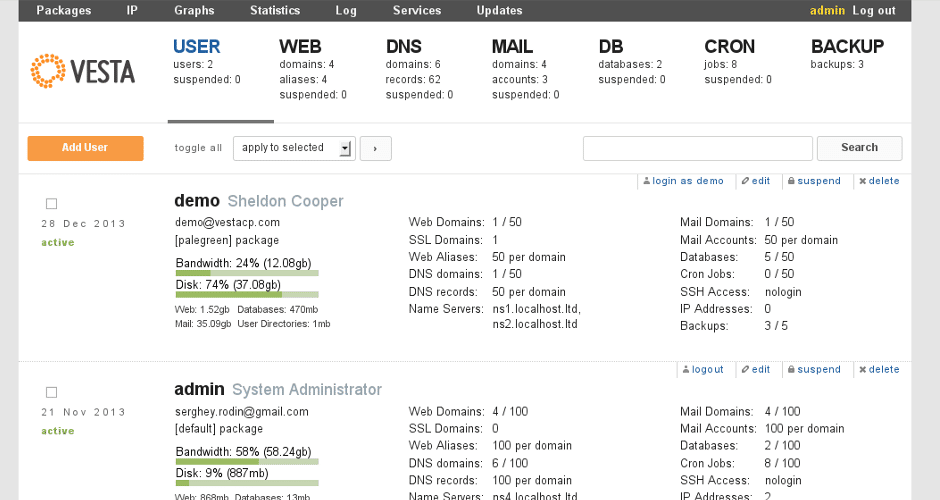
     

    VestaCP Web Control Panel


    Vesta CP is a freeware and open source control panel, the first version of the panel appeared in 2012. Along with Ajenti and Webmin is one of the most popular as well as a simple and lightweight panel for server management. It has everything needed to create and manage server functions, you will be able to work with users, domains, and databases. Vesta Control Panel can be an excellent choice for your server it runs quickly, is easily installed and is being constantly improved with regular updates and a wide range of community support.

    Vesta CP has a compact and user-friendly interface that makes it easy to understand how to set up a database or work with cron. Vesta CP supports a pair of Apache + Nginx, as well as the SSL protocol, SNI, and DKIM. Besides Vesta CP has a fast backup and restore functionality.


    Comparison

    We now turn to a comparison of the two control panels.

    The ISPmanager – ISPmanager is available on a 14 days trial after that you have to purchase a license for it which costs $4.35 for the lite version and $13.05 for the business, the lite version have fewer features as compared to the business one, while Vesta CP can be used absolutely free of charge.

    The cost of ISPmanager is much lower than the cost of other fee-based control panels (for example, cPanel). In addition, you have the opportunity to choose the suitable option, based on the functional: Lite or Business.

    As for Vesta CP , the free distribution and open source code of the control panel are both its advantage and its disadvantage. In the case of the ISPmanager on the product developer responsible for the timely update and eliminate any flaws – and therefore the product is stable and reliable.

    Working in ISPmanager 5, you can perform all the actions from the browser. Vesta CP requires knowledge of the console because in some cases you have to switch to the command line, which uses Apache mod_ruid2 module, which works directly with mod_php.

    Developers at ISPmanager are constantly working to expand the panel capacity, which includes expanding not only the refinement of packaged functionality but also supports integration with popular third-party solutions and services. For example, through the panel, you can easily install the free SSL-certificate from Let’s Encrypt, which is automatically updated every 3 months. If you suspect that your site has been infected by a virus or malicious code is present on it, you can install the add-on anti-virus and cure Virusdie site without disrupting its operation.

    File Manager: Unfortunately, Vesta CP initially no file manager, its integration can be purchased separately for $3 per month. The ISPmanager file manager built in, free and very intuitive. The file manager which the Vesta CP team provides is up to the mark with all the functionality that you need from a file manager with a beautiful user interface and an easy to use file editor.


    Support & Documentation: Both the Vesta CP and ISPmanage have excellent documentation, a large amount of background information and even video tutorials. If you have not worked in any of the control panels, and want to be sure that you can understand the management then these documentations will surely help you.

    It is necessary to say a few words about the support service. Despite the fact that Vesta CP is a freeware product but for the use of technical support services you will need to pay 60 to 540 USD – depending on the number of hours required for consultation, and a package of support provided.

    In the case of the ISPmanager you can contact the technical support, where its cost is much lower than the cost of supporting Vesta CP professionals.


    One Click Application Installation: ISPmanager has a built-in supports for installing Softaculous package directly from its dashboard while Vesta CP does not have any one-click application installer available. Vesta CP is said to be providing Softaculous inside its admin panel by the end of March 2017. Softaculous is one of the most popular and widely used application installers with support for thousands of web applications.


    User Interface: Both the Vesta CP and ISPmanager provides a graphical user interface for the user but the UI of ISPmanager is outdated slow as compared to the Vesta CP. Vesta CP has a beautiful user interface which is easily understandable by the user and is pretty fast.


    Finally, the ISPmanager is available in two versions – Lite and Business – and depending on your tasks, you can select the appropriate version. ISPmanager Lite is used by those who are setting up a server for their personal use, but Business is perfect for organizing and automating shared-hosting and has several important functions, for example, the ability to use value-added resellers who resell hosting services and resources. ISPmanager lacks the support of operating systems where only the lite version can be installed on Ubuntu.

    Vesta CP is free to install and supports all the major operating systems like RHEL / CentOS, Debian, and Ubuntu. The complete web panel is absolutely free except the file manager where you have to pay $3 each month in order to use file manager.


    Both the control panel should be installed on a clean server with an appropriate operating system. The minimum server requirements in ISPmanager Lite is the same as that of Vesta, so both panels can run on entry-level servers.


    Conclusion

    The ISPmanager – ISPmanager has a wide range of functions to manage the server, has a multilingual interface, as well as a very detailed documentation also provides third party plugins like the letsencrypt and softaculous.

    The Vesta CP – Vesta CP is a lightweight and freely distributed control panel with a concise design and broad functionality, which is being constantly improved. It is suitable for experienced users who know how to work on the console. The control panel is amazingly fast and the UI is absolutely fantastic.


    So which control panel do you think is better, leave your thoughts in the comments below, share this post with your friends and don’t forget to follow us on facebook and instagram.


    Credits: Timeweb Community

    Protect your Android Device from Malware Attacks with Systweak Anti-Malware

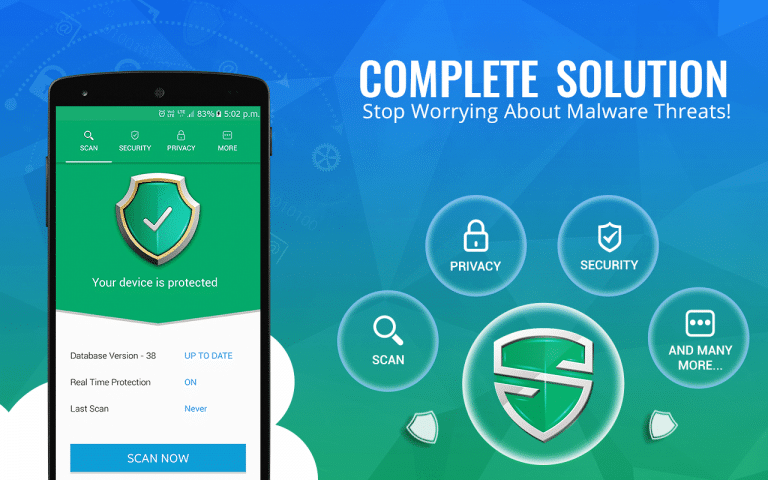
    Your device can be infected with the virus and start behaving abnormal due to various reasons. It seriously harms your device performance. To avoid such situation, you can use best anti-malware software tools for improved security of your device. Systweak Anti-Malware is one such tool that works extensively and usage advanced techniques to keep your device safe. It offers many useful features, let’s discuss some of them here.


    Features of the App

    Scan

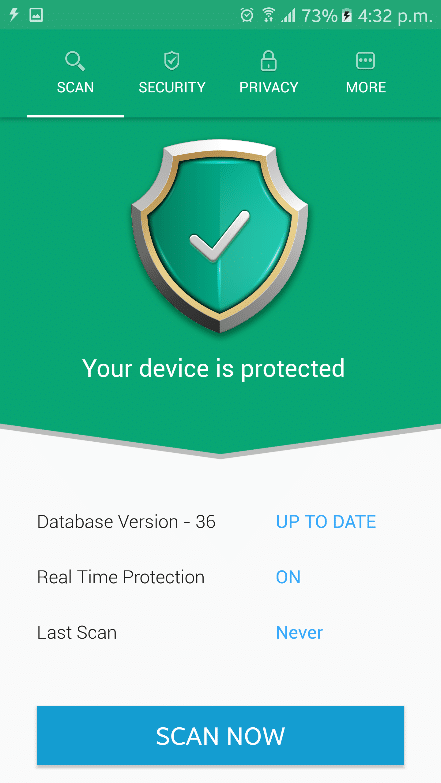
    Scan page includes information like database version status, real-time protection status, and last scan date. If database version is obsolete you can update it by logging out and then logging back into the app. To turn on real-time protection go to Settings under “More” page. Apart of it, the app displays whether your device is safe from malware or not by displaying green and red backgrounds.

    scan page


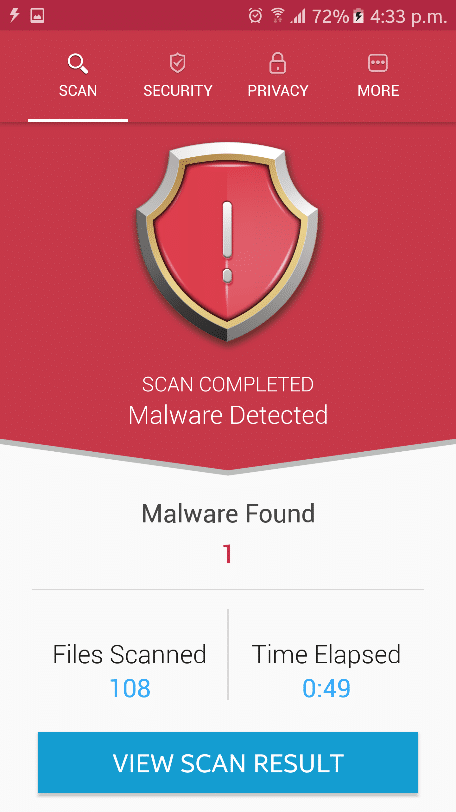
    To start scanning process for malware on your device press “Scan Now” button. It will furnish results with information like files scanned, time elapsed and malware found. If the app doesn’t find any malicious content, then it will show a green check mark with message “No Threats Detected” and you can move to the next step by pressing “Security checkup” button at the bottom. In case, it has found a malicious content then it will display a message “Malware Detected” with a red background.


    Malware found


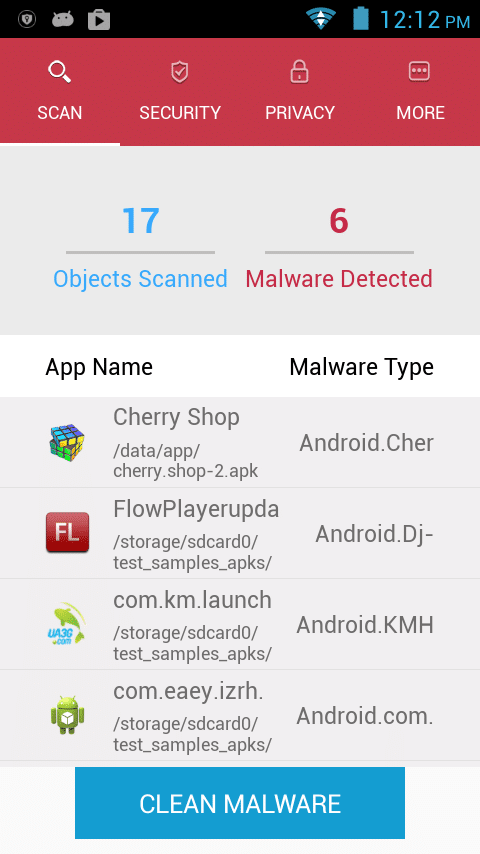
    Here, you need to click on “View Scan Result” button to view scan results. Under results, you will find all malicious apps found on the device and malware type mentioned next to them. To access options, swipe left to the app. Here, you will find options like “Uninstall” to uninstall the app and “Whitelist” to add any malicious app into the Whitelist to avoid deletion or further scanning of the selected app. To remove all malicious apps in one go, press “Clean Malware” button.

    objects scanned


    Security

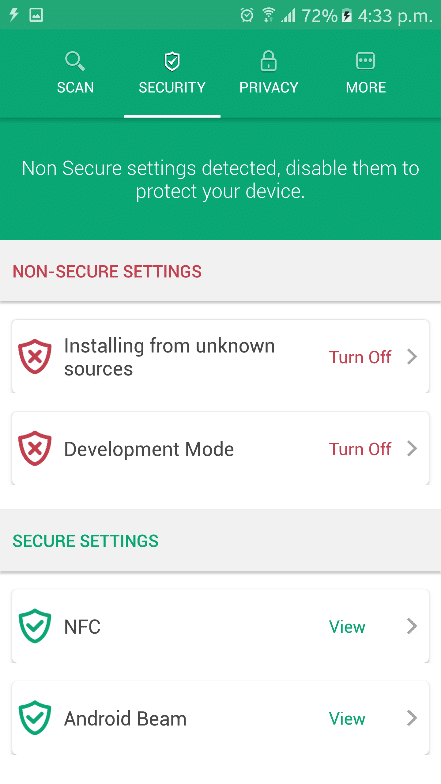
    It displays all non-secure settings of the device here. You can disable these features and settings to keep your device protected.


    Security


    Installing from unknown sources: It helps you manage your downloading from unknown or unreliable sources to avert possible threats.

    Development Mode: Using this feature, you can turn on or off your developer’s mode feature. Access to developer’s mode can cause serious harm to your device settings thus this feature is useful to manage it.

    NFC: It helps you manage near field communication (NFC) feature on your device. NFC is used to allow data exchange, mobile payment services and reading & writing of tags with other nearby devices when you touch them.

    Android Beam: You can turn on or off this feature under this setting.


    Privacy

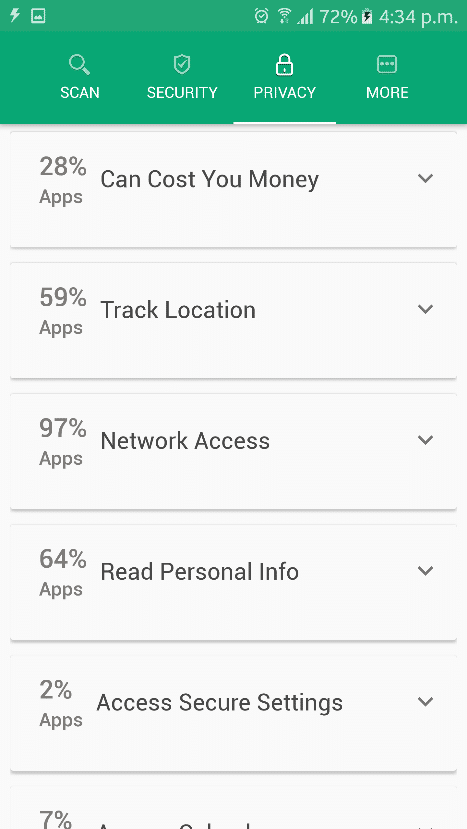
    It is a useful feature to determine the security status of multiple apps installed on your device. Under Privacy, the app scans your complete device to segregate apps into different privacy and security categories. It helps you manage different app permissions as per your requirement and security concerns.

    Privacy


    More

    Here you will find these features.

    Settings: It helps you customize scan options. You can turn on or off real-time protection and select from Quick or Deep Scan modes.

    Whitelist: Here, you can find all Whitelist apps.

    Scan History: Here, you can find previous scan history using this app.

    In additional features, you can share the app, share feedback and find app’s information under About tab.


    Verdict

    Systweak Anti-Malware is an impressive tool which usage smart algorithms to find and delete all malicious content from your device. It thoroughly scans your device and find all malicious content related to different apps and suggests you remove them. It even allows you to Whitelist apps which you find safe to retain. This app offers all advanced features to keep your device safe from malware threats and helps you improve your device performance.


    Systweak Anti-Malware
    Systweak Anti-Malware
    Developer: SYSTWEAK SOFTWARE
    Price: Free


    Don’t forget to like us on Facebook, Share and leave your suggestions in the comments below.

    How to Convert DVD Movies into Digital Video Files

    These days, increasing people choose to watch video/movie on portable devices. But what if you happen to have a huge collection of DVD and want to play them back on your portable devices? Is it possible to play DVD on tablets, smartphones, and PCs without disc drivers? The answer is absolute Yes! Today I want to show you an excellent tool which is designed to rip DVD to various digital formats-WonderFox DVD Ripper Pro.


    WonderFox DVD Ripper Pro is the best solution to rip DVD to almost all the digital video formats. After ripping the DVD, the output video can be played on portable devices that you have. Now let’s get to know how to use it to rip DVD.

    WondeFox DVD Ripper Free Download


    1. Choose a DVD source

    After launching WonderFox DVD Ripper Pro, the interface is presented in a pretty neat way. You can find three main buttons in the middle. One is for DVD disc, you can insert the DVD into your disc driver then the software will automatically identify the DVD disc in the PC. Others are for ISO image and DVD folder. Various choices make it easier for you to choose DVD source.


    2. Choose Output Format

    WonderFox DVD Ripper Pro embodies various video/audio formats for you to choose from. It supports to rip DVD disc to numerous file formats, such as AVI, MP4, MKV, MPG, WMV, MOV, MTS, M4V, ASF, FLV, VOB, 3GP and etc. It’ll never disappoint you if you want to rip ISO image to digital formats. It can rip ISO image to AVI, MP4, MKV, MPG, 3GP and more. Moreover, if your DVD source is Video_TS folder, you can also use it to convert Video_TS to MP4, WMV, MOV, MTS, M4V, ASF and other popular video formats.


    What makes WonderFox DVD Ripper Pro standing out is it won’t lead to any quality loss. With excellent technology, the ripping process won’t cause any quality loss in the output video. WonderFox DVD Ripper Pro also enables you to rip DVD with fast speed.


    3. Customize Settings And Edit Video

    Users can feel free to edit the output video with editing features, such as crip, crop, rotate and etc. Before the ripping process, users can also customize the settings of the output video. Such as aspect ratio, resolution, frame rate, bit rate and more.


    WonderFox is holding an official giveaway of WonderFox DVD Ripper Pro with Broodle. For all the readers, you can get this excellent software for free before May 9th, 2017. Don’t miss the chance to get the free gift. Here’s the Giveaway License Key for all of you:

    VC-DRPB-9E6FC00783-537C47F20B-E8CC67F868

    Note: Giveaway version doesn’t support lifetime free support.

    Top 5 Best Projectors for Video Gamers in 2017

    0

    With the growing technology, playing video games on a projector has become more interesting. In this post, we are going to discuss best gaming projectors available for game lovers. These projectors have high-resolution, high-definition screen and best sound quality. Their smart looks along with amazing features attract the users towards them. Advancements in the technology are not limited only to the gaming consoles. Although, in the past few years, gaming projectors and home theater projectors have become the first choice for the people. They have come up with prices that are affordable for the average consumer. Why need to turn into a small and flat screen TV when you are getting big screen projectors at your home for just a few dollars more?


    The Best Video Gaming Projectors:

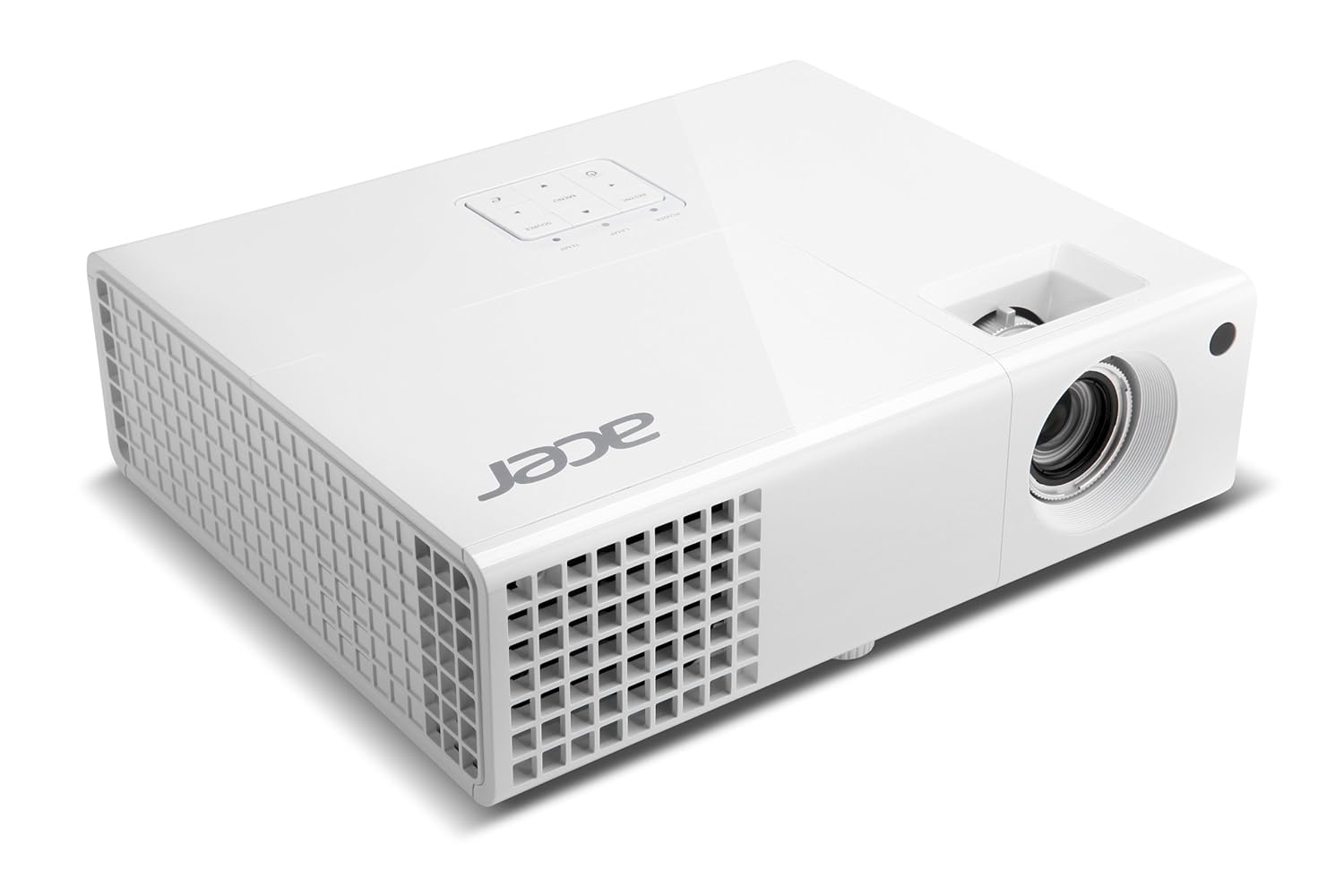
    1. Acer H6510BD

    Acer H6510BD is a 1080p projector providing full HD 3D capability at a price less than $1,000. Its 3D capability at a low price is the reason why it is attracting the user’s eye towards itself. Its brightest image mode cranks out up to 2524 lumens. It has a long lamp life of 4,000 hrs in full power mode and up to 7,000 hrs in eco mode. It is highly portable and has 2W inbuilt speakers. It is a wireless projector and you can share data like movies and games without using wire. It has only user memory, and you can save only one group of settings. All the image modes in this projector cannot be altered. If you select any image mode and make the adjustment, the projector will add changes in the user memory where you have to make further changes.This is the only limitation of this projector.


    [amazon box=”B00B97ZKIA” template=”horizontal”] 


    2. BenQ HT2150ST

    Make your room a gaming zone with BenQ HT2150ST. This projector is specially designed for game and movies. It will make you savor the cinematic experience at your home with your family and loving ones. It is one of the best gaming projectors available in the market. It has inbuilt two 10W speakers with sound quality and contrast ratio of 15,000:1. It provides the excellent color brightness with the 6x RGB color wheel. It has lamp life up to 7,000 hours and gives HD 1080p display screen. It is a portable device having the weight of 3.6kg. You can carry it, while traveling and can be used outside the open area.

    [amazon box=”B01K2V0WP4″ template=”horizontal”] 


    3. Optoma HD27

    It is a small size projector and is ideal for playing games and watching live sport, movies on a big screen. You can connect your games console to play games with its low input latency. It has the brightness of 3200 lumens and HD 1080p display with 3D capability. It is a lightweight projector having weight less than 2.5kg and is easily portable. It provides you amazing sound quality with its inbuilt speakers and we are sure, you will love its smart and standard design. You can call it as a gaming projector too as it’s cool graphics and image clarity. It has 25,000:1 contrast ratio which is enough for the quality screen.,

    [amazon box=”B01JR7G672″ template=”horizontal”] 


    4. Epson Home Cinema 640

    Epson home cinema 640 is a home theater projector having the lamp life of 6,000 hours in eco mode and 5,000 in full mode. It provides the full HD screen with the resolution of 1080p and contrast ratio of 10,000:1. Also, it has the brightness of 3,200 lumens, which is more than enough for a room. It will increase your interest in your game with its ultimate video quality and graphic features. 

    It provides the screen size of 300 inches and a password facility for security purpose. If you check the reviews, it has 3.5 rating stars. It does not have a high price tag and is affordable for people who are stuck to their budget.

    [amazon box=”B014D7XH64″ template=”horizontal”] 


    5. Ogima BL20

    When you have a look at Ogima BL20, you will notice its size is slightly bigger than standard pico projector. It gives the full HD visual quality having the resolution of 1080p. It provides a 200-inch screen. It is compatible with your mobile phone, hard disk, computer system, laptop etc. It is a wireless projector and is easily portable. It has a standard and fancy look and design.

    It has amazing LED lights and the lamp life of 20,000 hours. The projector has some features than above-mentioned projectors. But if you check its price, it is providing many facilities at low rates.

    [amazon box=”B01KF9IGNS” template=”horizontal”] 


    Conclusion:

    While wrapping up this post, we hope that this post about best gaming projectors will helpful for you. We have mentioned the features of projectors, which explains the quality of the projector. Before buying a projector, you must keep in your mind to check its contrast ratio, lamp life, reliability, and screen resolution.

    Top 5 Best Best Tools for Writing Viral Posts

    0

    The Internet has become a powerful tool in this era. There is no minute that goes by without seeing some posts getting floods of likes, shares, and comments. Others asking what are the best tool to help write my paper today? But how do these guys do it? Is there a secret recipe or are they just so good on promotion on the internet?You would love to have a similar following and get praises after writing viral posts. The truth is creating awesome content is a challenging task and most opt to look for the best paper writing service to help. When you become an expert blogger, you definitely need to be ready to wear lots of different hats. Not because the content you write needs more tuning, but because you need some special skills when it comes to social media, marketing, and even design. This comes in handy with some useful tools that can help write viral posts.

    Here is a list of writing tools that will be of great help.


    Ideaflip

    Most people just write about any idea that pops into their head. But before creating content around a certain topic, you should do some brainstorming and come up with the best topics to write about. Instead of writing everything down, you can use a tool called Ideaflip. It gives you a visual environment that allows you to write, manage, and develop different ideas. In fact, it has a friendly user interface that allows you to improve your ideas.


    Hemingway

    This online tool is popular among paper writers and bloggers as a perfect text editing app. It allows you to check for quality of your copy for any writing mistakes that may be present. It highlights sentences that are complex and suggests excessive adverbs that may be in your copy. The tool also has a text readability score and shows the total number of words, paragraphs, characters, and sentences to be corrected. The tool is available for both PC and Mac.


    Hootsuite

    If you want to manage your posts on social media, this is the tool you need. It contains unique Instagram options for scheduling your posts beforehand and publish them later. Once you have your posts ready, you can go on and publish them. If you decide to share your content on Instagram, you can do it on a regular basis, and Hootsuite will help you keep up with the schedule.


    Infographic Video Maker

    You will always hear people say, I want to pay someone to write my paper and include some visual content. This shows that visual content is widely accepted since it’s easier to communicate a certain message effectively. Infographics are hugely popular as one of the visual content methods because they offer information that is easier to digest in a visually pleasing manner.

    Also, their looks go along with the current trend and design. In fact, readers can get enough of them, which means you have to include some in your blog or website. You can go a step further and offer your reader animated infographics. This can be done with the help of Infographic Video Maker.


    Trello

    If you’re fond of using stickers when you write papers for money, this tool might be of great help. Simply divide your digital cards into different categories with ideas, what to do, what’s being done, and what’s done. Then drag and drop them when their status has changed. Trello has an easy-to-use interface and allows you to upload files from Google Drive, OneDrive, and DropBox. It also allows you to set a date and time when a certain task is due.

    So, if you intend to start writing your content for your new or existing website, your mission is to get your content viral. These brilliant tools will be of great help and bring much relief when getting new topics, infographics, and other content. They will help you focus on quality and save a lot of time. Make use of them and take the challenge head-on!

    Apple WWDC 2017 – New MacBook, iPad Pro, iOS 11 and More

    0

    Apple’s Worldwide Developers Conference (WWDC) 2017 commences on Monday, June 5, in San Jose and ends on June 9. The Cupertino monster generally reports programming refreshes at this occasion each year, so this time around as well, the industry is expecting refreshes around iOS, macOS, watchOS, and tvOS. Be that as it may, aside from programming Apple is additionally anticipated that would reveal another Siri-fueled speaker close by real equipment revive for MacBooks and iPads. This is what we know up until now.


    MacBooks

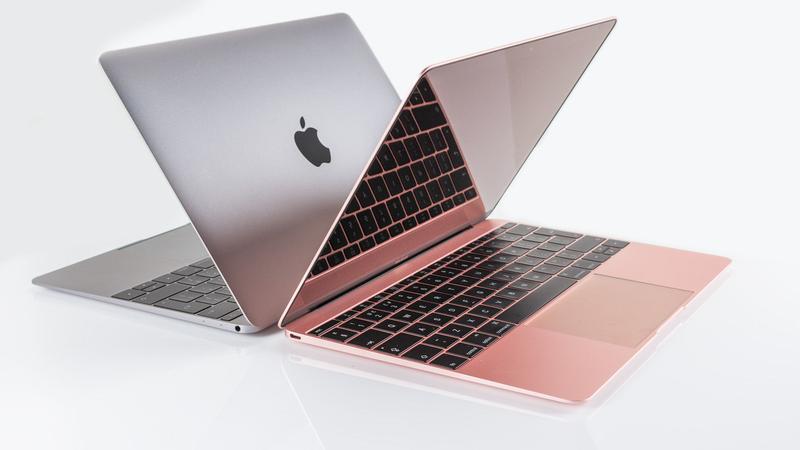
    Macintosh is broadly reputed to invigorate a year ago’s MacBook at the Keynote. The refresh is more probably be interior just and new models are required to accompany Intel seventh era ‘Kaby Lake’ processors. What stays to be seen is, if Apple additionally invigorates 12-inch MacBook and more established MacBook Air also.

    New Macbook WWDC Apple 2017


    HomePod – Siri-fueled Speakers

    Apple is allegedly set to dispatch an all-new Siri-controlled speaker at WWDC 2017. which rather than simply being an associated home gadget will likewise concentrate on speaker quality with ‘virtual encompass sound’. It could in all likelihood be Apple’s response to the Amazon Echo and Google Home. Reports recommend that the Siri speaker has as of now entered generation.

    HomePad Speaker Siri Powered

    All new iPads

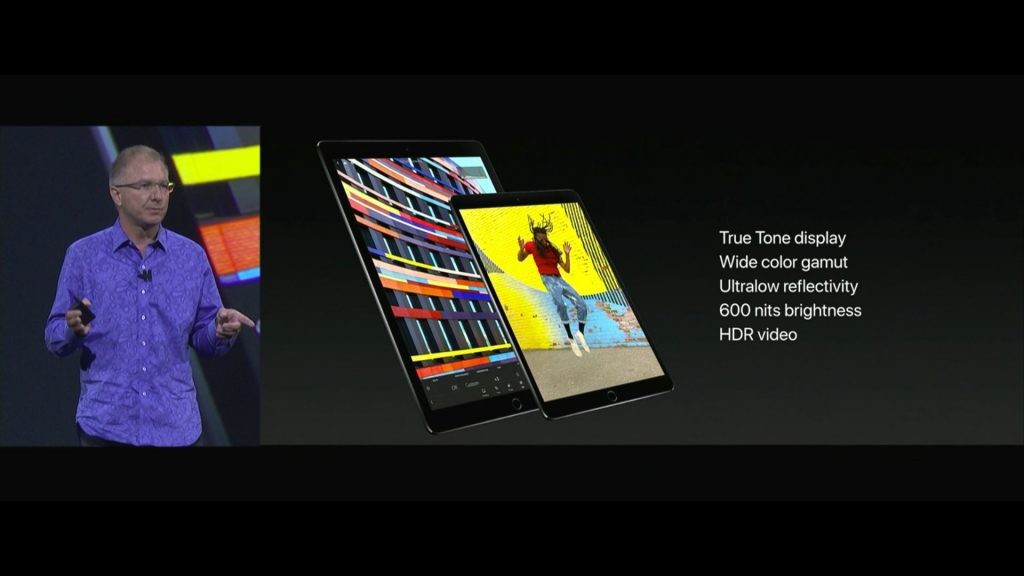
    As of late, four iPad models were spotted on a French administrative site. Most bits of gossip brought up that Apple is going add another screen size to its iPad line. Claimed 10.5-inch iPad Pro is relied upon to take after comparative impressions as its 9.7-inch iPad, however with another plan and edge-to-edge show. Mac may likewise redesign its 9.7-inch and 12.9-inch iPad Pro line-up at this occasion.

    IPad Pro - WWDC 2017

    iOS 11

    Apple is well on the way to see next variant of iOS at the Keynote on June 5. Considering this time it will be the tenth commemoration of iPhone, there are bits of gossip that Apple will discharge greater than normal iOS refresh with an entire plan upgrade. A few bits of gossip recommend a more smooth plan for Notifications and a ‘dull mode’. Moreover, expecting an improved list of capabilities for Siri is normal, yet more than that we could see updates to Apple Music, Maps, Photos, iMessage and that’s just the beginning. The tablet form of iOS is reputed to get a multi-client login and extended support for the Apple Pencil. They will also announce the release date of iOS 11 Beta.

    MacOS

    While MacBook updates are most foreseen, there is not a lot thought about MacOS refresh. One of the huge talks around the piece is settling iTunes in MacOS 10.13. Apple may likewise be hoping to overcome any issues amongst macOS and iOS. We may see more brought together applications that could easily work between the two OS.

    watchOS and tvOS

    The bits of gossip are thin about the progressions in watchOS and tvOS. We’ll generally observe upgrades for both working frameworks. On the off chance that a portion of the bits of gossip is right, then Apple is more centered around making a brought together environment, where it could fit in its Siri-controlled speaker too. So do expect significantly more from Siri in watchOS and tvOS.

    The 2017 Apple yearly designer gathering will start June 5 and finishes June 9. The keynote will begin at 10:00 am PDT, nearby time on June 5, which will be 10:30 pm India Standard Time (IST).