More
    Home Blog Page 164

    5 Basic Tips for Buying a High Definition Television (HDTV)

    0

    Buying a new high definition television (HDTV) can be a daunting task. After all, the technology is relatively new, and with so many different types and models, how are you supposed to know which is the best value?  The goal of this site is to provide you with a quick but effective overview of HDTV’s so that you can make the best decision possible in your purchase.


    Generally speaking, there are 5 basic aspects that you need to pay attention to in order to buy the best possible HDTV within your price range. These aspects are contrast ratio, the angle of view, clarity, motion resolution, and the manufacturer reputation and warranty policy.


      1. Contrast ratio

    The first thing to look for when buying an HDTV is the contrast ratio of the various models offered in your price range. Technically speaking, the measure of a display system, defined as the ratio of the luminance of the brightest color (white) to that of the darkest color (black) that the system is capable of producing.  While this may sound complicated, the concept is easy enough to understand and look for.  In simple terms, it is the ability for a television to show dark blacks and bright whites.  When buying an HDTV, you will want to look closely at the blacks that the various models in your price range can make.  You will want to choose the model where the blacks do not appear to be glowing or have do not have a bluish hue.


    1. Angle of View

    The second aspect you will want to pay attention to is the angle of view on the various televisions models in your price range.  The angle of view refers to the angle from side-to-side that you can see a picture on a television.  Some television models will show the picture clearer when viewed from the sides than others.  The further away from the center of a television you are while still being able to see a clear picture, the better.

     

    1. Static Clarity

    Showing a clear picture is what high definition is all about.  Yet, people often ignore actually testing the clarity of the picture when buying a television and instead rely on the fact that the advertised resolutions of the television mean that it will be clear enough.  Even though many television models will have the same resolution, there is a great amount of variety between the clarity of the picture on different televisions.  When buying an HDTV, you will want to make sure that the television can display relatively still images with great detail.  The best way to do this is to pay attention to fine details in a picture, such as hair or pinstripes, and note their clarity.  If you can’t see individual strands of hair or if pinstripes kind of run together, you will want to find a television where you can.


    1. Motion Clarity

    While showing relatively still pictures clearly is important, being able to show objects in motion is very important as well.  This is especially true for fast-paced programming such as sports or when playing video games.  Sometimes, a high definition television will have trouble showing objects in motion clearly.  For example, instead of showing someone running clearly or a ball being passed smoothly, there will be some blurriness, known as “motion blur.”  This can become very distracting and irritating.  When you are comparing various HDTV models, be sure to watch fast-paced programming on each.  Choose the model that can handle the motion the best.



    1. Manufacturers Reputation / Warranty Policy

    With all of the different HDTV manufacturers out there, it is difficult to know how much you should trust the products they produce.  Is it a good idea to play it safe with a well-known but more expensive brand such as Samsung or Sony, or is it better to save money and go with the seemingly comparable but lesser known value-brand?  While it is easier to trust the better-known brands, buying them is not always worth the extra cost.  By getting a little background information on the brands that you are considering, you will be able to better understand whether or not their products are trustworthy.  Most importantly, become familiar with the warranty policy offered by each.  If a company is willing to offer one or two years of in-house repair on their products, it’s a lot less risky than going blindly on a lesser-known brand that doesn’t offer a very good warranty.  I will say that I have been extremely impressed with the lesser-known brands in my experience and would choose them over the better-known brands most of the time if the costs are too different.

    With these helpful tips, you should be able to buy the best HDTV for your money!


    Author Bio: Katie Smith is the enthusiastic woman. She loves writing about technology and lifestyle on Reviewmoon.

    5 Reasons Why It’s Best To Invest in Social Media Right Now

    In the generation of millennials, almost everyone right now engages with social media on a daily basis for various reasons. May it be work-related, memorable events or just mundane updates about daily routines like the foods you eat or the notorious ‘ootd’ (outfit of the day).

    The gravity of social media platforms and their contents have indeed defied many sectors in the society, more particularly in the area of business. Global and local markets right now are adapting to the current trend through using social media, blogger outreach campaign, and content marketing to stay relevant in the business field and to promote enterprises.

    Most of the customers right now abode on social media. However, if they’re not, eventually, they will be. So, it’s only plausible that business owners and entrepreneurs utilize social media to their advantage to generate sales, brand awareness and increase marketing ROI (Return on Investment).

    Here are the top reasons why it’s about time that you invest in social media and content marketing for your business.

    Social Media Is the New ‘Word of Mouth’

    The usage of social media is not slowing down. It is in fact, accelerating as a tool and discovery hub for products and services that people want to buy.

    So, what does it mean for you? Well, this means that more and more customers are going to start looking on social media for products and services that they can purchase and perhaps, a boost to your profile ranking on social channels.


    It could eventually bring potential clients who are searching for a particular product via social media like Facebook and search for businesses that are “Liked” and “Shared” by their friends or evaluating a company’s portfolio on Instagram before deciding to purchase or hire.

    Social Media platforms Increases Brand Loyalty

    The most efficient way to build a relationship with your clients is to engage with them on social media platforms.

    Take your cue on different blogger outreach platform as an example. A successful SEO company uses high-quality content marketing to promote their services and make them visible to readers. Now, what do you think is the best way to share the contents online? You’re right, social media!

    Social Media like Facebook and Twitter are perfect for generating exposures for your contents, which in turn, increases the number of links from other websites.

    Social Media Helps Other Parts Of Your Marketing Strategy

    One distinct advantage of using social media is boosting the noticeability of your contents in the digital world.

    The combination of organic and paid postings can integrate various areas of online marketing into one component. For instance, you can place a link or a blog post on Facebook or on other social media platforms which a fan can easily read.

    Your Competitors Are Using Social Media

    You know there’s an old rule in marketing strategy that veterans in business always abide, which is “Go where the action is happening!”

    It means that when you choose a particular niche or location for your business, it’s feasible to do it in the area where you can bring a fight with your competitors face to face.

    This concept also applies to social media marketing since there’s a good chance that your competitors are using social media to achieve their objectives.

    Consumers Want You On Social Media

    Most consumers view companies as timely and relevant if they are using social media. A business that updates its Facebook page on a daily basis is one that is still in business, compared to those who are not updating their pages for months. It will only lead to confusions among customers since they will wonder what happened to their business.

    Takeaway

    Although, the things above do not necessarily mean that you have to bombard the clients with daily feeds every day, imagine what it can do to your business if you’ll be able to communicate with your customers on a platform that they’re comfortable using every day. The important thing is, you know what to do and what to expect if ever you’ll invest into social media and content marketing for your business.


    As a marketer and business owner, what other critical reason could you site why investing in social media channels is a must nowadays?

    Wired vs Wireless Earbuds – What to Choose?

    0

    Earbuds are one of the most affordable gadgets you need to consider when it comes to your everyday entertainment.

    You are on this post because you’re in a dilemma to choose between the different types of earbuds available in the market. There is a wide variety of earbuds available online, you name it, it’s already there.

    The main two types of earbuds are wired and wireless ones. When you decide to spend some amount of money on a decent pair of earbuds, the next question that arises in your mind is whether you need to buy wired or wireless earbuds. Don’t worry. I’ve got your back.

    This post helps you decide whether to go for wired or wireless earbuds. I hope you’ll find this post helpful.

    First off, let me take wired earbuds

    Why Wired Earbuds?


    Wired Earbuds

    Wired earbuds are the most popular type of earbuds in the market. Almost 90% of the earbuds owners have owned wired ones, at least at the time writing this article.

    The popularity of the wired earbuds is due to the major two reasons. The cheap price and the superior audiophile sound quality.

    The wired earbuds are much cheaper than their wireless counterparts due to the technology used. There’s no involvement of Bluetooth and also encoding to preserve the audio quality. Due to the less hardware and technology requirement, the cost of the wired earbuds is relatively less.

    The wired earbuds offer you superior sound quality when compared to wireless earbuds.

    Why?

    Because, although the wireless earbuds have come a long way with advanced encoding technologies like apt-X encoding and much more, for audiophile sound quality wireless earbuds just can’t just beat wired earbuds due to the impedance and encoding constraints they have.

    Wired earbuds may also not harm your health, as they don’t make use of Bluetooth radiations to transmit the sound waves that are detrimental to your health.

    With wired earbuds, you need not worry about recharging your batteries every now and then. You can plug the earbuds in and play on forever until your device runs out of charge.

    There’s no doubt that for the same price, you’ll get good sound quality in wired earbuds than in wireless earbuds.


    Why Wireless Earbuds?


    Wireless earbuds


    For some people, wired earbuds may not be the best choice. They want a hassle free way to listen to the songs without any tangles and wires.

    Wired earbuds obviously come with wires and they tend to tangle. Wired earbuds are a little bit difficult to carry along, as they come with wires, and you need to take care of it not to tangle.

    With the introduction of Apple AirPods, the trend of using wireless earbuds has begun. It’s just a matter of taste whether to use the wireless earbuds or the wired ones. But the thing is, wired earbuds clearly offer many advantages over the wireless ones for an audiophile.

    Nowadays wireless earbuds are also able to deliver great sound quality due to the latest sound encoding technologies like AptX. However, you need to make sure that the wireless earbuds you choose support this form of encoding before making a purchase if you care about audio quality.

    Wireless earbuds are well suited for an active lifestyle. You can easily wear wireless earbuds for Gym, running and also for traveling as they don’t include wires and have fewer things to mess with.

    With the advent of AirPods, the true wireless earbuds are a trend these days. For a long time, even the so-called wireless earbuds used to contain a wire that connects the two earbuds. But no more. The true wireless earbuds contain no wires at all. The two earbuds communicate via Bluetooth.

    If you are looking to buy wireless earbuds for using it while jogging or in workouts, I suggest you going for waterproof and sweat proof earbuds that are at least IPX5 rated. With this rating, you need not worry about moisture ruining your earbuds or decreasing its longevity.


    What to Choose?

    To sum it up, both the wired and wireless earbuds come with their own pros and cons.

    If you are a broke audiophile who care about sound quality, then going for wired earbuds may seem to be a viable option.

    If you are a casual listener, who like to go wireless for active lifestyle and comfort then go for wireless earbuds.

    Hope you found this post helpful in choosing between the wired and wireless versions of earbuds.

    Guide To 8bitdo’s Big and Beautiful NES 30 Arcade Stick for Gamers

    If you are looking for a bit more arcade-like feeling for Nintendo Switch, 8 Bitdo’s NES 30 Arcade Stick is the definitive version. In addition to Switch, this Bluetooth controller accessory is compatible with various platforms, attention paid to the feel of buttons and joysticks, a gadget made well to provide a real arcade cabinet experience. Also, it is very big. Of course, it is not necessarily a bad thing, but it should be known.

    NES 30 Arcade Stick is bigger and thicker than two stacked switch consoles. It’s big and sturdy, so it’s ideal for a solid and steady fight in a quick and intense combo action of a fighting game. The joystick on the left is interchangeable if you think you want a custom option from Sanwa. The button is 30 mm standard as an arcade and can be replaced when it can not be satisfied as well.


    Well, if I speak of a rather amateur opinion to me, 8bitdo has done well for joysticks and buttons attached to the controller so far. They make you feel a real arcade experience. The tone of a certain button and the reasonable sense of resistance when rotating the stick support such experiences. Compared to existing Switch controllers, it gives us a much better experience when doing special movements, as well as Ultra Street Fighter II, as well as many old SNK fighters released again for the Switch console It also improves the fun of.

    There is also a dedicated turbo button on the console and a switch that switches the mode of X input and D input, and a wired for PC and Raspberry Pi using the attached 3 meter USB cable (also available for charging the internal battery) USB support is also possible. It can be played for 18 hours continuously with just one or two hours of charging and can also connect wirelessly to Windows, Android, Mac, Switch, and Steam via Bluetooth.


    Apart from features, the best thing about the NES 30 Arcade Stick may be its apparent appeal. The use of coloring and modeling inspired by NES (Nintendo Nintendo Entertainment) makes the package truly appealing. Depending on the taste of the interior, it will also be a story of a conversation decorating coffee tables and old-fashioned cabinets when not in use.

    Why Does the Android Phone Charge Faster than the iPhone?

    0

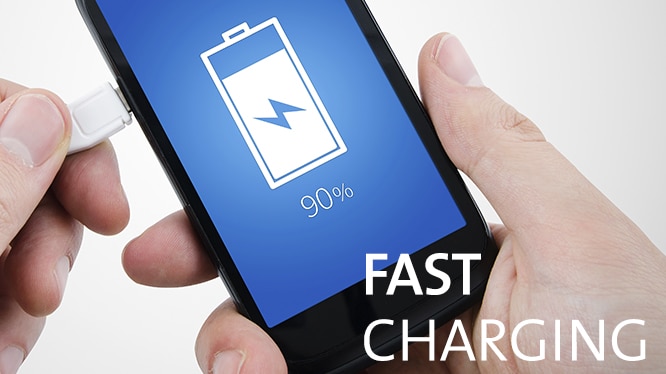
    In the past five years, mobile phone battery charging technology has been in rapid development. Although the battery capacity did not increase, fortunately, the charging speed increased a lot. But if you put the latest iPhone and Android flagship phone together for comparison, you will find the Android phone charging speed seems to be faster than the iPhone.

    This is not what the legend, but it is true. That in the end Android phone charges faster than the iPhone?


    Android Devices Charge Faster

    At present, the major Android manufacturers basically have their own fast charging technology, such as a plus DashCharge and Motorola’s TurboPower. But the former is a plus self-developed, while the latter is high-tech Quick Charge technology to rename.

    At present, a lot of Android smart phones are supported by Qualcomm’s Quick Charge fast charging technology. According to Qualcomm’s introduction, the current use of the latest two generations of Quick Charge technology equipment has reached as much as 34.


    Qualcomm Quick Charge technology does not require manual operation of the user, you just use the phone’s original charger, you can enjoy faster charge than the iPhone charging speed.

    iPhone 7 original charger specifications are 1A / 5v with the maximum power of 5W. While the support for Quick Charge 2.0 device charger output current can reach 1.67 or 2A, the voltage is between 5-12V, the maximum power has reached to 18W.


    But not only charging power is important, but also power management. Qualcomm’s fast charging technology intelligently manages the charging speed and shuts off the charging power at the right time. At the beginning of the charge, Quick Charge will increase the flow of current, and when the battery is gradually filled, the current will be slowly reduced.

    iPad Charger Charges Faster

    If your home has an iPad charger, use it to charge the iPhone faster, because Apple has changed iPhone’s “extra operating current” when releasing iPhone 6 (up to 2.1A / 12W). But the use of iPad charger to charge the iPhone are less than the speed of support for Quick Charge Android device.


    Future Development

    There are rumors that Apple’s new generation of iPhone will support the new fast charging technology. But at the same time, Qualcomm is not idle: their next-generation fast charge solution power will be increased by 10W.

    Microsoft Announced a New Version of Windows 10 Pro for Workstations

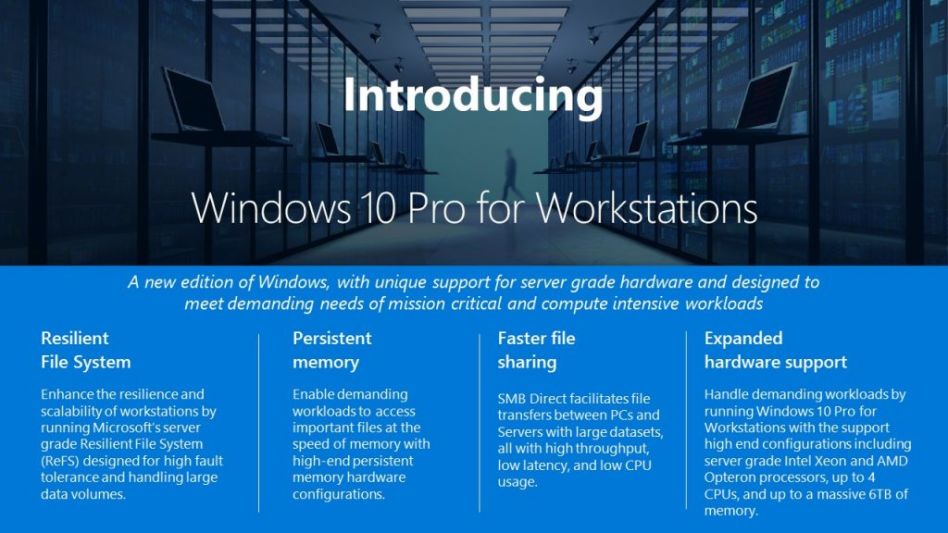
    Today (Microsoft 8/10) Microsoft has released a new version of Windows 10. It is a system targeting professional users dealing with enterprise core systems using high-end hardware. Rumor, Windows 10 Pro for Workstations has Microsoft’s server grade file system (Resilient File System), supports high-speed file sharing with persistent memory (NVDIMM – N) and SMB Direct, up to 4 CPUs, memory 6 TB High-end hardware available.

    As the name implies, the focus is high-end hardware, which means that this Windows version is compatible with Intel Xeon and AMD Opteron CPUs. Because the standard version of Windows 10 supports up to 2 CPUs, up to 2 TB of memory, the new version will allow users of top-level workstations (and OEMs who were trying to make hardware therefor) You will be able to take advantage of power – combined with persistent memory is even more powerful.

    ReFS (Resilient File System) is a file system that enhances data recovery and fault tolerance. It is possible to handle huge capacities and automatically correct errors when one of the drives malfunctions. ReSF is theoretically up to 4.7 zettabytes (1 billion terabytes, corresponding to 8 K video 8 million years) – whilst the volume that can be handled by Microsoft’s standard NTFS system is 256 TB at the maximum – nobody needs this soon Wax) volume can be handled.

    In addition, users can share data with other users on the network via SMB Direct. SMB Direct enables high-speed file access with little delay by using Remote Direct Memory Access function and uses little local CPU. Note that this feature can be used with Microsoft’s server OS since Windows Server 2012 release, but it should be noted that proper network adapters are required for operation.

    Windows 10 Pro for Workstations will be released as part of Fall Creators Update this autumn.

    How to Pick the Best Education Android Apps for Your Classroom

    Done correctly, Android apps can make your class more engaging, more entertaining and more educational. Of course, the ‘done correctly’ is vital there. For it can just as easily go wrong. After all, there is a lot of junk out there. At best these won’t help you much. At worst, they will end up being distractive, disruptive and destructive.

    For that reason, you need to think very carefully about the apps that you want to use in your classroom, for the risk very quickly exists that you’ll overload your students and they won’t know which way to turn for information anymore. So keep them down to a minimum if you can.

    There are a ton of different categories where you can look for information, but the main areas that you should explore are:

    • Communication with students
    • Communication with parents
    • A research tool
    • A place to get support from other teachers and share ideas
    • An administration tool
    • Tools that boost class engagement

    Note that quite often apps span several of these fields simultaneously. Here are top 10 best android apps that we’ve found particularly useful.

    1. Seesaw

    It used to be that the only feedback the parent’s ever got on their work was an ‘it was fine’ when their kids got home and the teacher’s opinions once every few months during parent-teacher conferences. That really is no way to keep the guardians engaged in their kid’s development. For that reason, Seesaw has set out to create portfolios for the children, so that they can showcase their best work.

    Even better, teachers can use the portfolio to demonstrate what their students are good at and where they struggle so that when parents want to take an active role in their development, they know where to take action.

    Seesaw Parent & Family
    Seesaw Parent & Family
    Developer: Seesaw Learning
    Price: Free

    2. Teach Learn Lead

    The internet has greatly sped up the sharing of lesson plans and class ideas among teachers. Now the next step is here. With Teach Learn Lead – which is a social network for teachers – it becomes immensely easy to share ideas, discuss problems and in other words disseminate the best practices in teaching.

    In this way, teachers will find it far easier to upgrade their knowledge and give their students the best of what the teaching world has to offer. Neat, right?

    The app was not found in the store. 🙁


    3. Remind

    This app is all about letting you easily and quickly update children and parents about developments in the classroom. You can use it to let them know when big assignments are due when school outings are being planned and more.

    Remind is easy to use, effective and has a great translation service that allows it to translate whatever you’ve written in 70 different languages – just in case you’ve got parents at your school whose English isn’t top notch. In that way, everybody is in the loop and there aren’t any nasty surprises for the kids, the parents or yourself, for that matter.

    Remind: School Communication
    Remind: School Communication
    Developer: Remind101
    Price: Free

    4. Additio

    The administration isn’t any fun. For that reason, we really want apps to automate it as much as possible. Additio can help you a lot in that regard. In it, you can keep attendance, track and calculate people’s grades and keep your personal timetable.

    In that way, all of your information is up in the cloud, where it can’t be lost and locked behind your password so that students can’t ‘accidentally’ take a look at how they’re doing.

    Additio for teachers
    Additio for teachers
    Developer: Didactic Labs, S.L.
    Price: Free


    5. Google Classroom

    Google Classroom is a free service for schools, non-profits, and anyone with a personal Google account. Classroom makes it easy for learners and instructors to connect – inside and outside of schools. Classroom saves time and paper, and makes it easy to create classes, distribute assignments, communicate, and stay organized.

    Google Classroom
    Google Classroom
    Developer: Google LLC
    Price: Free


    6. Plagiarism checker

    Some students try to cut corners. That’s just part of the ‘game’. Now you can just depend on your spider sense to tell you. Alternatively, you can get this Plagiarism checker to see if they didn’t just lift the text wholesale (or at least in part) from the internet. In that case, you can be sure that it’s actually their own material (provided, of course, they didn’t use a writing help).

    I’ve found it useful to show the effectiveness of this app right at the beginning of the year so that students understand the risk they run if they do decide to copy stretches of text. That will undermine a great deal of temptation.

    Plagiarism Checker
    Plagiarism Checker
    Developer: Plagiarisma.Net
    Price: Free


    7. Dropbox

    If you allow your students to hand in assignments online, then the last thing you really want them to send it to you by email. That gets messy fast and also makes it far too likely that you’ll miss somebody’s assignment (or can’t disprove their claim that it ‘somehow got deleted’).

    Dropbox is a much better option. Here you can create folders for your different students that only they have access to. Then it’s just a matter of going through them in whatever order that you prefer. Even better, the history of a folder is also stored, so you can see not just what is there now, but if something was there earlier and has somehow ‘disappeared’.

    Of course, it’s also great for organising your own material across multiple devices.

    Dropbox: Secure Cloud Storage
    Dropbox: Secure Cloud Storage

    8. Evernote

    Evernote is a bookmark tool on steroids and makes centralizing and saving your research and absolute cinch. This app is a great way to make sure that you’ll never lose the interesting websites again. As an added bonus, as it syncs across platforms, that means you won’t have to go rummaging through your devices in order to find what you’re looking for.

    Add to that scanning features, pdf support, the possibilities to send emails into the app, notebooks for the organization, internal search functions and the ability to link internally to other notebooks and you’ve got an incredible time saver that will make you wonder how you ever managed to survive without it.

    You can note anything, you can write the book, write an essay with best writing advisor, or make the lists of your future dissertation.


    9. Edmodo

    This is another great class organization app, that lets students continue the conversation after the school bell rings. This great app allows you, as a teacher, to answer questions, offer up resources, give grades and in other ways make sure that your students don’t end up struggling with insurmountable problems without any outside help.

    And that’s just a few of the app’s features. Edmodo really is a great go-to tool if you want to make sure that everybody understands

    Edmodo
    Edmodo
    Developer: Edmodo, Inc
    Price: Free


    10. Kahoot

    No class likes a quiz. Or do they? With the new app Kahoot they just might. But then this isn’t any ordinary quiz. This isn’t the ‘here’s a the questions, use a B2 pencil’ quiz. This is far more like a game show, where everybody gets a buzzer and people get to match both wits and knowledge.

    Gamification is a phenomenal way to engage your students. It uses the ideas of video games (e.g. points, colors and immediate feedback) to make your students learn information more quickly while keeping them active and interested.

    The best part? Games are normally hard things to program. Not with Kahoot. All you have to do is upload your questions and get your students to download their version to get a buzzer and you’re all set, which is easy as it is free.

    Kahoot! Play & Create Quizzes
    Kahoot! Play & Create Quizzes
    Developer: Kahoot!
    Price: Free


    Last words

    There are a lot of apps out there. So make sure you don’t take this to be the definitive list of apps and programs. It is, however, a great place to start as all of these apps have been well received and are widely popular among teachers nationwide.

    Know of any other apps that should be included but that we clearly missed out on? Then add them in the comment section and everybody will benefit.

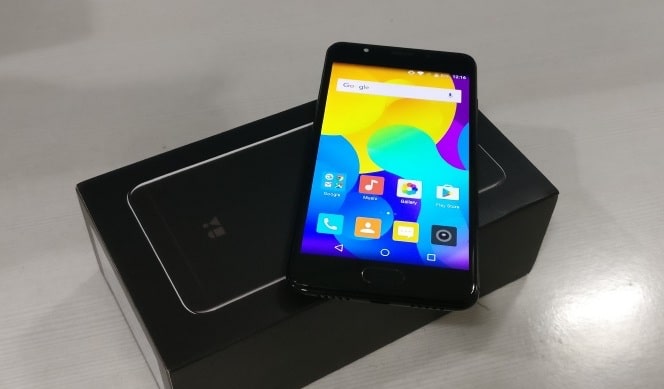
    Official Android 7.1.2 Nougat for Yu Yureka Black (crDroid ROM)

    Download Official Android 7.1.2 Nougat Based crDroid ROM for Yu Yureka Black (Yu5040 – Garlic)


    Official crDroid ROM

    Android 7.1.2 Nougat – Official – OMS-SUBS

    crDroid is designed to increase performance and reliability over stock Android for your device also attempting to bringing many of the best features existent today. Based on LineageOS with extra goodies.

    crDroid Custom ROM Logo


    You Might Like: 


    Installation Instructions

    Note: Make sure to take a backup of important files, photos, contacts etc. as installing a custom ROM resets your phone and we are not responsible for any data loss or damage to your system.

    Step 1: Make sure your phone is charged and all your data is backed up.

    Step 2: Download the latest version of ROM and Gapps from the Download Section below and place both the files in your SD Card or Internal Storage.

    Step 3: Now boot into the Recovery mode, We recommend using the TWP Recovery. If you haven’t installed the TWRP Recovery then follow this guide to do so.

    Step 4: Next in TWRP Recovery do a System Wipe along with Data, Cache, and Dalvik Cache.

    Step 5: Now Select the latest version of the ROM file and flash it after that flash the Gapps file.

    Step 6: Wait for the installation to complete after that reboot your device to boot into the freshly installed ROM.

    Note: The ROM Pre-Rooted, Enable Root from Developer Options.


    Download


    Credits

    • @Saikatrockz
    • @vjs pranav
    • @Hriday Sharma
    • @h2o64
    • @Frozen_Lemon
    • @Kangka_D


    If you any queries or suggestings then don’t forget to leave them in the comments below.

    Official Resurrection Remix for Yu Yureka Black (Android 7.1.2 Nougat ROM)

    Download Official Android 7.1.2 Nougat Based Resurrection Remix ROM for Yu Yureka Black (Yu5040 – Garlic)


    Official Resurrection Remix

    Android 7.1.2 Nougat – Official – OTA


    Resurrection Remix ROM is based on CM, slim, Omni and Original Remix ROM builds, this creates an awesome combination of performance, customization, power and the newest features, brought directly to your Device
    Many things that in previous versions were tweaked with mods are now included by default in the ROM so, please enjoy!

    Resurrection Remix Rom for Xiaomi Redmi Note 4


    You Might Like: 


    Installation Instructions

    Note: Make sure to take a backup of important files, photos, contacts etc. as installing a custom ROM resets your phone and we are not responsible for any data loss or damage to your system.

    Step 1: Make sure your phone is charged and all your data is backed up.

    Step 2: Download the latest version of ROM and Gapps from the Download Section below and place both the files in your SD Card or Internal Storage.

    Step 3: Now boot into the Recovery mode, We recommend using the TWP Recovery. If you haven’t installed the TWRP Recovery then follow this guide to do so.

    Step 4: Next in TWRP Recovery do a System Wipe along with Data, Cache, and Dalvik Cache.

    Step 5: Now Select the latest version of the ROM file and flash it after that flash the Gapps file.

    Step 6: Wait for the installation to complete after that reboot your device to boot into the freshly installed ROM.

    Note: The ROM is not Pre-Rooted, for rooting you need to flash latest SuperSu or Magisk.


    For OTA:

    1. Download the OTA(apk) file and install it on your device.
    2. After installation, the application will show an update is available.
    3. Go to the OTA Update option in phone setting and click on ROM version to download latest OTA Build.


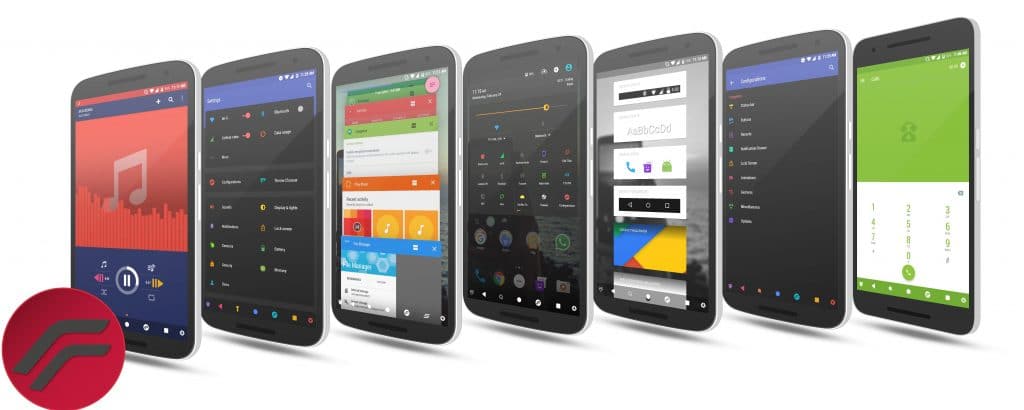
    Screenshots


    Download


    Credits

    • @darshan1205 for literally everything
    • @Hriday Sharma for helping me and Testing
    • @h2o64 for allowing me to use his sources and for fixing the bugs (extra thnx bro)
    • @Sumit Barthwal for testing
    • @Vams for testing
    • @kushal shah for testing
    • @Saikatrockz for testing
    • @me ofc for testing and making


    If you any queries or suggestings then don’t forget to leave them in the comments below.

    Google’s Nearby Connections API Allows Offline Networking With Nearby Android Devices

    0

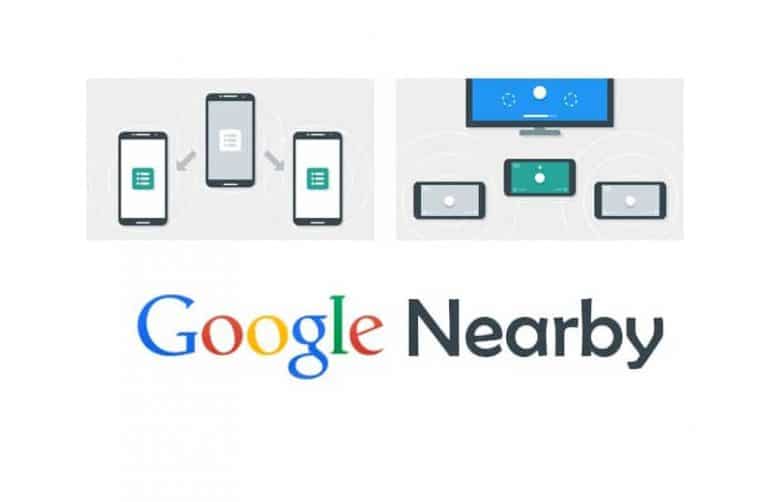
    Today Google made its Nearby Connection API public, through this API Android devices and applications can communicate when they are close to each other without any internet connection. Among the various use cases cited by Google are the hotel room senses visitors and provides room temperature and music suitable for that person, unites the address book with the nearby devices to do, etc.

    This technology is called Nearby Connections API (NCA), which seems to be used initially for applications such as offline sharing of media and disaster warning in unstable areas of Internet connection.

    Google has been working on this Nearby Connections API for quite a while, and API was first announced in 2015. At that time, a use case was introduced that uses the mobile device as the second screen of the game along with the television.

    And at this year’s Google Developer Conference I/O, this API update was introduced.


    Wi-Fi, Bluetooth LE, Classic Bluetooth, etc. are used for neighboring connection with a nearby device. The radio waves that can be used at that time are selected by the application itself, and it can be detected if new radio waves become available. There is no need for developers to write code for that.

    There are two types of networks composed of this API. One is the centralized type. For example, a game server or a server where a teacher talks to students uses this NCA to talk with clients (gamers and students). The other way is to construct a mesh network and chat and other group activities offline.

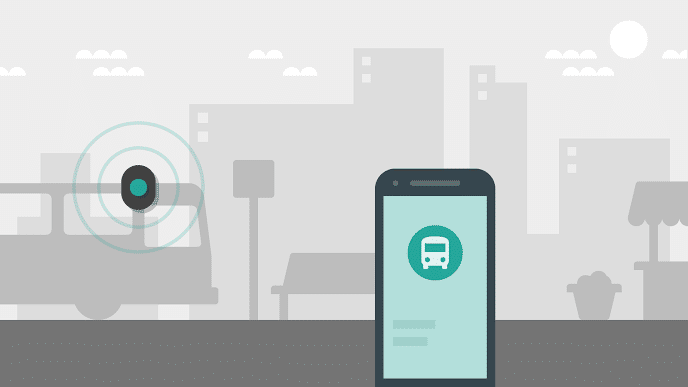
    Google NCA


    Google also released several applications using this API. In the The Weather Channel is, each other tell the emergency weather information, such as a typhoon by the mesh network in situations where data communication of the carrier can not be used enough. Hotstar shares media in similar situations (airplanes, subways, etc.). And GameInsight finds fellow players nearby and proceeds the game completely offline.

    In addition, the Android TV remote control using this API makes initial setup easier. You can also use an Android device as its second screen.

    This API, which had been provided only to some partners so far, will be open to the public from today. The version of Android is Jelly Bean or above, and the installed Google Play requires 11.0 or higher .

    Other pilot applications are open to the public, but there is no concrete information about them yet. Also, the requirement of Google Play 11.0 or above narrows the audience to a considerable extent at present, so some developers are unwilling to adopt this API. The reason is that even if you make an application that makes use of neighboring connections, it still expects the number of users to be small.