More
    Home Blog Page 162

    5 Little Tricks Which Make Your Blog Writing Significantly Better

    0

    It’s difficult to explain just how popular blogging has become, especially over the last couple of years. These days, it seems like almost everyone is running a blog, and they cover topics as varied as marketing, books, fishing, parenting and programming.

    75 million websites use WordPress, the most popular blogging platform, and it powers 27.5% of the web. Tumblr, the Yahoo-owned microblogging site, has around 350 million users. One handy tool from Worldometers shows you the number of blog posts that have been written so far today. You should check it out, it’s mind boggling. Go ahead, we’ll wait.

    That means that there’s a lot of competition on the market, and newbie bloggers need to find themselves a niche if they’re to become a success at what they do. But finding a niche is one thing and dominating it is another.

    Ultimately, the most successful bloggers have one thing in common: quality writing. Here are five tips to help you to be as good as the best.


    1. Make it Relatable

    If you want your readers to stick around, you need to make sure that your posts are interesting. It helps when you talk about something that’s close to them – if you can make it relatable, it’s more likely to touch the reader’s mind and heart. Get this step right and you’ll be forgiven if your writing is occasionally clunky.


    2. Keep it Simple

    Complicated words and formal phrases have their place in academic essays, but there’s no need for them in a blog post. You need to keep it as simple and informal as possible so that it’s easy for people from different backgrounds to read – including people who speak English as a second language.


    3. Remember to Edit

    Editing your blog posts is almost as important as writing in the first place. It’s fine to write a first draft in a hurry – and even to hit the publish button if it’s a time-sensitive story – but you’ll want to revisit it at your earliest convenience. Everyone makes mistakes – it’s only human. But by editing your posts, you can eliminate mistakes while improving their readability. Charles Horton from Aussiewritings.com goes so far as to say, “Editing is more important than writing. Anyone can string a sentence together, but it takes a real writer to go back and edit it.”

    4. Plan ahead

    Planning can help you to make sure that you don’t lose your way when you’re writing your articles, so be sure to constantly plan for the future while simultaneously focusing on the present. You can plan individual blog posts before you write them and you can plan your entire editorial calendar for the coming months. Remember the old adage: if you fail to plan, you plan to fail.

    5. Research

    The more you know about your topic, the more interesting your content will be. Doing your research will help you to inject your personality and to share unique advice and information that can help you to stand out from your competition.Remember that your audience is already passionate about the topics that you cover, otherwise they wouldn’t bother to stop by your site in the first place. Make sure that your passion shows.


    Practice Makes Perfect

    In the end, practice makes perfect. No new blogger gets it right first time, and many of the most successful bloggers got to where they were by making mistakes along the way. The key is to make those mistakes and to learn from them, rather than being too afraid to try.

    Remember that blogging is all about finding a niche and expressing your personality – and this goes whether you’re writing a blog on WordPress or uploading video blogs to YouTube. Nobody follows a robot, which is why using formal language and an academic style is such a no no.

    The best way to improve your blog writing is to keep on writing your blog. Read other bloggers in your niche, ask for feedback along the way and constantly try to tweak and improve your style. Your blog will be a hit in no time.

    How to Master Your Skills and Work With a 3D Pen Like a Pro

    0

    The 3D pen is the future of drawing which anyone can use it to make any solid object. From modifying objects to make 2D sketches you can use them to create anything.
    So, here are six tips that will help you to work with the 3D pen like a pro.


    Introduction

    The first step to work with the 3D pen is to know what it is and for which purposes you can use it for?

    A 3D pen is like a miniaturized version of 3D printer that is used to make solid objects by free hand motion. It works on the heating element to eject melted plastic which solidifies quickly to take the shape user has given. It is very similar to how glue gun works but it uses plastic in case of glue that can take any shape and size. 3D pen can allow a user to effectively draw anything with plastic. The user can work on any surface or in the air to make 3D drawings. The 3D pen can be used for decorative purposes as well as to modify and repair other 3D printed objects.

    Choosing a 3D Pen

    The second part to work with 3D pen is figured out which type of pen you need?

    If you are just a hobbyist who wants to design basic things and want to learn about 3D pen then having a 3D pen with basic temperature and speed setting is going to work for you. You can read out creopop 3d pen reviews, which is made for exactly the same purpose. But if you are a professional user who needs it for advanced users then buy a 3D pen which contains accessories like interchangeable tips and stands, rechargeable battery, and a USB charger.


    Make a Plan

    Be you start drawing 3D objects using 3D pen set up a basic plan in your mind which organizes tasks you need to do to create the 3D object e.g.

    1. Turn on the power by connecting 3D pen to the power supply.
    2. Select a filament that you want to make the object with.
    3. Select temperature setting that is appropriate for your project.
    4. Insert the filament and wait for the pen to start extruding melted plastic.

    In this way, you can simply, work on your projects by know which steps to take next without forgetting anything.


    Start with 2D Sketch

    3D sketch

    The easiest way to start working with 3D pen is first to draw 2D sketches and making 3D out of them. For that select a clean surface to draw on, user can use paper if he/she is a beginner with 3D pen otherwise any surface will work then extrude a small amount of melted plastic on that surface. This will be initial point and after that start drawing lines by moving your pen across that surface. Try to keep the tip of the pen as close to the paper/surface so that the extruded plastic doesn’t cool down in the air. In this way, you can create a 2D sketch of 3D object you want to make.

    When the sketch is complete simply pull off the plastic from that surface. To trim rough edges, use a knife or a pair of scissors. If you edges are too rough then put the sketch in a toaster oven for few minutes this will partially re-melt the plastic and will soften the edges.


    Assembling 3D Objects

    One of the easy ways to make 3D objects is to assemble and connect 2D sketches e.g. to make a simple truss bridge, start your sketch from the sides then, make the bottom piece in the middle. In this way, sides will be even. Now, connect first side piece to next piece by applying a small bead of plastic at edge points. To make stronger connections draw lines between sides, after that you can attach the top piece. The final 3D object will hold itself together but if you want to trim rough edges and want to make a strong connection then add extra drops of plastic in the joints of the bridge, use a pair of scissors to trim off any points that are sticking out.

    However, don’t put the whole 3D shape in the oven this will probably wrap your shape and distort the object you have made.

    3D Objects with 3D Pen How to


    Creating Freehand 3D Objects

    3D Object

    The best thing about the 3D pen is their ability to freehand draw in space although it is not easy as it is sound. Making objects in space is extremely difficult but practicing can make you better. To draw 3D objects in space start with a solid point on paper or any surface then slowly lift pen into the air to make lines. If you want to make straight line try gently pulling plastic while extruding and when you reached the point where you want the line to end, stop extruding. In case of a curve, when you lift up the pen from paper move the pen in the direction you want the curve to make.

    Try holding the pen for few seconds when you extruded about an inch of plastic, this will cool the plastic down and re-solidify it before it can support its own weight. Continue this process until you have completed a large section. The difficult part of freehand drawing is working at right speed you need to synchronous your speed with the speed at which the melted plastic extrudes otherwise it will sag. However, with practice, you will know when to move the pen around and when to hold it at a place for the cooling process.

    Whether you want to learn how to work with 3D pen or become better at using it. The above points will surely help you to make your work better than ever.

    Have fun drawing!

    Preparing Your Pet For Long Hikes: What You Need to Bring

    Hikes are a magical activity because after a few hours you all of a sudden emerge from way down on the ground to far above the trees surrounded by the clouds and sky for as long as the eye can see. And if you’re lucky enough, you will have people or a beloved pooch with you to share in the wonders supplied by nature from eons ago.

    Planning on heading up to the top of a summit, whether that is by yourself, with fellow humans or with a four-legged friend requires some definite planning on your behalf and possibly even more so if you want to take your dog along with you. Therefore, we decided to simplify the process for you and tell you exactly what you need to do prior to going on the hike and what you need to bring on the hike for success.

    The Hike

    Prior to heading out to the trail in your car with Benji on the front seat, it is important to have him checked out by his vet to ensure that he is functioning at maximum performance and will be physically able to complete the hike with you without any foreseen complications.

    A Trained Dog and a Responsible Owner

    Then ensure that your dog is fully aware of basic commands and is well socialized and aware of common behaviors on the trail that will be expected of him and you. You can also build your dog’s ability to be able to engage in this type of activity by taking them for daily walks at various intervals and for different durations or intensities in order to make them more likely to be able to complete the hike.

    Doggy Backpack

    Make sure that if your dog is carrying a backpack that he is used to it and that he has trained with it on. That way, it does not cause too much discomfort on the day of the hike. Also, please consider bringing a first aid kit along that is specific to the needs of dogs and other animals. Also, if it is an overnight trail run be sure to pack some form of a tent for you and the dog, or you can have a separate tent for the dog to sleep in.

    Food

    Make sure you have an adequate amount of food, clean drinking water and treats for the trip. If you are going to place these or other items within the backpack on your dog’s back, make sure that the backpack’s weight is carefully controlled so as to ensure that not all of the weight is concentrated in one spot, therefore avoiding spinal injury.

    Furthermore, certain dog breeds, such as German shepherds are very good at engaging in pursuits such as long hikes. This means they are very unlikely to gain an excessive amount of weight, like many other obese dogs and humans. Although, other dog breeds are also quite good at hiking, just make sure to always get the approval of your vet first.

    Trail Map

    Furthermore, make sure that the trail you have chosen to walk on is suitable for your dog with numerous rest stops with shade, water points for cooling, limited encounters with dangerous wildlife and little interactions with plants that are poisonous to dogs.

    In summary, hiking is an amazing workout for both young and old to try, now you can even get your dog involved and really spread the magic of hiking to your friends, family and four-legged community. After all of your hikes with your pet dog, why not try writing a blog about your experiences hiking with your best friend and let the whole world know about just how much working out with a dog really can help.

    How to Be a Successful Blogger Among the Male Audience

    0

    It doesn’t matter if you’re hoping to break away from the 9 to 5 grind or if you’re just interested in blogging about topics that you’re passionate about. Blogging is a great way to earn extra income, or even replace and surpass an existing income – If you know who your target audience is.

    Did you know that women are more likely to take on blogging than men? While the divide between female bloggers and male bloggers isn’t significant (in June 2010, the ratio of bloggers were 50.9% female and 49.1% were male). It’s still safe to say that the majority of the blogs you read out there are going to be written by females.

    So, what does that mean for male readers? Does that mean they are resigned to reading about DIY crafts with pink backgrounds and the like? Of course not! There are countless blogs out there that are targeted to male readers, and you’d be surprised to learn that those blogs aren’t always written by men!

    As a female blogger, you might feel like you can only write about things that your female readers will appreciate. With that train of thought, you are severely limiting your reach and decreasing your income potential. Think about it. If you’re selling gaming systems, you’re going to want to have both the Xbox and the PlayStation because you want to get as many sales as you can. It’s the same way with blogging. You want to provide content that both men and women will appreciate and find value in.

    Well, blogging for women is easy because you are a woman! However, if you’re interested in broadening your readership and appealing to the men who are interested in your niche, we’ve got some tips that will help you be that badass blog boss that the boys will love to read.

    Tip #1: Use visuals men can hope to achieve themselves

    Men want to see things that they could one day attain for themselves. They want those new golf clubs. They want that fully loaded truck. They want that sexy woman on their arm. How does that translate to your blog? You have to appeal to their sense of wonder and the “what if” for the future. Show your male readers that you understand what they want and you can help them achieve those goals for the future.

    Tip #2: Give them the cold hard facts

    When you’re talking about a product, a service, or general advice, you better be prepared to back it up with proof that supports your claims. Let’s say you just bought this new tool and you go on and on about its features and what it can do. Unless you are showing them in action how it works, they aren’t going to believe you and they’ll start to question your credibility.

    Tip #3: Men want results

    How many men do you will go out and pick something up with no intention of using it? Probably not very many. When a man is faced with a problem, he will do whatever it takes to remedy that problem now. So, let’s say that as a female blogger, you want to provide men with advice on what women really want. You’re going to give them actionable advice that will, in fact, help them be more successful in love. You’re not going to use language that suggests you think this advice will work. You’re going to say, “If you do this, women will respond. If you do that, you will find success. Once again, back it up with evidence that your advice works. Use testimonials, numbers, links to studies. All of these things will only help solidify your expertise in whatever you are talking about – not just luck with women!

    Tip #4: Men want to show off

    It isn’t very often that you’ll find a man who will talk to their buddies about a blog they are reading. They’ll more than likely talk about the latest movie or his latest conquest instead. If you want men to talk about your blog and the information you provide, you’ve got to make it something worth talking about! Don’t be afraid to get personal with them. Talk to them as though you’re sharing a beer and shooting the breeze on the back deck. Make them take a step back and be surprised that you, a female blogger, understand his life, his wants, and his interests. When you can dig down and make him feel like you’ve connected with him… Well, that is the mark of a great blogger who understands her audience – the modern man.

    Things You Can’t Do with Your WordPress Blog and How to Cope with them

    So you’re ready to make a change. You have decided to run a blog and share your brilliant ideas with everyone in the world.

    Good for you!

    Naturally, starting a blog requires much more considerations than content topics. You probably have hundreds of possible topics in mind, so no problem with that.

    What could be challenging is the choice of the platform to power your site. However, after reading a few articles on the Internet you found that popular sites like Mashable and other widely-known ones use WordPress.

    We agree, after reading the statistics that say WordPress powers 27 percent of the entire Internet it seems unreasonable to go with anything else. Moreover, you read that WordPress has thousands of free themes and plugins here on D5 creation to make your site look stunning and keep it functional.

    While deciding to go with WordPress is perfectly fine, you should know about some things you can’t do there to make sure you made the right choice.


    You Can’t Really Customize It

    One of the main reasons why so many people choose WordPress to power their blogs is the abundance of themes. Indeed, there are thousands of themes that could be found on the official website of the developer and third-party websites. They are pretty good looking and have a decent functionality, which could be perfect for meeting your needs.

    The web designers at Assignmenthelper claim that their clients are more interested in custom themes that could fit their project. In other words, they prefer to build their own theme by bringing layout, styles, and even functionality together. WordPress may not be the best choice in this case.

    The first reason why is that most of the themes offered on the websites are already used by others (forget about the uniqueness of your site). Is it really worth saving a few dollars to purchase someone else’s recycled theme and add own logo and text?

    The second reason comes from web designers. Alan C. Herman, the web designer, says that for him customizing the design of a website is a lot easier and quicker when he works with elements that can be put together. However, in WordPress, these elements are pieced apart. As the result, site templates cannot be edited the way designers best do so – in CSS and HTML.

    This explains why there are so many guides to WordPress theming and so little about doing so in MVC based frameworks like Django. The developers of WordPress did not make the design of the template natural for web designers, so they need to educate them on how to do editing and other things there.

    Key Takeaway:

    There are limited opportunities in terms of customization of WordPress themes. If you want your site to be truly unique and enjoy freedom in customizing, go with something else.


    You Can’t Get Official Support (In Many Cases)

    As I mentioned earlier, there were thousands of themes available for WordPress users. That great, right? You have all the freedom in colors, layout, and functionality. Well, you do, but there are some more important things to think about before making the choice.

    “But why? They have a great design and the feedback is positive!” I can practically hear you thinking that.

    The reason why choosing themes is not recommended has nothing to do with design, user feedback, or functionality. It’s lack of official support.

    The themes developed by third-parties are not supported by WordPress.com. This means that if something stops working, you will have limited option for help and no support from the WordPress developers.

    To avoid getting into trouble, you have to go with a selection offered by WordPress.com. It is much smaller and contains a limited number of options. It’s sad because you can’t enjoy that vast pool of themes developed by third parties.

    Once again, customization has to be mentioned here. By selecting a theme from WordPress.com, you have even more limited options for customizing it. What you can do is insignificant changes like changing the header of the menu and background color. That’s pretty much it.

    As the result, your blog will look like many others out there.

    Even if you decide to purchase a premium theme that has a more sophisticated design, you still have the same opportunities for customizations (lack of them, to be exact). For some reason, both free and premium themes have similar design restrictions.

    The only helpful option, in this case, is a Custom Design Upgrade, which allows more freedom in customization. However, it’ll cost you $30 every year.

    Key Takeaway:

    The majority of WordPress themes on the web lack official support of WordPress.com. This could create some problems in the long-term.


    You Can’t Get Discovered by Search Engines

    One quick Internet search will show you that WordPress is great for SEO. For example, it allows installing of themes that use the latest SEO practices and creating readable permalinks. While this sounds good, there is nothing special about it.

    All SEO functions delivered by WordPress are pretty much standard, which means they can’t help you to get discovered by Internet users. What some of the WordPress folks are not saying is that you have a lot of SEO-related things to do in the nearest future because the system is designed for content.

    The truth is that even the best content in the world is insufficient to get you displayed in search results of Google. This won’t happen if you mark it up for the search engine, either. Simply saying, WordPress is a bad tool when it comes to SEO. A good-looking theme may persuade the viewers to stick around and see what you offer, but you need to guide them to your page.

    This means that you will be working hard to get your site higher in the search results by utilizing internet marketing, such as pay per click and social media advertising.

    Key Takeaway:

    the job of marketing your blog should be done by you. WordPress is designed for an entirely different purpose, so don’t rely on it here.


    You Can’t Run an E-commerce Shop

    WordPress is not a perfect system to use to run an e-commerce website because it is an open source CMS platform (once again, it was built for a different purpose).

    There is one thing that says it’s not the best idea. Given that WordPress has not been built for e-commerce, all the critical functions like customer support, pricing strategy, inventory control, shipping, promotion, and returns – must be completed by you even with WooCommerce plugin installed.

    Sounds like a lot of work? It is. The plugins are just an extension of the primary role and not a legitimate platform for online stores. That’s why it is much better and easier to run an online store using systems that were specifically built for this purpose, including Magento, Shopify, and Open Cart.

    Another thing. I would not recommend trusting your online business with CMS like WordPress because of its popularity. This means that hackers know a lot about it, so it would be easier for them to hack into the system when they have the opportunity.

    Key Takeaway:

    WordPress is not built for e-commerce and plugins are not the solution, either. It is much better and easier to use platforms that were designed for this purpose.


    You Can’t Keep Costs Down

    If you think that WordPress does not have any hidden costs, read this section. Although the developer allows you to start for free, it is still a profitable business, so be prepared for spending. The initial version of the system has very little functionality, so you need to upgrade it. That’s where spending comes in.

    The developers are happy to offer you a wide range of paid features to improve the functionality of your blog, and you really don’t have other choices here. For example, if you want to have a custom domain name, you have to pay $13 per year. This option is used by many WordPress users because a subdomain is not looking quite cool.

    When you set up a blog on WordPress, you have just 3 GB of free space. Although it may sound like a lot, believe me, it’s not. Content like documents, Excel spreadsheets, images, and presentations will eat up space pretty quickly (plus you can’t upload audio without space upgrade).

    This means that you will probably have to upgrade your space. The cost of this premium feature starts at $20 per year.

    A free use of blog also means third-party adverts. Obviously, they would make your blog bad and you should get rid of them. WordPress developers allow this for $30 per year. As the result, the blog will be ad-free.

    A free version should be upgraded as well, should your blog feature videos. They are unavailable even in case you have purchased an extra space in addition to those 3GB you had. Of course, you can go with hosting your video on external sites and embed the links onto the blog. However, if you want to look professional, it’s better to upgrade. That’ll cost you $60 every year.

    So, let’s calculate the total cost. $13 for a custom domain name plus $20 for an additional space plus $30 for keeping the site ad-free plus $60 for videos equals $123. This is the minimum total annual cost. Also, take into account that only starting prices were used. The same upgrade options could cost more depending on your needs.

    Key Takeaway:

    WordPress can’t keep the costs of operating and maintaining your site down. Even though the system is free, the upgrades are not, so remember about it when you make your choice of a CMS.


    You Can’t Earn Money From Products Of Third Parties

    Many people have made a lot of money by placing affiliate links on their blogs. Well, you’re not going to be one of them if you use WordPress because it doesn’t allow them. They only allow you to place the links to your own products.

    For example, if you need to get some promotion going for a book you wrote, you will be allowed to place the link on your blog. That’s it.

    There are several possible scenarios in case you decide to go against the system and place affiliate links anyway. First, it will be disabled; second, you will receive a warning from WordPress; and third, your account will be suspended or shut down.

    Key Takeaway:

    If you want to make money through affiliate links, WordPress is not a good choice because it does not allow them.


    You’re Running A Risk Of Being Shut Down At Any Time

    Sounds strange, right? Well, this is what the official Terms of Service at WordPress.com say! Here is the quote from that page: the company “may terminate your access to all or any part of our Services at any time, with or without cause, with or without notice, effective immediately.”

    As threatening as this sounds, most of the time no one gets terminated. However, one needs to remember that accident happen and mistakes are made whether we want it or not. And your WordPress blog can be shut down without notice.

    If that happens, all your effort will be a waste. Even if it was unintentional.

    Because of this policy, many serious bloggers look elsewhere to be safe. This decision is completely reasonable because no one wants to give up control over own livelihood.


    The Bottom Line

    The article may sound a little bit biased towards WordPress but believe me, I just tried to give you some helpful information so you can make a better choice for your online business.

    Don’t get me wrong, I love WordPress and the opportunities it provides. However, in some cases, it’s not the best option to go with and you should know that to avoid running into problems.

    If you are a serious blogger who needs all the freedom in design, functionality, and control, take some time to think if you want someone else to control your blog for you.

    Meanwhile, thanks for reading! It’s time to make the change and share our ideas with the rest of the world!


    Top 3 Best WordPress Themes that are Free to Download

    What a world we live in where not only is it fairly straight forward for a virtual novice to get a blog or basic website set up, there are also many awesome free themes to choose from to take your website to the next level. You don’t need to have an eye for design, be able to code or anything else overly technical now to launch your own professional looking website.

    All you need to do is choose what type of web hosting plan you want and you can have a WordPress site published with a one-click install option. The next decision is pretty important – which theme to use. Themes are great because they take care of all of the layout details for you. If you don’t want to spend time moving content around or adding new icons or other content features then you can pretty much pick one that is ready to go once you add your own logo and text. Setting up a new photography business? Simply, pick a theme that is already set up for that exact purpose. The style, even the images can be used with just a few tweaks to add your own business details.

    So that is what make themes so great, they save loads of time and helps even the least savvy website owner get their site up and running. The biggest problem you will probably encounter is whittling your choice of theme down to one because there really are so many fantastic ones available. We have rounded up some of the most popular themes right now to give you some inspiration:


    Bento

    Bento Free WordPress Theme

    This theme is fairly popular with over 7,000 installs. Described as having ‘premium-grade design’, it has all of the top features of a great WordPress theme. Bento is a responsive theme so it works across mobiles and tablets and it also includes a library of great icons to use as well as some nice looking fonts.

    Download Bento WordPress Theme


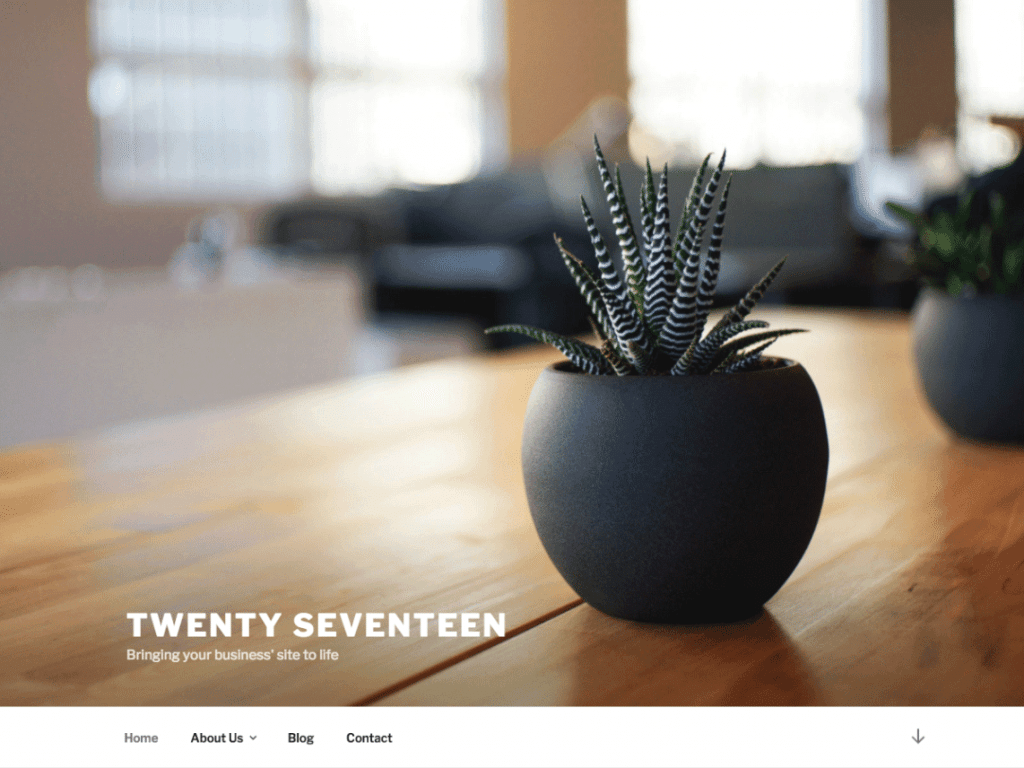
    Twenty Seventeen

    Twenty Seventeen WordPress Theme

    WordPress comes with a default theme already set up ready to use and a new one is launched each year. So Twenty Seventeen is obviously this year’s offering, as they are quite logically named after their year of introduction. Twenty Sixteen and previous years are also available and because they are WordPress’ very own themes, you are less likely to encounter any of the possible technical issues that come with going with other developers’ themes. With over 1 million installs, you know that is one of the most used themes out there, so it goes down to whether you want a theme that is trustworthy and reliable but similar to everyone else’s or if you want a design that is a bit more unique.

    Download Twenty Seventeen Theme


    Sydney

    Sydney WordPress Theme

    Another popular theme that is ideal for businesses looking for a professional looking design that they can customise for their own brand. With over 100,000 installs and great reviews from happy customers, this continues to be a well-regarded theme from athemes. All you need to do is upload your own logo, customise your colors, add your own text and you are ready to go!

    Download Sydney WordPress Theme


    New themes are being rolled out on a regular basis and developers are constantly introducing great new features and plugins to use with any of the themes that you choose. When you are choosing your theme, take a look at the reviews and number of installs to check that you aren’t taking any risks. If you spend ages creating your content and then there is an issue caused by the theme, you want to know that their customer support is good and that they will get

    10 Best Free Reminder and To Do List Apps for Android Smartphones

    During childhood, our parents used to remind us to do things, as we grew older the place is taken by the handy handsets that have occupied us with its intuitive features. The world is full of distractions that keep us away from our daily assignments at college and daily projects at our offices. Creating a reminder helps to perform the task within the decided deadline. Hop down to know some of the reminder apps for Android.

    10 to-do Apps that help to accomplish your tasks on time

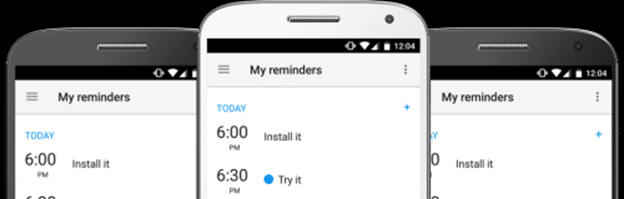
    1. Any.Do

    The widely used reminder app is an excellent reminder app. The decent to-do list app is equipped with to do list, calendar, reminder and a daily planner. The all-in-one app allows to create reminders by just speaking, calendar integration, cross platform support for location reminder, recurring reminders, notes, file attachments and more. This is not the end, it is equipped with cloud syncing, task customizations, location, and time-based reminders and tasks. Try the free app or purchase at $2.09-$2.99 per month.


    2. Bz Reminders

    The simple to-do app allows setting reminders and control it accordingly. BZ reminders have a robust that offers to color code tasks, making it creative and eye catchy. You don’t need to use your phone to create a reminder; the Android wear support helps to do the same. Additionally, it has notifications, recurring tasks created for simple reasons like taking medicines. If you loved it, purchase it at $3.99.
    Some users cannot afford Paid apps so if they want to download free apps then they can try Tutuapp APK for their Android Phone.

    BZ Reminder
    BZ Reminder
    Developer: Atlas Profit
    Price: Free


    3. Evernote

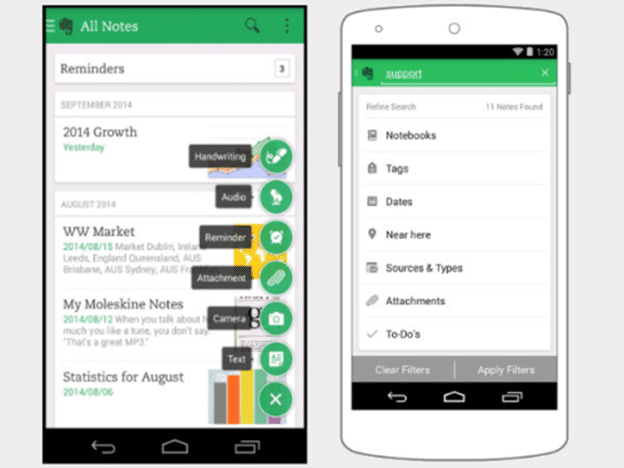
    The powerful note taking app caters in creating reminders. If you are traveling and suddenly get struck with an idea, the Evernote is added with features like add text, video, photo, audio and organizational features. It will pop up with a notification message according to the date decided. Try out the free app or pay $34.99-$69.99 per year.


    4. Google Allo

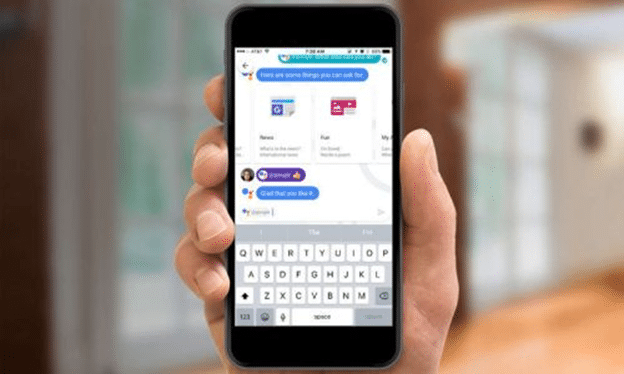
    The messaging app comes with a Google Assistant that is used as a chat bot. It can be accessed during any non-incognito chat and is capable of doing anything. Just command the Google Assistant and it will help you to keep reminders along with the time required to accomplish the task. Also, used for your personal use the app is unique.

    The app was not found in the store. 🙁


    5. Google App

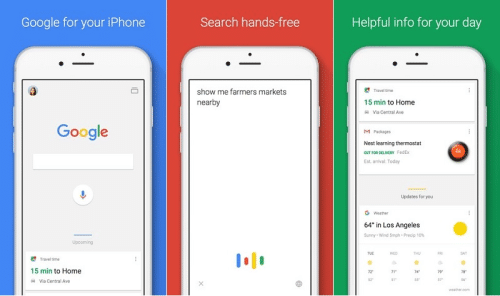
    The free app works similar to Google Allo comprising of the Google Assistant. The reminder set in Allo also work on this app. Reminders created in Google App is available in the Inbox by Gmail app. The drawback of this app is that the reminders are not as robust as in a standard reminder app. For simple works, this can be used.

    Google app for Android TV
    Google app for Android TV
    Developer: Google LLC
    Price: Free


    6. Google Keep

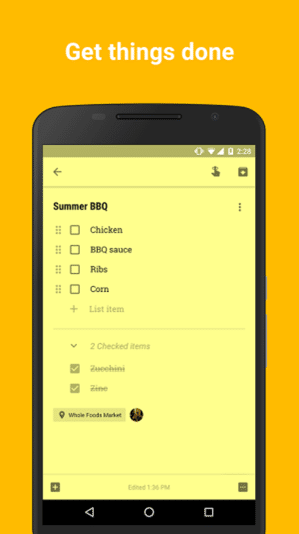
    It is considered as the best note taking app that comes with a quite different feature. Google Keep lets you share notes with your peers along with preparing text, audio, video, photo, list, text. Make it colorful by adding radiant colors to your notes enabling easy organization. The notes can also pop up at a pre decided time or place.

    Google Keep - Notes and Lists
    Google Keep - Notes and Lists
    Developer: Google LLC
    Price: Free


    7. Just Reminder

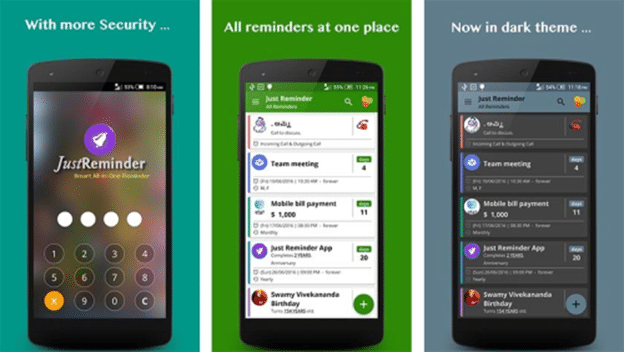
    This is probably the most different app found in Google. Open the app, add your activity, set the time and date and your work is completed. Just Reminder organizes all your reminders based on date, you can even use various options like hourly, daily, monthly, repeat or by minutes. If you download the premium version, you get a password lock, several options for notification tones never letting you forget the slightest things.

    Just Reminder with Alarm
    Just Reminder with Alarm
    Developer: AppHouze Co
    Price: Free


    ON GOOGLE PLAYOGLE PLAD ON GOOGLE PLAY

    8. To Do List

    The simple to do app is the best choice. Create tasks including recurring tasks, group tasks in categories, sync with Google Tasks. Additionally, the app is capable of switching devices and viewing the task list. The working is similar to Wunderlist and is free to download or purchase it at $2.99.

    To Do List
    To Do List
    Developer: Splend Apps
    Price: Free


    9. Todoist

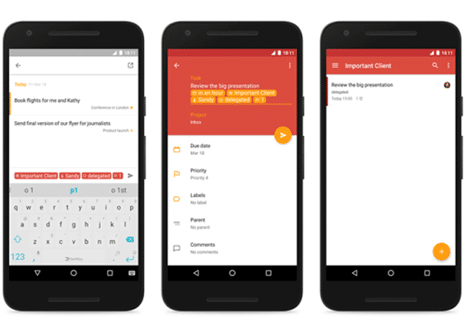
    The stylish and powerful app is simple and has a built in task manager. It is equipped with a Chrome e3xtension and a native PC app and can be synced with all devices. The user can add, complete and reschedule tasks from your devices even when you are offline. Keep track of all important deadlines by viewing and organizing all your tasks, get it for $29 per year.

    Todoist: to-do list & planner
    Todoist: to-do list & planner
    Developer: Doist Inc.
    Price: Free


    10. Wunderlist

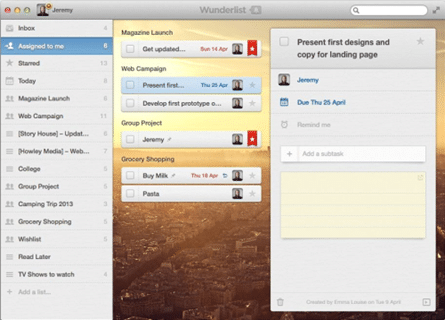
    This one is the most popularly used and best reminder apps used by most of us. It has the ability to create, share with all your colleagues, peers etc, along with group task into categories and create recurring tasks. Sync your reminders on other platforms to get reminders to finish an important project. Get more features with the premium version costing at $4.99.


    Conclusion

    These reminder apps are used by a common man to a corporate company. Just create your list of tasks, date and time and the app will make sure to complete your entire task on time. Choose your desired app from the above list and don’t waste time, because if you respect to time; time will respect you.


    Author Bio:

    Sejal Parmar loves to explore the newly released Apps & Games. She blogs at Rule.FM and writes about latest Android Apps & Games.

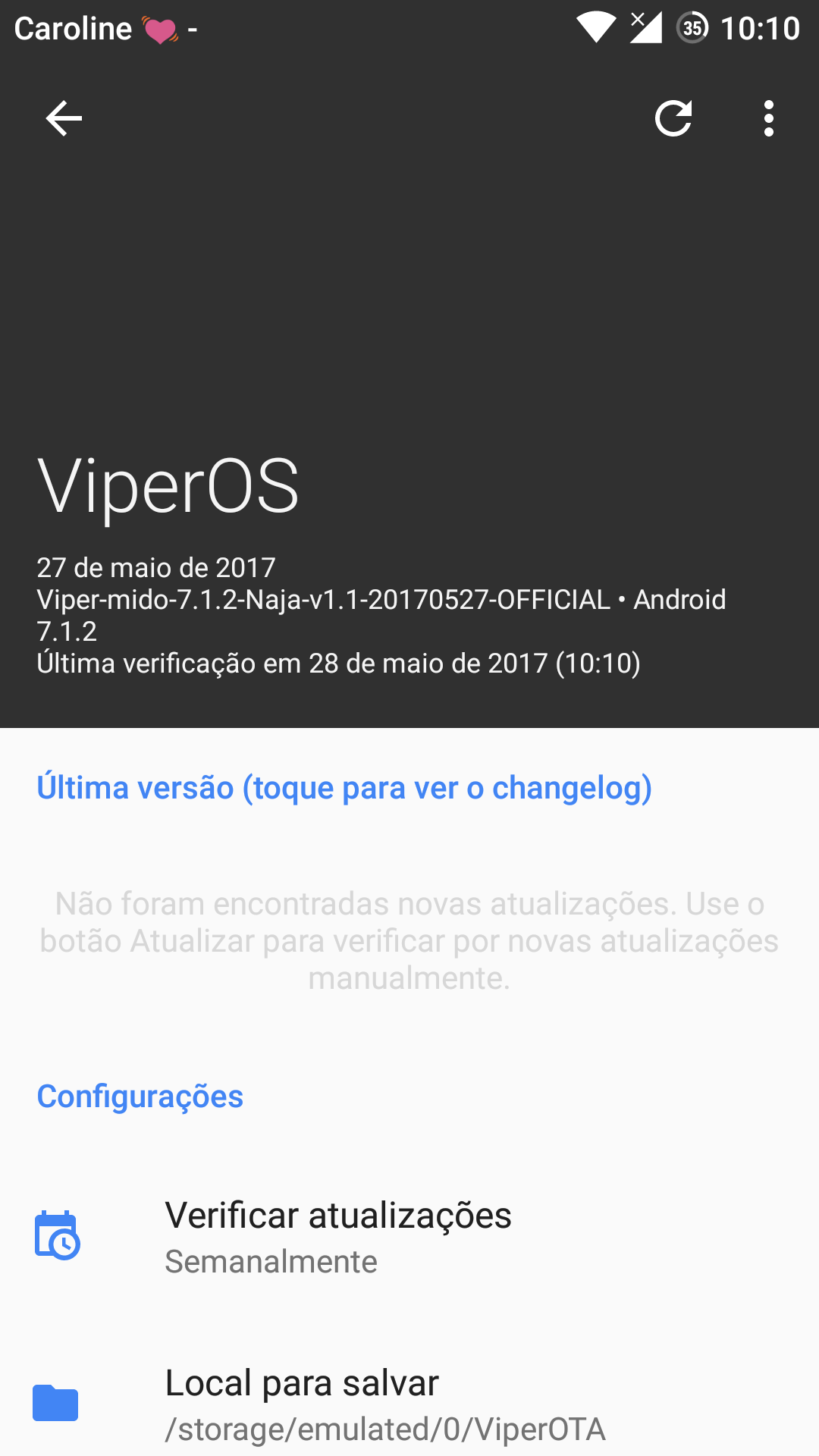
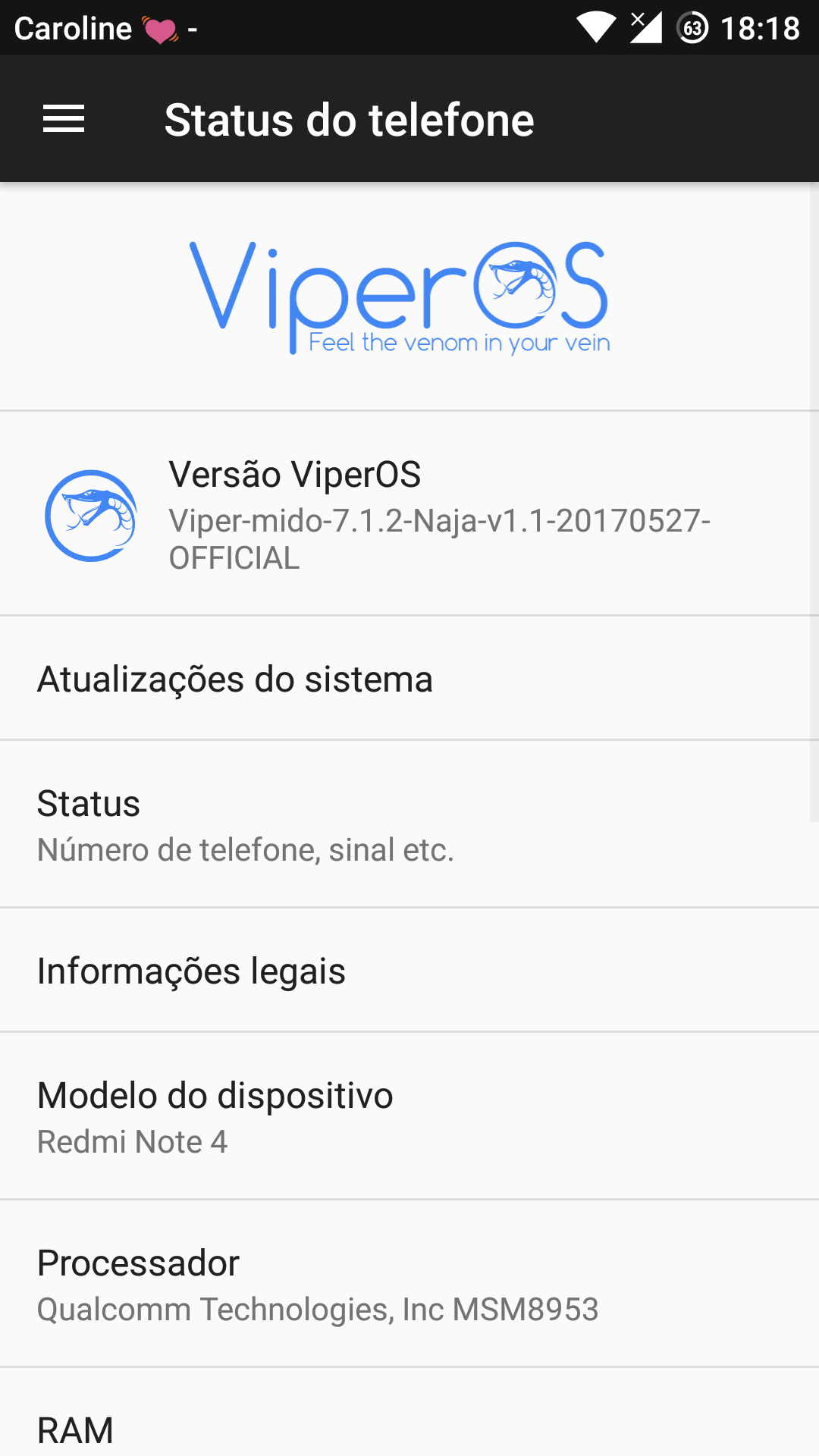
    Xiaomi Redmi Note 4 Official ViperOS V3.0 ROM (Android 7.1.2 Nougat)

    0

    Official ViperOS V3.0 Stable Android 7.1.2 Nougat ROM For Xiaomi Redmi Note 4 (Mido)


    Official ViperOS V3.0 ROM

    Android Nougat – Stable – OMS

    ViperOS aims to bring stability and useful features. If you are looking for a stable ROM with truly tested features, minimal bugs, and no Lineage bloatware, then this is the place to be.

    Viper OS Custom Android 7.1.2 Nougat ROM


    You Might Like:


    Installation Instructions


    WARNING: This procedure will factory reset your device! Accounts, applications, settings, contacts, etc will be lost, so make sure to backup them before going further!

    Step 1: First make sure that you have flashed TWRP Recovery.

    Step 2: Download the file Rom zip file from the download section below to and place it on your phone.

    Step 3: Next Download the GApps for ARM64 from the download link below.

    Step 4: Now reboot your device into Recovery mode by holding Power button with Volume Up + Volume Down button simultaneously.

    Step 5: In Recovery mode first format user data, cache and Dalvik cache and do a factory reset.

    Step 6: After that choose to Install and install the ROM and the GApps zip files.

    Step 7: After the process completes reboot your device.


    That’s it, first boot will take time after that choose your language and complete the setup process.


    Screenshots


    Downloading


    Credits


    Share your experience with this ROM in the comment section below

    Official LineageOS 14.1 for Xiaomi Redmi Note 4 (Android 7.1.2 Nougat ROM)

    0

    Official Lineage OS Custom ROM For Xiaomi Redmi Note 4 (Mido)


    Official Lineage OS

    Android Nougat Based Stable Rom for Xiaomi Redmi Note 4 – Weekly


    LineageOS is a free, community built, aftermarket firmware distribution of Android 7 (nougat), which is designed to increase performance and reliability over stock Android for your device.

    LineageOS is based on the Android Open Source Project with extra contributions from many people within the Android community. It can be used without any need to have any Google application installed. Linked below is a package that has come from another Android project that restores the Google parts. LineageOS does still include various hardware-specific code, which is also slowly being open-sourced anyway.


    You Might Like:


    Installation Instructions


    WARNING: This procedure will factory reset your device! Accounts, applications, settings, contacts, etc will be lost, so make sure to backup them before going further!

    Step 1: First make sure that you have flashed TWRP Recovery.

    Step 2: Download the file Rom zip file from the download section below to and place it on your phone.

    Step 3: Next Download the file OpenGApps for ARM64  to your phone from the links below.

    Step 4: Now reboot your device into Recovery mode by holding Power button with Volume Up + Volume Down button simultaneously.

    Step 5: In Recovery mode first format user data, cache and Dalvik cache and do a factory reset.

    Step 6: After that choose to Install and install the ROM and the GApps zip files.

    Step 7: After the process completes reboot your device.


    That’s it, first boot will take time after that choose your language and complete the setup process.


    Downloading


    Credits

    • All The members of #Team_Sanam
    • LineageOS Team, MIUI Team
    • abhishek987


    Subscribe to our Mailing list for more Xiaomi Redmi Note 4 Roms.


    Share your experience with this ROM in the comment section below

    On the Perks of a Cheap Cable TV and Internet Service

    1

    For the sake of venting some foul temperament:

    In today’s world, it is no less than a truism to state that an individual cannot get through life without the aid of a cathartic medium. When faced with the existential deluge of trying circumstances, all of which unceasingly attempt to break a person’s resolve in continuing the ‘good fight’ of wading through life unscathed, the requirement for a therapeutic creative outlet only seems natural. These ‘outlets’ can be either productive or destructive, depending on how the individual concerned goes about using them. In the former category come the onscreen entertaining channels of the television, film, and the cinema – all of which require little to no psychological exertion to yield their remedial influence (the exercise of ‘watching’ is enough in their case). Currently, an entire retinue of cheap cable tv services marketed by various entertainment service providers has greatly expanded the prospects for a large bulk of the consumer population to avail these facilities without overburdening their wallets. It is when communities are unable to gain access to these engaging entertainment platforms (which can also take the shape of spatial amenities that allow for physical pursuits) that they may gradually succumb to committing certain acts that transgress the bounds of acceptable human behavior. This is when they may be thought of as utilizing a destructive channel to vent their internal angst.


    Addressing the Onscreen Experience

    Almost everyone blessed with the faculties of sound hearing and seeing (or indeed, even one of these natural endowments of birth) can appreciate the many wonders of television. With the large and diversified assortment of entertaining content – ranging from blockbuster films, chart-topping TV shows and vibrant Music Videos to highly informative educational content (on platforms like the Discovery Channel, Animal Planet and National Geographic etc.) – the said new-age Prometheus has something for everyone. In the olden days, people used to rely on books and poems to escape atop the currents of imaginative fiction; but not everyone is naturally predisposed to the vocation of reading. Perusing novels and refined literary content requires a certain pre-existing reserve of empathy in the mind of the reading subject – a quality (it need not be said with any gusto) that many people intrinsically lack. With cheap cable tv and internet services now available everywhere, this category of individuals no longer has to be deprived of the heart-lifting impact of imaginative productions – a simple click on a remote controller can easily whisk them away to whichever fictional universe takes their fancy.


    Breaking Connections

    Man’s age-old quest of competing with his peers rages on even today; albeit with an added degree of ferocity (owing to the endemic economic problem of belittling scarcity). The existence of few natural resources automatically begets a virulent competition among people for their attainment and may lead to their trampling a few ethical standards that otherwise guarantee a harmonious state of mutual co-existence with others. This is largely the state of affairs of generalized sociological conduct in today’s world, where the domain of people-to-people contact has broken down to an all-time low. Using a reliable tv internet service, most individuals nowadays (as per the findings of a recent epidemiological survey carried out by the University of Pennsylvania – Sociology Department) prefer to interact with their contacts electronically, rather than personally. This large-scale communications breakdown is evident in every stratum of society, where most people can be seen to be avoiding each other; and only initiating interaction on account of some dire need of theirs. Although social media platforms like Facebook and Whatsapp have contributed their fair share in trying to bridge the divides between cultures and disparate ethnic communities (something which can be viewed as another resounding ‘perk’ of the new-age digital revolution), they have also managed to breed a seemingly insurmountable gap between the people closest to us.


    On the ‘Bundle’ add-on

    Nowadays, many entertainment companies and ISP vendors choose to offer their services in bundled arrangements. These 3 (or 2) – in -1 tv and internet bundles, which features an engaging triplet of high-speed Internet, Cable TV (with HD channel enhancements), and Digital Phone services, prove to be attractive offers for most people on account of the price-affordability that they offer.  On the downside, they may also come attached with such structural failings as lagging service quality on one facility at the expense of the others, or complete transmission outages resulting from some external (mostly climatic) factor.


    Choose Spectrum

    Of the long list of entertainment companies offering cheap cable tv and internet services to legions of willing consumers, Spectrum has consistently managed to outrank most of its competition in the industry. Through the application of its stringent quality-control standards, competitive pricing policies, and probing customer-feedback appraisals, the said services vendor has even managed to make inroads into the Midwestern United States – a feat that has only been accomplished by a few other American service retailers.


    Author Bio:

    Angelica Dowson is a writer and blogger with verified skills. She likes to write about technology, digital media. Currently, she is working with Internet cable deals which are in ceiling business of cable, internet, and phone. To know more about her find her on Twitter @angelicadowson1