More
    Home Blog Page 96

    What is E- Learning And Key Benefits to E-Learning System?

    What is E-Learning

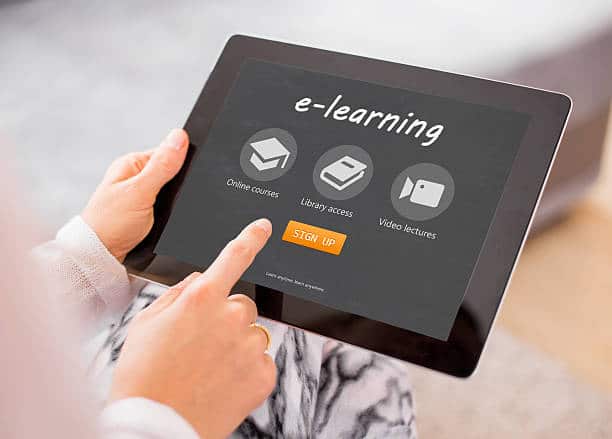
    Electronic media facilitates education learning system to explore education through technology. In today’s scenario all degrees diploma programs delivered to students through the internet.

    There are many terminologies like distance learning, computerized online learning, internet learning and many more. Education system offers internet learning through internet media, for instance, CD-ROM, DVD, tap, television etc. This E-learning system offers courses and internships online through the peripheral devices. Many educational bodies provide online learning opportunities whether it is winter internship or courses provided through the e-learning support system.

    In E-learning support system faculty will interacting and communicating with students through an online dashboard for providing educational notes, quiz, and giving test online. It is providing project and assignment through the internet education system.

    There are many resources to learn online there are many government websites to learn fundamental things to the Internet. There are many resources to learn. A student can log in anywhere and complete their courses.


    Benefits of E-Learning System :

    E-learning system delivered lots of benefits regarding this online services. Students can cover their material when they have time. Students do not need to travel to the classrooms to complete their courses to being seated at home. There is a milestone concept of  E-learning support system.


    Accommodate Online learning

    Initially Online learning is the first priority of students. Each and every student wants a home-based study that reduced unnecessary efforts like reducing the traveling efforts and reducing the time and money. Home-based learning concerns effective study rather than attending the classroom. In case of an internship which will be provided on a virtual network through electronic media. Students will be benefited to accommodate education system.


    Lectures Can Be Taken Multiple Times

    In online classes contains lots of benefits to consider timing and schedule in the online platforms. Students can take a lecture multiple times rather than classroom-based study. There are multiple time we can take a lecture if students do not understand. In the traditional classroom will conduct once. An online educational portal will provide this benefit to the students.


    Consistency

    Online Learning consists the main factor shared with the student very consistency. We all manage the consistency with colleagues, students in terms of student portal. Consistency availed to the students and provided faculty and Student. In an online platform, it must be much consistency towards the artificial network.


    Reduced Cost

    Online learning benefits to expenses which arose with the traditional learning system. E-learning will provide the best solution to find out the solution to the reduction of pricing. The main reason for the reduction of prices of online study because an online study is quick and so easy. Connectivity is so easy to connect the server for teaching for students.


    Effectiveness

    E-learning portals provide influence learning system. It can be effective to improve the ability of students. It can generate the instant score of results, certification and many more. A number of students can achieve the best score in their field. Enhanced the learning capabilities to learn newly learned faculties.


    Conclusion

    E-learning is the best concept for the students in recent years. E-learning which to the wide set of benefits it gives to students, e-Learning has become popular and appreciated among students.
    How To Use Augmented Reality, Virtual Reality and MR in Education

    2

    The world of education is slowly being taken up by the storm called immersive-reality technology, be it as a tool to train new teachers or to add excitement to learning at the level of students. Virtual reality is a digital environment that is interactive, on the other hand, augmented reality is when digital images are projected against a viewer’s actual surroundings. Mixed reality is a combination of both VR and AR.

    VR is already being tried by many schools so as to offer a new and engaging way of teaching and learning. AR has not been adopted in the education space to that extent but is very successful in areas such as construction and in museums. However, the technology that is used in these environments can be easily leveraged by universities and schools.

    MR is the term that has been developed by Microsoft for its ‘mixed reality’ headset called the Hololens. The Hololens functions quite like AR and has been used popularly in construction and architecture, and is also used for higher learning, for example, to teach medical students about human anatomy.

    According to Lenovo’s research, 94 percent of teachers in the UK is of the opinion that VR would have a positive impact on classroom teaching, while almost 50 percent teachers estimate that VR will be commonly applied in schools in the coming five years. The greatest hindrance to adopting these technologies in schools is the cost associated with them. Mobile VR such as Samsung Gear VR and Google Cardboard are cheap alternatives to complete VR units, however, the VR apps available are quite limited.

    In theory, augmented reality gives the best learning experience that provides a relatively cost-effective alternative for schools to offer classwork that works well with AR apps, making content come to life in the classroom.

    Mixed reality products such as Microsoft’s HoloLens have great potential in education, with the tech giant promoting benefits for medicine and architecture training. However, since Microsoft has only two options, the developer HoloLens at £2,719 and the enterprise model at £4,529, educational institutions are likely to completely write it off.

    Virtual Reality systems that are computer powered are very costly. The HTC Vive costs about £600 per unit, and requires a powerful PC to support it, which is around £1000. Slightly less expensive is the Oculus Rift headset which is for about £400, but it too requires a powerful computer to make it run.


    How could VR be used in education?

    Increased student engagement, faster learning and improved quality of education are some of the benefits of virtual reality in education.

    Furthermore, experts say that VR may be able to reduce disruptions in the classroom caused by children with behavioral difficulties.

    An example of how VR can be used in the classroom is that, in a history lesson, students could be transported to Ancient Egypt to see how the Egyptians lived and to get an in-depth understanding of the early Egyptian civilization.

    The advantages of VR are not limited to primary and secondary education; higher education to stands to benefit from VR. For example, medical students at a university level could understand the minute details of a surgery by going inside the human body to completely understand how things work just from a simulation of a real-life medical situation.

    Other than medicine, courses at university level such as architecture and others that require technical drawings would certainly benefit from VR. Architecture students will get to see in real time whether their designs work or not, what needs to be changed and how it would look in the real world.


    How could AR be used in education?

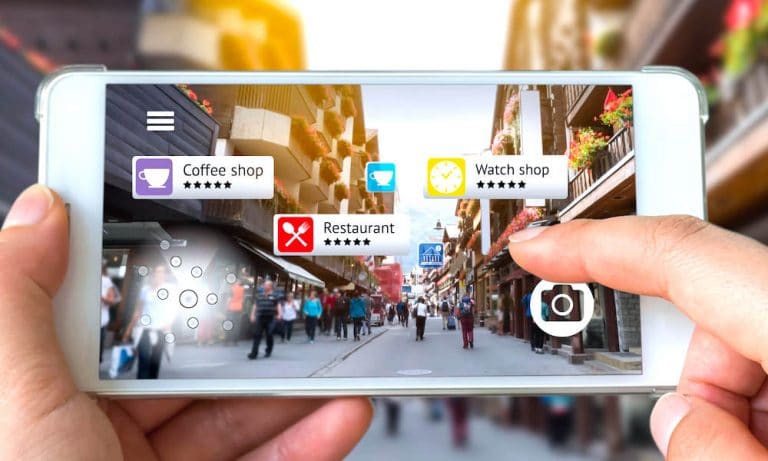
    Lessons involving augmented reality have a certain textbook that AR would enable, resulting in the images ‘popping out’ thus making the textbook become an interactive lesson.

    If schools provide tablets to students, or if students carry their own smartphones, they could be held over images in books, and thereby provide an AR ‘video’ to students.

    Biology students, for example, can place their device over their textbook while studying the human circulatory system and see in detail how the heart pumps blood around the body. This is likely to have a positive impact on students’ concentration levels and enthusiasm.

    The implementation of VR, AR and MR always raise the question of cost, as this is one of the most important metrics for schools. When it comes to AR, once materials (textbooks, task sheets and more) have been set up and apps and content are made, then AR implementation is a rather cheap option for students with smartphones or schools that provide tablets.

    It is possible that a subscription AR package can be used by schools to obtain curriculum-based AR apps. Learning will benefit greatly from this technological advancement.


    How could MR be used in education?

    Similar to AR, mixed reality can be used to train construction workers, medical staff and even town planners.

    In MR a virtual image or video is projected on a real-world scenario making it ideal for university-level students who are studying subjects that require technical accuracy and exceptional details.

    For example, civil engineers need to find pressure spots and weaknesses in the designs of bridges. Another example is that of a student who is studying the brain function and needs to see the effect on the brain if it is put under immense stress.

    In 2016, Microsoft formed a partnership with educational materials firm Pearson so as to create educational applications and MR learning tools for HoloLens. The use of these tools will be across a broad range of areas such as engineering, construction, and nursing, as well as with secondary schools, colleges, and universities.


    Conclusion

    In terms of price and set up, VR seems the most accessible. However, the ‘experience’ is quite limited by the apps on the market as well as by the level of student interaction that is provided by mobile VR. On the other hand, MR and AR might be the next step for schools that are early-adopters.

    Why and How to Migrate to .NET Core

    With .NET Core gaining popularity as an open-source framework, organizations are looking at the big picture of migrating to .NET Core or considering it for new projects. The migration helps in understanding the long-term impacts of transition and reducing the overall cost. Microsoft also has a set of help documentation for Migrating from ASP.NET to .NET Core.

    Here are some of the critical reasons to help you understand why you must migrate to .NET Core:

    Performance

    The performance of the ASP.NET Core platform is far superior to the older frameworks. However, developers have logged some issues about the performance of static files for websites with heavy traffic. It would help if you took care about it while migrating.

    Deployment Processes

    The .NET Core’s ability to publish an application with everything that you need offers a much better experience during deployment.

    Dependency Injection 

    The native support for Dependency Injection makes it much easier to implement the development patterns. Also, training your or customer’s team on the concepts of unit testing and Dependency Injection is effortless in the .NET Core world.

    How to Migrate:

    Though every project is different from another, the migration process is similar for various types of projects. It includes the following:

    Migration from ASP.NET MVC 

    It is one of the most straightforward migration methodologies to accomplish. You can break it down into simple and systematic processes.

    • Creating a new .NET Core project

    • Converting the startup & initialization

    • Migrating the static content and bundle configurations

    • Migrating views & actions

    You can carry out this process quickly by opening two instances of Visual Studio to migrate the content, change the needed items when you go file-by-file.

    Migration from WebForms 

    However, there is no migration path available for WebForms developers in the documentation provided by Microsoft. Also, the System. Web namespace dependencies containing all of the WebForms functionality is not available in .NET Core. What it means for a developer is that for WebForms there is no “Migration” but a “Port.”

    Mitigating Risk:

    There exist several ways to change the development paradigms for making the transition easier:

    • Implement MVVM (Model–View–View-Model)/Model Binding – The new features of .NET Framework offer support for model binding of web forms. It is more like the MVC way of doing things and helps in lowering the migration burden in the future.

    • Leverage APIs (Application Programming Interface) & Client Side Development – Applications that are build using rich-client development and more API’s like Angular or React have fewer dependencies on WebForms and are seamless to transit.

    • .NET Standard Libraries – You can use them for Full Framework as well as for .NET Core. It allows the developers to learn that the code inside that library can work on both the frameworks. It helps in moving the logic to re-usable components.


    Conclusion 

    .NET Core is an excellent technology offering cutting-edge solutions. Contact a custom .NET development company today to migrate your legacy systems to .NET Core though it requires dedication and time to enable the transition but offers lucrative benefits in the long run.

    Missed Calls Are Costing You Money in Business

    0

    Businesses cannot work without customers and building relationships, and maintaining those relationships with your customers is essential. Tracking customer emails and response times for those are pretty simple to track, as are times for invoices to go out, but telephone communications may be a bit trickier to keep track of. This goes for missed calls as well.

    Customer communication can never be undervalued, and since the number one method customers turn to when something that is important to them needs to happen fast is the telephone, the last thing you want to do is to be unavailable to them when they call. If you don’t have the proper protocol in place, it is likely that missed calls are going to cost you money.


    The Reality of Missed Calls

    Missed calls can be perceived as a matter of confidence. Whether you a global business owner or a smaller mom and pop shop, you want your customers to know that you have it all under control. This is how you build customer loyalty and, in the end, how you build and sustain your business. Failing to answer phone calls will frustrate customers and leave issues unresolved. This convinces customers that you are not there for them and that you do not have solutions for their issues.


    Here are some of the scenarios that may occur, ensuring that missed calls are costing you money:

    •      A customer calls you and the call rings until the customer gets frustrated and hangs up the phone
    •      A customer is placed on hold and either assigned to a queue or offered a call back at a later time
    •      Your voicemail answers a call and the customer is given an option to leave a message or hang up

    Now, the scenarios above could occur as a result of insufficient staff to answer the phones at all times or staff that is busy with other calls or duties. This could also happen as a result of not making phone-based customer service a priority, a customer calling after business hours, or not having the right technology to handle the realities of providing great customer service to your customers.


    Here are a few statistics that can really put things into perspective:

    •      80 percent of communication for businesses still takes place over the phone
    •      Close to 85 percent of those whose calls are not answered will not call again
    •      Over 60 percent of unhappy clients will take their business somewhere else
    •      People are 1.6 times more likely to tell others about poor customer service

    After looking at these statistics, it is easy to see how missed calls are costing you money. This is where call forwarding comes into play.

    For many businesses, particularly small-to-midsized businesses, this may not seem like a problem on the surface. It is easy to dismiss this idea and not really focus on how missed calls are costing you money. Especially when budgets are tight, phone calls can seem like something you don’t want to invest any time and money into. But, the truth is phone communications are very important.

    Unitedworldtelecom.com offers the call forwarding feature in conjunction with virtual phone number set up for calls to and from almost any part of the world. This can be extremely beneficial for business owners and managers who are on the go and do not want to miss calls. When planning to be away from the office, one can set it up so calls can be automatically forwarded to your cell phone or another landline. You won’t have to miss another call. Calls could also be forwarded to a staff member working in another time zone or a call center that covers calls made to your company after hours. There are many possibilities to ensure you resolve the issue of missed calls costing you money.

    Top 10 Education Apps That Will Improve Your Knowledge

    0

    If you have exactly more free time then must think on the train as going downtown into that endlessly and then also a long lunch line for the students. So as that for the sake of completing student requirements, there are lots of Android operating system apps by Google and also by other smart technology contributors.  All these given apps support you and will help to cheap essay writing.


    Cite this for me

    Now there is no need to worry and borrow words or an idea then given the perfect source needs to be acknowledged and briefed. Cite this for me is a great app and nifty app for the students to put right together and then their citations and bibliographies anywhere you need.  


    Duolingo

    This app is geared right toward students and who are learning a better language so then Duolingo makes learning fun as turning lessons and into the further games. It can also be used to practice Spanish, French, German, Portuguese and many others are involved.


    Wunderlist

    Actually, the best thing we can get from the better results is wanderlust and will also help the students along with their time management skills for covering assignment difficulties. It can also set due to dates and then reminders to perform such sections.


    iStudiez Lite

    iStudiez is an amazing app to help and support their scheduled and then Lite version covers the writing of semester of up to five courses. If you can get some hooked and decide can exactly work on both iOS and Android phone apps.


    Timetable

    An app that is great is a timetable and available for the sake of help to students and manage their school or university life. It also enters each of the users and then tasks from homework to the exams and only once due to this app sync across all specific supports and apps connections.


    MyScript Smart Note

    If the students prefer to take the notes like instead of typing and while as studying, on the other hand, MyScript smart Note recognizing the handwriting in the multiple languages. It is the thing which allows users to get edit handwriting along with the special gestures.


    Evernote

    Such these apps feature bookmarking, clipping and more so then it is immensely popular like the note-taking app. It can also download it and then on the multiple platforms and also completely free to get and to install so do not miss this and have on your mobile perfectly.


    Mathematics

    No matter the job requires to you and to be for performance and for the fast mental math or whether would just to improve the cranial and computing capabilities this app will help and become as fast like a calculator.


    Sky Map

    Sky map uses Google absolutely free star data and then also display acts interactive sky guidance and then the further apps featured to complete perfectly. It is very simple to use and then intuitive. It is also has a neat trick to support and then help to make all the students successful.


    Sky objects

    Actually similar app and then the different development are available under this app. Now it is the version that is helpful to brags and about the faster satellite tracking and adds the stronger ability to track any of near earth objects with this app.

    Microsoft Office 2019 – All the Changes You Should Know

    0

    Microsoft 2019 is a detached version of the Microsoft software suite which means that it is not cloud-based like Microsoft 365.

    It is a perpetual release which means that you will only have to buy it once and it will be yours forever without having to pay subscription fees each year. With that in mind, you should also know that you will get a license that will allow you to use it on a single PC which is different from the annual subscription of Microsoft Office 365 which allows you to use it on a PC, a Smartphone, and a tablet.

    This new release has upgraded the 2016 versions of Access, Word etc. and it also has the features that have been included only in Office 365 for the past 3 years. Below are the changes and upgrades to expect in Office 2019 if you shift from Office 2016:


    1. Microsoft Word

    With Office 2019, Microsoft has put its focus into helping you focus even better when you are writing using Word. To achieve this, Word 2019 has been incorporated with a rich feature called the Focus mode.

    The focus mode reduces the displayed UI elements and also reduces too much light from the screen. If you download Office 2019 you will have new learning tools which include; translating features, text spacing and the new text to speech feature. If you are using Mac you will have a customizable ribbon also called drop-down menu in your version of the Word interface.


    1. Outlook

    Office 2019 is all about enabling you to focus better. Outlook has got a new feature known as Focus Mode. This new mode helps with streamlining workflow and email drafting. Besides, it gives users the ability to use the ‘@’ command to tag people in emails, and the contact cards have been renovated.

    When using Mac you will get new email templates, read receipts, and a send letter function that will schedule the time of delivery. When using a PC you will have travel and delivery cards. Both PC users and Mac users will get the Office 365 group integration.


    1. Excel

    At last, some changes have been done to Excel. New formulas, support for 2D maps and timelines, and chart options have been added.

    These functions are to organize your data and present it better. When using PC you will get upgraded on Power Query, power pivot, and also the ability to export to Power BI.


    1. PowerPoint

    The changes that have been made on PowerPoint are mainly about visual element support during presentations and enhanced media generally.

    The major changes here are that PowerPoint 2019 will support 3D model display and operation and SVG files on slides. It also has the ability to export your presentation in 4K UHD video format, new morph transitions and now you can write by hand and move elements using your pencil while editing.


    1. OneNote

    One can argue that the biggest changes in Office2019 will be experienced in OneNote. This is like a whole new OneNote release that could even replace OneNote 2016 even though OneNote 2016 will continue to be available and will be supported by Microsoft through 2016. The OneNote for Windows 10 contains support features like ink-to-text, which supports speech to text conversion of typed words. Besides, it also comes with better syncing between connected devices.

    To add on to these specific upgrades of the programs, there are changes that have been made to the Office 2019 software as a whole. One of the biggest changes is that Microsoft has really worked on digital pencils this time around. There is the, roaming pencil case, which allows you to write using your hand and move parts of the document using the pencil. Other changes include a new support for pressure and tilt recognition. Office 2019 also has reduced network bandwidth use and some changes on the monthly security updates.


    The system requirements for Office 2019

    For Office 2019 you will need windows 10 on your PC since Microsoft will not support Windows 7 or 8. Microsoft will make available versions of 32 bit and 64 bit of Office 2019.

    For Mac users, every time a new version of MacOS will be released, Office 2019 will be supported by the new version and the other two versions to be released before it.


    Will office 2019 replace Office 365?

    No. after announcing the release of the software Microsoft pointed out that office 2019 is standalone software whose main target is private users and businesses that do not have the internet required to use cloud-based Office 365.

    Microsoft also stated that Office 2019 will be getting regular security checks but it will not be getting its features updated or expanded. On the other hand Office 365 will continue to get new and upgraded features monthly.

    7 Best Android Apps You Should Use in 2019

    In this technological era, almost everyone owns a smartphone and if you also have one, then you need to make sure that you use it effectively. There are some people who keep a number of applications on their phones and this uses the whole storage of the phone. So, before downloading any application, it is important that you install the apps which are useful for you every day. Instead of installing thousands of app, it is better that you install some applications which would work the best for you. Here are the top apps which you should have in your Android smartphones:


    1. Google Drive

    Storage is an issue which is faced by a lot of people whose android doesn’t have much space. One or the other time, you will run out of space if you don’t know the way to manage your phone storage. So, you should have Google Drive which is a cloud storage app and it is also available on every Android smartphone. Every user gets 15 GB of free cloud space when he/she signs up. You can also get more space whenever you need it. There are some more apps which are attached to it and these are Google Photos, Google Docs, Google Sheets, Google Calendar and many more


    2. Whatsapp

    If you want to stay connected with your friends and family, then Whatsapp is considered one of the best social media apps. So, you should definitely have Whatsapp in your phone otherwise you might end up getting disconnected with everyone. You can send photos, videos, documents through this app and you can also make audio and videos call other than chatting with your friends.


    3. Netflix

    If you want to watch movies and videos, then you can download Netflix which is one of the best movie and series application. You can watch a number of movies and TV shows with the help of this application as it provides options like 4k streaming and offline viewing. You can watch the famous programmes on this app without paying any money for it. Not only you will pass your time on this app but you can know about the new and trending TV shows and movies.

    4. Microsoft Office

    If you work in a company, then it is very important that you have MS office in your smartphone also. It is not possible to carry your laptop everywhere you go and that’s why MS office can help you to do your important work on your phone. You can do your work while traveling and even if you don’t have to time to sit on your computer desk. So, this app can be very useful for you and it is totally free for users.


    5. Employee tracker

    If you want to track the team of your office, then you can download the employee tracker application in your smartphone. You can get automatic reports and alerts related to the performance and attendance of your employees. You can track real-time location with which you can know where your employees are going during their working hours. You can get alerts when someone is wasting his/her time. With best performance analysis feature, you can come to know which of your employee is best for the company. You can make fast decisions with the help of reports provided by this app and that’s why you can install this app which is totally free of cost.


    6. Note maker app

    It is necessary that you take a note of every step you take and before the next day arrives, it is better that you do planning at night or early in the morning. Sometimes, you forget some things which are really important to do. So, at that time, you can have the note maker app with which you can be able to remember all the tasks which you can do in your free time. This can be like your personal diary in which you can write everything and anything you want.


    7. PDF Reader

    Whether you are a student or an employee, you should have the PDF reader in your phone with which you can download books and read them directly on your smartphone. You don’t need to carry heavy books wherever you go because you can have the best PDF reader along with you all the time.

    5 Things You Can Do as a Blogger In 2019

    0

    Being a blogger doesn’t necessarily requires you to promote your own business. You can have a special interest area which can be conveyed digitally to make a mark. As a blogger, you can do many things and make money online.

    A professional blogger has a wide scope of careerism. You can become a food, business, Lifestyle or fashion bloggers depending upon your interest area. Blogging makes a difference with the level of knowledge and writing skills you Share.

    Making money online is always not easy. But, if you learn and implement it the right way, then you can make a lot of money. If you are a blogger or just started a blog and want to increase your income, then this guide will help you. Here I am going to share with you five things you can do in 2019 and make money online.


    1. Affiliate Marketing

    Being one of the oldest forms of marketing, you need to use a digital platform for promoting someone else’s business. Churn out the Market details and refer the products where you think people would reach the business. You can earn Commission depending upon the rate of promotion and success received by the business. Usually, companies record the overall online sales and pay commissions if someone bought products through your affiliate links. Best ways to make a lot of money is affiliate marketing. You can join Amazon Associates programme, Commission junction affiliate programme and a lot more.


    2. Amazon FBA

    When you reach out customers through a well-known platform, the rate of advertisement expenditure drops vigorously. Similarly, when you choose Amazon FBA to fulfill the product delivery to the customer, you are placed on safe shoes. Since 2016, Amazon has doubled the overall sellers it had been serving. Whatever you will be selling, Amazon will be Shipping Up the product on behalf of the seller to the customer to enhance your sale and business proposition. Amazon charges a particular amount of commission for each deal. The money will be deposited to the seller account depending upon the terms and conditions kept by Amazon. Becoming a part of Amazon FBA ties sellers with customer care service and return management. You need to provide the best service and accept the items that have been returned. Reverse logistics might trouble you up to a certain extent because Amazon charges money for the returned goods. You don’t need to worry about the products. You can take the Amazon seller service by leelinesourcing. Just tell them what you need they will do everything for you.


    3. Dropshipping

    When you think about initiating dropshipping while pursuing your career as a blogger, there is again A lot to understand in it. Dropshipping helps in promoting your product and receiving commission on arbitrage. Dropshippers can be taken as intermediaries who transfer the order and information to the suppliers and deduct a particular amount of commission for the rendered service. Dropshipping lucrative career these days. All the details of the customers are supplied to the seller, and the seller has to ship the product via drop shipper to a particular location. Dropshipping stores particularly make a profit by selling products at somewhat higher prices.


    4. Digital Marketing Service

    Digital marketing service includes social media marketing, Web Design, SEO, Graphics design, PPC and much more. Any variety of promotion done over the internet includes digital marketing. Digital marketing process connects your business to prospective customers through some methods. E-mail marketing and SMS marketing have also been covered under the umbrella of digital marketing. Blog post, video creation, snapshot, emails, and sponsored messages exchanged digitally refer to digital marketing service. So, you can start your own Digital marketing agency in 2019.


    5. SEO Services

    When you choose to adopt SEO of as a part of your career, you should understand Google and workability of search engines. The Classic management, creating informative content, meta tag, return on investment, cost-effectiveness is a few things that need to be balanced by an SEO expert. The enhanced usability of a website is all because of SEO working in the background. Brand awareness and position rankings are important for a business to create a trustworthy image. When you pursue a digital marketing career in SEO, you need to understand such a concept in depth. There are many companies and brands always looking for SEO experts. That’s why you should start the SEO consulting business. You can provide SEO services to your local client and global client from your home.

    Personal level research, interest area, and overall knowledge affect your career as a digital marketer. Get in touch with experts to dig deep and select something that best suitable your requirement

    Top 5 Buy Now Pay Later Sites for Getting Instant Credit

    0

    Nothing is better than when you get an option to buy a product now but you can pay for it later. Online shopping has become very popular these days and every second person shops online. Because of that, shopping for products has become easier. However, you have to either pay the bill via your card or you can pay for it with cash when the product has been delivered to you. You have to pay for your products when you get it. This might be a problem in case of emergencies. What if you need a product but you do not have the money at the moment? However, you do not have to worry about it at all because there are tons of Buy now pay later sites with which you can by the product now and can pay for it later. In this article, we will tell you about some of the best Buy now pay later sites which you should definitely try.

    So here is our list on top 5 buy now pay later sites. Have a look.

    #1. Fingerhut

    When you talk about the best buy now pay later sites, Fingerhut is the first thing that comes to your mind because it is one of the best sites out there that lets you buy stuff now and lets you pay later. They have low monthly payments schemes for its users, like, you have to pay $8.99 only when you shop for $99. And when you shop for $399, you need to pay $29.99 per month only. There are many such offers for the users and we recommend Fingerhut to you for buying the products now and paying in full later. Alternatively, you can look into websites like Fingerhut for more sites like Fingerhut.


    #2. The Shopping Network

    Another top class buy now pay later sites is The Shopping Network which is based in Ontario and offers a wide range of products to the users. Not only the online store But The Shopping Network also have their own offline store as well. There are tons of products available here including electronics, lifestyle, jewelry, health, etc. Not only this, they aim to satisfy their customers with high-quality service at lowest rates so that everyone can afford it.

    #3. QVC

    QVC is a unique website which provides a unique shopping experience to their users. This uniqueness is why they have heavy traffic every day from all over the world. They have tons of collections which are directly related to one’s day to day life. Not only this, QVC is one of the most trusted websites that you will ever come across.


    #4. Country Door

    Country Door’s major focus lies on home decoration items. They have useful tips and blogs as well which will help you to get an idea on how to decorate your house. They have classical as well as contemporary decors which you can choose from. Not only this, but Country Door offers incentives such as coupons, extra savings, and certificates after you make a purchase.


    #5. Gettington

    Gettington started out in 2009 to aim to make your shopping experience better. And in these years, Gettington has developed to a whole new level. There are tons of offers and discounts to avail, because of which they sell out in basically no time. Gettington adds new products to their website daily and is a home to all sorts of lifestyle, fitness, electronics, apparel, and many other things. Through the credit system of this website, one gets an opportunity to shop heavily and pay for it in installments later.


    Conclusion

    These are a few of the best buy now pay later sites which you should definitely look into. Every site has tons of products available for you and all the sites give you the best offers with you can possibly imagine. We recommend you try some of these sites and let us know in the comment section about your experience with them.

    4 Essential Blogging Tools You Should Know

    0

    Blogging industry is expanding every day. People enter this industry to earn money. But most of them face failure just because they don’t know that Blogging is an Art. It’s a form of Art that require some specific tools to make it popular and to shine. Although it requires lots of hard work along with that, it asks for some smart work too.

    When asked from a successful blogger, they agree on a particular statement that Tools need to be used in order to grow. Hundreds of blogging tools are there, for instance, graphic design computer software, attractive tittle creator and other SEO related tools.

    Among those hundreds of tools, we have created a list of top 4 best blogging tools that will help you to grow your websites. Apart from this, some of the tools are free but for some, you have to pay a bit. So, to avoid those charges for new bloggers we will be suggesting some free tools that will work very similar to the premium tools.


    4 Essential Blogging Tools

    Headline Analyzer

    While writing any content no matter what niche it is. The most important aspect of a website is its content and for content, its headline or Topics play a very vital role in SEO or we can say attracting viewers. Headline Analyzer is an amazing tool that will study your headline/topic and will let you know its score out of 100. Headline Analyzer tool, analyze the title on the basis of usage of words. By using this app, you can get a good CTR.

    But in order to use heading analyzer, it is important that you must have an idea about your content. If you are clear about your next contents and you already have its plots then It is quite easy for you to analyze your desired topic quickly. Otherwise, you will be facing several questions regarding your blog post’s topic. This may lead you to give some inappropriate topic to your high-quality content.


    Blog topic generator 

    Blog Topic Generator is a content idea tool. If you ran out of ideas about the next content that you should publish on your web then, Blog topic generator is a perfect tool for you. You just need to enter a keyword and there will be hundreds of ideas listed in just a few seconds. Look, it was so easy. You must try this tool to maintain a consistency on the website.


    Hemingway App

    You have assigned a catchy title to your content and had written an informative content too. But if your content has some grammar errors or some sort of language error then, Hemingway App is a savior for you. Using Hemingway App you can identify the flaws in your content and can improve the quality of the content.

    You should try it once if you aren’t struggling to create interesting blog posts for your website from a very long time.  Sometimes a well-written article seems boring due ample of errors. Hemingway App can rectify them for you in just a few clicks and can help you to connect with your readers more deeply and fluently.


    Flickr Advanced search

    Content is ready and doesn’t have any flaw. But according to several studies, a blog performs well if its content has relevant high-quality images. Now while getting images for your web make sure you don’t break any law or avoid copy paste images from other’s blog. Those little mistakes can lead to unwanted copyright claims. So, to avoid all these issues and to make sure that blog post must have some high-quality images, you should try Flickr Advance search.

    It is a website that has thousands of free images on almost every subject. You can use Flickr to create your web more interesting.  As mentioned above, if a blog post is having relative high-quality images then it performs well on search engine platforms. Flickr gives you a platform where you have the liberty to use their largest database of images wisely categorized and perfectly managed.

    All right, so this was a list of top 4 blogging tools that will help you to expand your websites overseas and will help you to increase your revenue.