More
    Home Blog Page 104

    Do’s and Don’ts in Mobile App Development

    Smartphones have changed the way we live. In today’s life, almost everyone has a mobile phone. It is an ever-growing and ever-expanding market. While it has such a great impact on individuals, it has also impacted the businesses to a great extent. As a result, more and more businesses are moving towards mobile application development to streamline the workflow processes, make communications easier and get access to real-time data from anywhere at any time.

    But not every app developed enjoys the same level of success. There are many factors that define the success of any mobile application. In this article, we will discuss certain basic do’s and dont’s that one needs to consider while developing a mobile application.


    Do’s

    1. Plan your app properly

    It is very necessary that you plan your app properly. Don’t just create an app for the sake of creating it. Define a proper process to develop it and determine what needs to be done, by when and how. Based on this, allocate enough time and cost budget limits for the major stages of your app development cycle. Also, see that you set enough of them after the app has been developed.


    1. Consider the target audience

    Once you are ready with your mobile app idea, the next thing you need to do is find out the target audience of your mobile app. The target audience is the range of people who are going to use your application. Designing and developing the application based on their point of view will gain your app many potential users.


    1. Research your competitors

    As we all know, mobile application development is a booming field today. There are thousands of apps for every single purpose. And so it is likely that there will be millions of apps developed like your app idea. In order to make your app stand out in the overcrowded app stores, it is necessary to deliver something unique to your users. For that, you need to research your competitors. Check the apps similar to your app idea and think how your app can be different from theirs.


    1. Good UI/UX

    It is said that “The first impression is the last impression”. For mobile app users, user interface and user experience is the first impression. No matter how unique your application is, no one will use it if it does not have good UI and UX. Try to keep your app as simple as possible. Design it in such a way that the users can easily use it and can get the required information really fast.


    1. Device independent

    A wide range of devices varying in sizes and shapes are now available in the market. So you need to design and develop the app in such a way that it works perfectly on all the devices whether it is a mobile phone or a tablet. Also, see that all the functions should work flawlessly while keeping the look and feel of the app same irrespective of the device used.


    Dont’s

    1. Don’t forget marketing

    As per a research, it is found that up to 90% of the app developers don’t market their apps enough. This means that most of the app developers don’t get the desired revenue generated from their mobile app business.

    Getting an app noticed by your potential users is paramount to success. And what other than marketing can be a great way to do this. By marketing your app you make your target audience aware about the unique and exciting features of your mobile application. This can also be helpful in driving more downloads.

    It is advisable that you keep a decent chunk of the monetary budget and time budget aside for marketing and promoting your app in the initial phase of planning your app itself. It might feel unnecessary initially but it will pay off in the longer run.


    1. Developing for all the platforms at once

    If you are a big company or a big organization, you can think of developing an app for all the major app stores at once – Google Play Store, Apple App Store, and Windows App Store. However, if you are a small or mid-sized company then it is advisable that you go one after other. Don’t develop the application for all the platforms at once as it will turn out to be a costly affair because you just don’t have to consider the cost of mobile app development but also the cost of marketing and promoting your app. So, select the most appropriate platform and get started with it.


    1. Don’t mix web and mobile app

    Don’t try to reduce the cost of mobile app development by taking reference from the websites or the mobile web. It is seen that many app developers and app development companies use the existing web pages for developing a mobile application. However, this is not feasible. One needs to understand that shifting from a browser screen to a mobile screen changes a lot of things – from screen size to user experience. So, never mix web and mobile app. Although the functionalities of both remain same you need to make changes in terms of user interface and user experience.


    1. Don’t stuff too many features and functionalities into a single app

    In an attempt of making your app functionally-rich, don’t stuff your app with too many features. It will make it clumsy and complex. Moreover, having too many features in a single app will increase the size of your app and will also slow down its loading time. In addition to this, for adding more features and functionalities you will also need more resources in terms of development, time and investment. Having considered all this, it is advisable that only the features that are really important and relevant should be added.


    1. Don’t copy from other apps

    We know that having a 100% unique application is not possible. There will be many features in your app that will be similar to the other apps. Only some features and functionality will be unique. But this does not mean that you copy it from similar apps. You can always take reference from the other apps but don’t copy directly.

    Why Chatbots are the Next Big Thing in eCommerce Development

    0

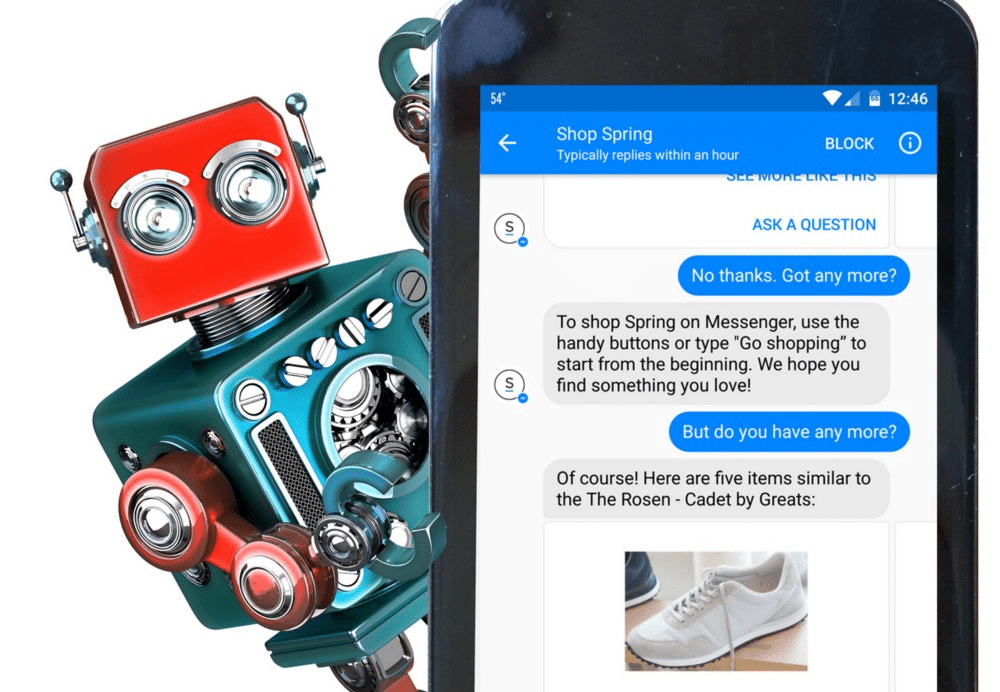
    You definitely have had an interaction with a chatbot at least once even if you don’t know anything about them. The messenger bots on Facebook and other services such as Kik and one in your own smartphone can be considered as a form of chatbot. Chatbot development has been a major buzzword for large enterprises for the past 3 years now. With its applications already up-and-running in various services, it may perhaps make the most significant impact on eCommerce development.

    But before we understand the role of chatbots in an eCommerce web design company and in an eCommerce business, let’s first try to understand what a chatbot by itself really is. In a nutshell, a chatbot is just an interface for communication between a business/service and the customer, but one which interacts in a manner similar to human communication.

    It can be in the form of either voice-based assistant similar to Amazon’s Alexa (Alexa itself sets a benchmark for a perfect eCommerce application of chatbots, more on that later), and in the form of a text-based conversational chatbot such as those in the FB Messenger and tons of other chat support services you may have used already.

    In the present day, chatbots are mostly put into use in customer support services. Within this realm, all a chatbot could do is to solve user queries or connect them with human representatives who may offer better support to their problems.

    However, times are changing, and chatbot development is scaling new heights and developers are finding new use cases new use cases for this technology. If eCommerce web developers can churn out some innovative patterns of functioning, chatbots can offer much more than just query support. Below is a rundown of the best applications of chatbot development in eCommerce.


    Chatbots as personal shopping assistants 

    chatbot development


    For a moment, imagine yourself as a customer looking for a unique electronic item at an eCommerce store such as Amazon. Let’s say you’re looking for an electronic item which isn’t easily available, isn’t mass-manufactured by many reputed companies and caters to a niche category of users including you.

    Now, in such a case you’d have various questions rolling over the mind. Is the e-seller trustworthy? Is the product really durable or a fake one? The rating? The reviews?… so on and so forth. To get the answer to all these bubbling questions, you’d have to look around the website, and probably google a thing or two about stuff related to the product.

    Hold on. I know this example is too long. But if reading and imagining such a scenario itself takes such a toll on your mind. Think about the time you’d waste as a customer to shop for your essential items.

    Now let’s come to the better part of it. Imagine having a chatbot help solve all these problems for you. Now, think not as a customer, but as a businessman looking with a pitiful perspective on this thoughtful customer shopping online. What if you could provide a chatbot for this customer, to which they can convey these queries?

    With the help of advanced technologies such as Machine Learning, predictive analytics, and artificial intelligence, a smart chatbot can fetch an answer to all such queries and concerns in the blink of an eye! If you happen to be an eCommerce business owner or aspire to be one in the future; what better way can exist to deliver useful information to customers?


    Chatbot as a marketing tool 

    chatbot development


    Delving further on to the business end of things, chatbots can also be the most effective tools for personalized marketing and selling of sponsored products. The marketing weapons of today’s businesses consist of website ads, banners, and other forms of promotional content. Chatbots can push any required brand/type of products to consumers in the form of suggestions, recommendations or through an answer to a query asked by the user.

    This would not only help marketers push the right product to the right customer in the perfect way possible, but it would also consequently help consumers make better choices. Amazon’s use of the Alexa is a perfect example of how the same can be achieved.

    Amazon’s echo line of products which include everything from smart speakers to smart screens uses the Alexa virtual assistant to help customers access the eCommerce platform. In-turn, Alexa collects and analyses user-data to generate the most suitable recommendations and answers to the target customers.


    A Chatbot in your eCommerce business 

    Developing a proper functional chatbot for your eCommerce website isn’t so difficult today in the presence of easily accessible proficient Magento eCommerce developers and specialized eCommerce development companies.

    All it would take for you is to make a choice of the best and the most cost-efficient eCommerce website design company for your business, have the idea for your own business chatbot and get ready to leverage it to drive your brand ahead of the competition.

    Pushing eCommerce Development to Meet the Demands of Emerging Markets

    8 Tips to Become a Better Front End Developer

    Should I dive directly into the coding or plan the project first? Should I use this library or that plugin? Should I work it out myself or look for some online help? Do all these questions sound familiar to you? If yes, then do not fear. It happens to almost every front-end developer (FED); whether it is a professional or a newbie; these questions repeatedly pop up, when any FED endeavors to take his career to the next level.

    Seeking advice for becoming a better front-end developer has become a searing probe which is entreated by both fresh and experienced front-end developers. And the reason for this concern is very obvious. We have seen front-end development evolve unceasingly in the last two decades. For instance, we surely still use the CSS and JavaScript as we used to do back in 2008, however, a lot has changed during this span of time. This perpetual evolution and the ever-changing frameworks & technologies are consistently making it overwhelming and difficult for the web-development professionals to uproot effortlessly.

    Considering these challenges and concerns posted by the proliferating front-end development drift, we have itemized 8 simple tips that will guide you in every possible aspect and assist you in becoming a better FED.


    1. Good Planning Will Worth Every Second

    Good Planning Will Worth Every Second


    Surprisingly, one of the most repetitive mistakes made even by the senior and experienced FEDs is that they do not spend sufficient and quality time in planning their projects. Most of the FEDs have also complained that they find planning tiresome, because, they believe that it is not their job. However, skipping this step often result in poor and cluttered outputs. Therefore, the first thing that you need to do to become a better FED is to spend enough time planning. Trust us, good planning will not only save a lot of your time, but it will also reduce your stress and improve your confidence over the deliverables.

    Besides, you should also keep this in mind that the planning process does not become too complicated and nerve-wracking; in fact, it should be a simple blend of to-do-lists, templates and project-based component that is required to be transformed into HTML. Remember, good planning will always keep your work organized and your head focused and clear towards the task. Some of the common tools that you can use in planning and organization may include Writemaps, Workflowy, and Trello or simply a pen and a paper.


    1. Adapt Proactive Work Practices

    What could be even worse, if you need to tell your client that the project is delayed from its due time and date? This could deteriorate your entire professional image, even if you deliver the desired project sooner or later. Hence, to avoid such situations, you must embrace a proactive approach to highlight any sort of delays or roadblocks. This approach always works and keeps everyone happy; because it is always fine to tell people that the things are taking unusually longer than the planned time, however keeping this only to yourself is never advisable. So, whatever is causing problems and delay, just call it out loud and clear.


    1. Excel at HTML, JavaScript, and CSS

    Excel at HTML


    JavaScript, CSS, and HTML serve as the lifeblood of front-end development, therefore, you must excel in these three languages. Also, remember that it is not a one-time learning, rather you need to stay updated with every new technology coming to the market so that your development skills also remain aligned with the latest frameworks and consumer demands. Some of the free resources that can help you with the latest FED advances include CSS Weekly, HTML5 Weekly, and JavaScript Weekly, etc.


    1. Stay Curious & Pitch-In to the Lifetime Learning

    Another important attribute that you have to have in order to become a better FED is ‘curiosity’. It is very important that you keep yourself completely open to all the new concepts, plugins, languages and tools coming to the market every now and then. The true magnificence of front-end development is that it moves really fast; which means that you can become an expert FED in a very short time if you are a quick learner, but at the same time your skills are also vulnerable to become obsolete fast. The solution to this problem is to bestow yourself to lifelong learning because front-end development requires a lifetime commitment. If this is something you are not comfortable with, we would recommend you to give your career choice a second thought. To stay updated about the advancements in the field, you can subscribe to Responsive Design Weekly, Web Design Weekly, and Sidebar.io etc.


    1. Generously Invest in Acquiring New Skills

    Front-end development itself and every other skill associated with it is completely learnable; which means that you need to learn to grow. Investing in skills here is not only about money and doing expensive diplomas and courses; rather, it is more about capitalizing your time on reading appreciated books and content, attending seminars and finding of knowledgeable free online learning resources. Some of the accommodating online sources may include CSS Tricks, ShopTalk Podcast, Codrops, Apply Filters Podcast and Boagworld Podcast.


    1. Keep Your Eyes, Ears & Mouth Open

    Keep Your Eyes, Ears & Mouth Open


    Do not behave like Gandhi’s blind, deaf and dumb monkeys. In fact, keep your eyes, ears, and mouth open to every problem that comes to you. Firstly, never shut your eyes when a problem ascends, hoping that your boss or client will not notice it. They will, and even if they won’t, then their customers certainly will. Hence, whenever you encounter any issue, and your instincts are indicating a possible problem, then go ahead and discuss it with your boss and clients. Trust us, they will be pleased with your proficiency of timely recognizing the potential bugs and glitches.

    Tip: Don’t forget to differentiate between the actual problems, out of the scope tasks and the quick win adjustments.


    1. Blame Yourself Before Clients Blame You

    If you often think that the entire world is busy tricking you, then you cannot go far with this adverse attitude, especially when working with other developers and clients. Take your failures as the learning opportunities to improve your knowledge, expertise, skills, communication, and processes; so that your clients remain happy and satisfied.

    Client relationship management is one of the core areas on which businesses are focusing these days. For instance, the client reviews of a leading web development company in London, shows that the core competency of this firm is that they always listen to their client and remain open for managing challenges and difficulties until their client achieve their desired goals. This tells us that the timely interaction with the client is a must. So, never blame your client for any problem that, rather think the other way i.e. you might have not done enough to prevent them from failure. This is how you will always remain open for learning lessons from your mistakes.


    1. Get Your Hands on the Basics of Server-Side

    Basic of server


    Last, but not least, you should acquire the fundamental knowledge of the server-side too in order to become an efficient FED. Considering the technical aspects only, learning about the server-side is not essential for a FED since it deals with the development of the backend solution. However, to efficiently stitch together the elements of your front-end web development solution with the back-end in order to create a smart working system, you should at best have a basic understanding of the back-end development. For instance, if the back end developers of your program are working on PHP, then having knowledge about the fundamentals of the PHP web development can help you integrating the features of your program with the server in a more efficient way.

    In sum, the path of becoming an efficient FED is not that easy, and it definitely requires plenty of time and learning. As discussed above, becoming a better front-end developer does not only take your time, but also necessitates for vigorous learning of the latest techniques, tools, programming languages, and frameworks. Since,the web-world is evolving like never before, a good FED must never give up learning.

    5 Reasons Data Backup is Essential for Your Business

    0

    Having a data backup and recovery plan is essential for the overall success of your business. Data backup generally involves duplicating your data, either virtually or physically, so that if anything happens to it, you still have something to turn to.

    Without a data backup plan, your business risks suffering from permanent data loss, costly downtime, and unnecessary expenses. That said, here are five critical reasons for investing in a comprehensive data backup and recovery plan for your business.


    Data Backup FOR Business


    No Data is Safe

    No matter the type or size of your business, your data will always be susceptible to threats, which include malware, viruses, and accidents. Cybercriminals don’t discriminate—they’ll attack any business.

    They do so to gain access to sensitive data, to settle scores, or just for fun. Small businesses are especially vulnerable to cyber threats. In fact, at least 40 percent of all cyber-attacks specifically target small and medium businesses.


    Threats are Everywhere

    Businesses focus largely on protecting themselves against cyber-attacks, malware, and hackers oblivious to the fact that physical disasters like fire and floods are also a threat and can cause irrecoverable data loss.

    Moreover, if you don’t have a comprehensive backup in place, a simple theft of a storage device could easily lead to a massive data loss. A hard drive failure or any other hardware malfunction may also result in a loss.


    Compliance with Legal Requirements

    The ever-increasing rise of cyber-attacks across the globe has caused an increase in regulatory oversight. Businesses are required to comply with various legal standards and maintain secure systems to ensure the security of sensitive customer information.

    You should consult a reputable IT services London company for the right security measures to ensure your business information and customer data are kept in a safe and reliable, yet conveniently accessible, location.

    Business-Data-Backups-Secure


    Economic Losses Can Be massive

    In today’s digital world, data is an integral component of businesses and downtime caused by unfortunate system disruption or data loss is expensive. With downtime, it will be incredibly hard to serve your clients as you won’t have access to mission-critical business applications.

    In fact, businesses lose hundreds of thousands of pounds on average every hour due to downtime. Therefore, a backup and recovery plan is essential to protect your data against unplanned disruptions.


    Your Reputation is at Stake

    Customers tend to avoid businesses that have suffered a cyber-attack. You may even face a legal suit from customers who’ve been affected by the attack. This loss of reputation as a result of a cyber-attack can contribute directly to a loss of business.


    In Conclusion

    Having a data backup and recovery plan ensures that you can recover your data in the event of a major data failure. These data failures can be a result of hardware or software malfunction, data corruption, or a human-induced incident such as a malware infection or accidental deletion of data, and they can be costly to your business if you don’t have a proper backup plan.

    Developing the Ultimate SEO-Driven Content Marketing Strategy

    0

    Ever heard the phrase “content is king”? Well, there’s so much truth packed into this statement. If you’re familiar with the world of an online market then you’ve probably heard the terms “content” and “SEO” thrown around quite a bit. You’ll find that they are typically referred to when discussing the same strategies.

    However, if you’re new to the marketing world then this can be confusing and overwhelming. Whether you’re experienced or new to the game you’ll find that content marketing and SEO are often addressed as separate concepts. Some marketers even believe that content will eliminate the need for search engine optimization. This could be the furthest from the truth. In fact, content plays a major role in any SEO consultant New York.

    When used together, as they’re best, content marketing and search engine optimization can bring a website to the top of the search engine’s rankings? To understand how they work in harmony it’s important to first know how they differ.

    What Is Content Marketing

    Content marketing is defined as a broad yet strategic approach to marketing that involves the creation and distribution of valuable content consistently. Content is any type of information that lives on the web which can include but not limited to; blog posts, videos, infographics, product reviews, podcasts and so much more.

    Promoted content can either provide valuable insight to the website visitor or can be purely for entertainment. However, for the average business, the content will be more practical in nature and it will be related to the target audience/customer. The goal of content is to actually give your potential customer something they want (which is usually information) for free and then encourage them to convert by including a pitch that offers your products or services.

    What Is Seo?

    SEO is an abbreviation for search engine optimization Search engine optimization is the process of gaining organic traffic from natural keyword searches on major search engines using a variety of methods. For most small businesses, their SEO concerns are ranking high on the search engines. Did you know that Google alone processes more than three billion queries each day? Therefore, you can expect things to be ultra-competitive even when it comes to using paid placements on the search engines.

    SEO can be a complex field which is why the guidance of an expert is necessary for it to be successful. Google’s algorithms are constantly changing in order to be efficient at delivering at providing relevant results in less than a millisecond.

    Search Engine Optimization Vs. Content Marketing

    SEO focuses on the technical aspect of online marketing. It focuses on important aspects like improving the speed of the website, making it a mobile device friendly, creating sitemaps and organizing the navigation structure.  Inbound links is another important aspect of search engine optimization. This involves generating traffic from other authority websites. Inbound link traffic is imperative because it creates a passing authority which is needed to rank well in the search engines.

    Content marketing the counterpart of SEO is all about reaching the customer through the quality of the content. Yes, content marketing is a long-term marketing strategy that is crucial because it places emphasis on building a relationship with the target audience by giving them consistent and relevant content.

    When the customer finds the content you are delivering as useful or even entertaining they are more likely to purchase your product or service. While there are many differences between search engine optimization and content marketing they need to work together to maximize the results.

    How Does Content Marketing and SEO Overlap?

    When it comes to good marketing it’s all about being in the right place at the right time. Keep in mind, that when people want to know something, they search for the answer online typically through Google. That’s where great content comes into play. While channels like social media and email can be powerful, valuable SEO driven content is what gets the results.

    In case you didn’t know, the relevant and useful results that Google yields come from the content provided. Yes, these pieces of content are based on they’re usefulness, quality, and relevancy. Therefore, if your content is to have SEO value then it needs to benefit searchers.

    How exactly do content marketing and SEO overlap? Well, search engine optimization gets your content and business in front of people. Content marketing builds authority and overall improve your SEO efforts.

    Yes, the relationship between content and SEO has several layers:

    High-Quality Content Increases Authority – If your website is filled with quality content you can also expect to increase your site’s authority which leads to higher rankings in the search engines. Valuable content contributes to a positive user experience that’s likely to boost metrics and attracts inbound links.

    The More Content= Higher Rankings – Just think, each new piece of content you add to your website is another page that Google can rank. While business owners can’t rely on quantity alone to boost their rankings more pages provides the opportunity to use a range of keywords and the potential to reach more targets.

    Content Is A Medium Keyword Optimization – Without content, it would be nearly impossible to include a specific set of keywords throughout the website or target specific niches that could be appealing to potential clients.

    How To Combine SEO and Content Marketing

    A great SEO driven content driven has the power to drastically increase website visitors and gross sales. So how exactly, do you effectively combine search engine optimization and content marketing? Well, whether you’ve already begun the content creation process or not, it’s all about starting from the foundation level and building upwards implementing SEO strategies every step of the way. Here is a basic outline for doing just that:

    Determine the Niche

    The first part of aligning SEO with content marketing is ensuring that the content you create is relevant to the audience you are targeting. What unique knowledge will you be imparting that is related to your industry? Therefore, begin by figuring out your brand’s purpose and area of expertise. Therefore, you’ll have to determine what your niche or topic area will be since your website’s content will be focused around it. You need to know your topic area before you publish anything.

    Knowing the niche will guide will keyword research and SEO content creation process. This puts you in the position to create content that not only informs but also converts. Yes, once you’ve nailed down the area of expertise you’ll be able to

    Keyword Research

    We’ve already established that keywords are necessary to find your content in the search engines. Once you’ve developed your area of focus you can use this knowledge to for effective keyword research. When doing keyword research you’ll want to aim at topics that your audience will actually care about. Check out these keyword research tips:

    Begin with a broad search term that is related to your industry. For instance, if your company provides tutoring services than you’ll likely begin with the query “tutoring”

    Narrow down your keyword search terms. Narrowing your keywords is crucial because broad terms are highly competitive and will yield millions of search results. You can narrow down keywords by:

    Considering your best selling products or services

    Common questions asked by customers

    Combine keywords

    Make a list of potential keyword ideas

    Use long-tail keywords

    Long-tail keywords are three to four phrases words long and tend to be very specific to the product or service a business is offering. Often, when a customer uses such a keyword they’re looking for a specific product and they intend to make a purchase. To generate long tail variations you’ll need to use Google Planner which leads us to the next topic.

    Keyword Researching Software

    Next, using a quality keyword research planner can help save on time on keyword research. Google Keyword Planner is a popular SEO application used by marketers.

    Building the Right Content Marketing Strategy For SEO Growth

    When it comes to delivering SEO driven content, providing content that fulfills the needs of the consumer should be the top priority. Perhaps the biggest issue that many business owners and SEO experts make is allowing keyword research to take a front seat in their content strategy. However, the problem with a keyword-driven content marketing scheme is that realistically all of your audience needs can’t be captured in a single search.

    When the primary focus is placed on keyword research, it may help you increase organic traffic from the search engines but you’ll also likely to develop content that doesn’t relate to the brand. Keep in mind that the goal of content marketing is to create interesting content that converts to sales. How can you move away from a keyword-first driven content marketing plan? Well, the key is to embrace an audience-centric content strategy. Emphasis should be placed on keyword research after you’ve analyzed your target audience and determined what type of topics are going to best serve the brand.

    How To Take A Audience -Focused Content Marketing Approach

    An audience-centric approach to content marketing allows you to build meaningful connections with potential customers. It also has many benefits for an organization including; increased sales, improved brand alignment and you’ll be able to see how your marketing efforts are aiding revenue growth. Therefore, if developing relationships with clients is important to your brand than it’s important not to get caught up in metrics and ROI. The first step in generating content that is valuable and leads to a positive user experience is learning your audience and develop a true understanding of them.

    Did you know that a lack of buyer insight is the biggest challenges that small businesses face? Here are some tips for creating content that is specifically tailored to informing the consumer.

    Consider the audience

    In every SEO content marketing campaign, you need to determine just how big your market audience is. Also, you’ll need to identify potential market segments and where they are located. Prioritize the markets you that present the best opportunities for growth and sales.

    Get to Know the Buyer

    Once you’ve identified every potential market segment for your product or service, it’s time to get to know the buyer. Develop buyer profiles based on topics, challenges, and desires that the customer will care about the most. Knowing these specific details is important because it helps you generate content that is relevant and closely aligned with what the buyer needs.

    Focus on what the customer needs

    It’s easy to fall into the trap of focusing on how the benefits your product offers can meet the customer’s needs. However, it should be the other way. When you take an audience-centric approach to content marketing you have to strategize based on what the client needs and how your business or produce can solve the problem.

    Become an authority source

    It’s no secret that the majority of customers don’t have trust advertisements. No doubt, advertisements are great for generating brand awareness and gaining exposure yet this isn’t what creates long-term relationships. The reality is that simply advertising will go over the heads of potential customers. The best way to combat this is to become an authoritative source, a source that a buyer can put their trust in. Yes, building confidence in your brand’s expertise is necessary to resonate with your consumer base.

    Plan out pathways to the buyer

    Finally, determining exactly how you are going to get your product into the hands of a buyer is the final piece of the puzzle. Different market segmentations can require varying routes.  Your content marketing campaign should take into account buying patterns.

    SEO Consultant New York

    Do you have to create an effective SEO campaign that aligns with your brand? Our is an SEO consultant New York expert has years of experience in helping small businesses create an online presence that converts to sales and leads to growth. Search engine optimization is complex and usually requires the help of a professional to produce the results a brand desires.

    ISP IQ: How to Find the Best Internet Provider

    0

    Are you trying to figure out how to find the best internet provider in your area?

    You may have thought you found one and realized that they have shoddy service and their customer service is horrible.

    You’re not alone. It turns out that many Americans dislike their ISP, ranking them the lowest of all telecommunications companies in the American Customer Satisfaction Index.

    That can make finding a good ISP, let alone the best internet service provider, quite a challenge. Read on to learn how you can have a chance at finding the best ISP in your area.

    Where Do You Live?

    The first thing that comes into consideration when choosing an internet service provider is where you live.

    Where you live dictates the number of choices you have available. For people in a rural area, they’re lucky to get internet access at all. Only 39% of people in rural areas have broadband internet.

    For those that have access, the choices are very limited, with only one or two providers.

    If you’re in an urban area, you have plenty of broadband options available. You might think that there are too many to choose from.

    That’s the first step in knowing what options you have. You’ll find that some providers cover a small area of your city or town. Other providers offer services across a wide area.

    Would you like to find an easy way to find internet service providers in your area? Check out this page to “find internet service in my area.” Enter your address and you’ll find a list of providers that you can easily compare to narrow down your choices.

    What Do You Go Online For?

    Once you find some providers who serve your location, you’ll need to assess your internet needs. Take a little bit of time to think about what you use the internet for. That will help you find the right plan and right speed for your internet needs.

    Heavy gamers or TV streamers will need a lot of bandwidth and high-speed internet. Your needs will be much different if you’re online so the kids can do homework, you do a little bit of web surfing and check email.

    How Many Devices Will be Hooked up at the Same Time?

    This is pretty important to know. Back in the days of dial-up internet, you could only have one computer on at a time, and you couldn’t make or receive phone calls. People would just get a busy signal if they tried to call you.

    There’s one thing that you need to know about and that’s bandwidth. Think of the internet as a pipe. The wider the pipe, the more information that can go through the pipe. That’s called high-bandwidth.

    Speeds are faster and more devices can connect at the same time and you won’t notice a drop in speed.

    Low bandwidth is just the opposite. It’s a smaller pipe, so not a lot of information can pass through the pipe at once. If your bandwidth is low, you’ll notice a drop in speed when multiple devices are connected at the same time.

    Types of Internet Connections

    As you’re doing your research on the best internet providers, you’re likely to find that there are different types of internet service. The most common ones are:

    • Cable
    • DSL
    • Fiber
    • Satellite

    You’ll find that cable will be the most common service in most areas. The satellite will be common in rural areas. All offer generally high speeds, but it depends on the type of service you sign up for.

    For example, Verizon Fios offers different level plans between download speeds of 300mpbs to 1gbps.

    Pricing Internet Service Providers

    As you’re comparing providers, you’re sure to find great deals. Be wary of these deals and read the fine print.

    Most of these good deals lock in a price for 12 months, but only if you commit to two years. Your first year might be a special price of $39.99 a month for the top service. You could see the price double or triple with no way to lower the price or back out of the contract.

    If you do try to back out of the contract, expect to pay a cancellation fee of at least $200.

    The best internet service providers are upfront about their pricing structure. There are no gimmicks, and no fine print to wade through.

    What’s the Customer Service Like?

    You can get a sense of the reliability of a company by testing their customer service. Call them up, email them and use the chat box their website.

    Ask questions and see if the customer service reps are knowledgeable, friendly and willing to help.

    Speed of Service

    When you sign up for a service that offers a speed of 300mbps, it’s fair to expect that speed when you sign up.

    However, if you read the fine print of your contract, you’ll see that it says “up to” the speed that you sign up for. For Verizon’s 1gbps service, the fine print says “Actual speeds vary due to device limits, network, and other factors. Avg. speeds btw. 750-940 Mbps download / 750-880 upload.”

    ISPs don’t offer a trial period, so there’s no way to know if the service is doing to work or not when you sign up.

    That’s why you need to know how much time you have before you cancel your account before paying a cancellation fee.

    When you sign up with a provider, test your speeds at different times of the day. Notice if there are any drops in service, like in the evening when everyone is streaming Netflix.

    Finding the Best Internet Provider

    Finding the best internet provider in your area takes work. You know that if you don’t choose the right one, you could be stuck in a contract for years. You could back out, but you’d have to pay a hefty cancellation fee.

    All it takes to find the right provider is knowing what you need and doing a good amount of research to compare providers in your area.

    Want some more great tips? Check out these how-to articles today.

    Guide on How to Back Up Your Android Phone

    0

    Have you ever lost precious photos and contacts because you lost your phone? If yes, then that’s a shame because it could have been preventable.

    You’re not alone, though – 35.7% of the respondents of a global survey said they or a family member lost data this year.

    That’s not surprising given how your personal data is always at risk. What’s surprising is 31.4% of the respondents don’t perform backups.

    This puts them at a bigger risk of losing important files and memories. That’s why you should learn how to back up an Android phone, which contains your settings and other data. Read on to see the different ways to do so.


    Check Your Phone’s Settings First

    Do you remember the Google account you used to sign into your phone for the first time? Make sure you still remember it and your password. It’s where you can save your backup to.

    If you’re unsure which email account you used, check your Settings and find the

    If you want to change the account, you only have to click the email. This will take you to another page listing all the accounts associated with your backups. Choose one from there if you want to replace the current account.

    We recommend choosing an email you use every day to make it easier to remember. To be extra sure you’ll remember it later on, make a note of it somewhere. You’ll have to use this email to restore your backups.

    With that out of the way, let’s now learn how you can back up your Android phone.


    Learn How to Back Up an Android Phone

    There are many reasons why you should back up your phone, which you can learn more about via this link. The good news is there are different ways to perform a backup. You only have to choose which one is more convenient for you.


    Google Backup

    You can now save your photos, videos, apps, app data, settings, and other files using Google’s own applications.

    You can save your photos and videos in Google Photos, which acts as a Cloud service. When you back up your media files in this app, you’ll be able to access them anywhere by signing in to your account.

    It can also perform automatic backups, but make sure to turn on this option via the app first. There’s a storage limit, of course, which you can increase by buying more space.

    But, it allows you to store an unlimited amount of photos and videos if you set the maximum quality to 1080p. It won’t look as good as the copies on your phone’s storage, especially if it has a superior camera. Still, it should be good enough for most people.

    For your files, you’ll have to do a manual backup to Google Drive. It has an app where you can upload the files you want to save.

    You can also upload your backup file to Drive, containing your phone’s settings and apps. Your phone will use this file to restore your preferences and even your apps, or if you get a new phone, you only need to sign into your account to transfer the data from your old phone.


    Computer Backup

    Performing an Android back up to PC can give you the confidence that your data is safe. Whatever happens to your phone, you’ll be able to restore most of the photos and files from your own computer. Should you lose access to your account, you can be sure your memories and the important files are safe.

    First, you have to connect your phone to your PC via a USB cable. Then, on your computer, open your phone’s storage and select the files you want to save. Cut or copy these files and then transfer them to a folder in your PC or to a connected external hard disk.

    This isn’t a perfect solution. You won’t be able to save your app settings, contacts, calendar, and preferences. Those things, however, should be safe as long as you can access your Google account for backups.


    Mobile Backup Apps

    There are also apps that can do the job for you, whether on PC or on your mobile phone.

    On Android, the most popular apps are Super Backup, Titanium Backup, and Helium with many people touting the last one as the best. Unlike the other 2, its features are all available on rooted and unrooted phones. Titanium is only for rooted devices, while Super Backup has some features which are unavailable on unrooted phones.

    With any of these apps, you can back up your settings, apps, and files as well as do a total restore to your current or a new phone. Each one also allows you to schedule backups, making sure your backup files are always recent.

    You can also download them for free, but some of these have extra features you can only use on the premium versions. If you want automatic backups and other features like integration with cloud services, you may consider upgrading to the paid version.

    Another noteworthy application is the SMS Backup & Restore. As the name suggests, it saves your messages and even your call logs, allowing you to restore them even to a new device.


    Cloud Services

    Cloud storage services, such as Dropbox and the likes, are also great for backups. Google Drive is an example, which should give you an idea of how they work. But, you won’t be able to save your messages, contacts, apps, and settings on such apps.

    You can only upload photos, videos, and documents. Unlike computer backups, though, you’ll be able to access these files anywhere by signing into your account. It also offers automatic backups to save you the hassle of manual backups.

    The caveat is there’s limited storage; you’ll have to pay to increase the limit. Google Photos is one of a kind in that it has a free unlimited option. Other cloud services don’t have this feature.


    Learn More About Your Android Phone

    You now know how to back up an Android phone. Make it a regular habit to ensure you don’t lose precious photos, documents, or videos forever. It’ll also help you clear up space for new content.

    If you have any more concerns, visit our blog today to learn more tips for your smartphone and even on other things tech, such as this year’s Android mobile app development trends.

    Filmora Meme Maker – Tried and Tested Tool for Creating Internet Memes

    The meme phenomena have spread like an infectious virus in recent times. What are memes? It is actually a simple video, gif or image with a funny caption. The captions over the memes are generally ironical, humorous, and baffling. With so much craze for the memes, have you ever thought of creating one yourself but the lack of software, skill or time seized you from making one? Till sometimes back, I was also struggling to create a meme that is unique and can leave everyone in splits, but not anymore as I have found the Filmora Meme Maker. It is one of the best amongst all the meme generators you can find today.

    The fact that Filmora Meme Maker online needs absolutely no skill to use it makes this meme generator tool standout of the rest. You need not to hire a graphic designer or any specialized software to fulfill your interest in making a meme. Even if you have not made a meme before, it is comprehensive software that offers you the key to successfully create superfast and amazing memes easily.


    Filmora Meme Maker is Watermark-Free

    Do you like it if your creation comes along with a watermark? Of course, no one does. So, Filmora gives you complete credit to your creation as you can download the meme without any watermarks.

    No Registration Required for Using Filmora Meme Maker

    There are several meme generators that have hidden dos and don’ts but the Filmora Meme Maker is completely transparent. You need not to register for creating your very first meme. This meme generator is completely free to use online.


    Mobile-Friendly Meme Generator

    The Meme Generator is mobile friendly and supports both Android and iPhone devices. The Filmora Meme Maker allows you to create memes without downloading the software on your PC.


    Easy Text Edits with Filmora Meme Maker

    For entering the caption on your video, gif or image meme, you may place the text anywhere, both outside and inside. Easy text, font, color, size and position options are available to make your meme more interesting and attractive.

    Supports Popular Image and Video Formats

    Once you have created the meme, you may download it in all popular video, gif, and image formats easily. The jpg, png, gif, mp4 formats are supported by Filmora Meme Maker.

    Simple User Interface of Filmora Meme Maker

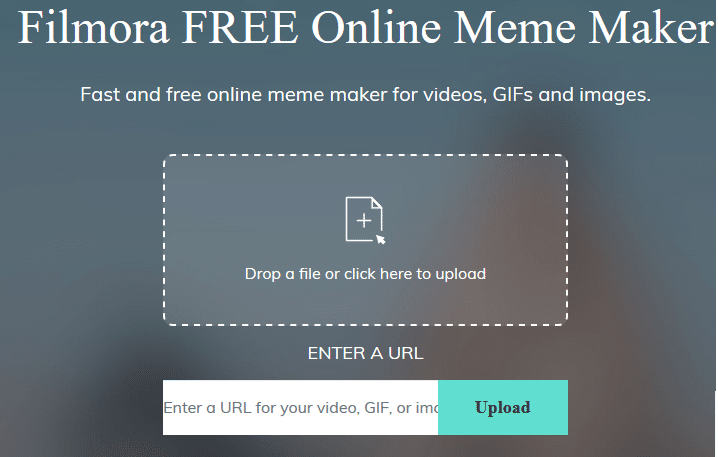
    Filmora Meme Maker is an easy meme generator to explore your creativity in making memes. You may easily make video, gif and image memes by dragging a media file or pasting the video URL on its site.


    Conclusion

    With so many amazing features, the Filmora Meme Maker is much more robust than anything that I’ve ever tried for making memes. What I like about Meme Maker is the fact that making meme using images, videos or gifs can be done easily within one tool without diverting from a set goal.  I can use memes on social media posts, webinar slides, and more. Most importantly, with Meme Maker tool I can create memes that make my audience happy. They laugh and look forward to more content from my end.

    Whether a beginner or a pro, Filmora Meme Maker can be used by each one of you. It does not require any special skill set. You just need to be creative and simply upload the file or paste the link and easily create your outstanding meme. Try out this wonderful meme generator and you will never be disappointed. Create memes like never before with the Filmora Meme Maker software.

    An Introduction to Making Your Website Load Faster

    Whether it’s a simple blog or a large online store, we all want our website to run smoothly and enjoyable. However, research has shown that website owners often underestimate the impact of webpage load time, but the visitors have a different perspective.

    Data compiled in this infographic illustrates the discrepancy. While the average loading times for desktop and mobile pages are 9.3 and 22 seconds, respectively, about half of the visitors tend to leave if those times exceed 2 and 3 seconds.

    It is clear, then, that if you wish to appeal to your audience, your websites must hold up to a certain standard. The good news is that there are often fairly simple ways to speed up our websites. Here are some quick suggestions on how to make your content reach your audience much faster.


    Minimize HTTP Requests

    Pages consist of different elements that require the browser to make an HTTP request. So, the more components the page has, the longer it takes to load. It is estimated that downloading these elements takes up about 80% of the total page loading time. It makes sense, then, to shorten load times by reducing the number of elements and, consequently, HTTP requests.

    The simplest way is obvious – delete all unneeded elements. However, making a webpage as lean as possible is not always an option.

    Fortunately, another way to do this is by minifying and combining the elements. Minifying refers to removing anything unnecessary from the website code. There are many tools available to remove superfluous code and formatting, comments, and whitespaces, thereby reducing the code’s size.

    Combining files, on the other hand, implies merging multiple JavaScript or CSS files into one. Your website will be much faster if it executes each type of file from a single location.


    Compress Your Website

    One way to reduce the sheer size of your website, and therefore load time, is to compress the images. Images are large files and tend to take up more space than the rest of the elements put together.

    A manual way to do this is to crop the image to the desired number of pixels. A simpler way, however, is to find an image compression tool. These tools can be used to automatically reduce the size of all images on your website.

    Another thing to do is compress your entire website. Using Gzip is considered a typical way to reduce a website’s total size. Yahoo estimates that using Gzip to compress a website can decrease its load speed by 70%.


    Find the Right Provider for Hosting and CDN

    If you are sure your site is well-optimized, but you are still having speed issues, you should find the right host and pick the right hosting option. The cheapest plans are usually adequate for starters, but as your website grows you might need more bandwidth and server power to accommodate all your visitors.

    Also, if you have a wider audience, you can try a Content Delivery Network. CDN services make copies of your website on servers in many different locations. Therefore, visitors who are physically far away from you can access your website from a closer server, making the loading time much shorter. Another benefit of CDN is that the extra servers can help pull some of the weight in case of traffic spikes. That way none of the visitors have to endure prolonged load times.


    In the end, the tools and techniques for improving website speed are too many to enumerate. However, this little guide should provide you with some starting ideas. If you implement what you have learned here, you should have no trouble getting your content to its audience in record time.


    4 Best Fitness Apps for Android

    Smartphones are now playing a huge part in keeping us healthy and improving our lifestyle. Fitness and health apps are one of the most downloaded categories on Android, from running apps to abs, you have lots of choice on Google play store.

    Choosing the right fitness apps for you depends on your goals. If you want to lose weight then you need an app that comes with nutritional guides and information. If you are just looking to track your runs and map out the next journey then you have hundreds of free apps to choose from. Check out the best fitness apps for android below.

    Strava Running and Cycling Tracker

    Strava is one of the best apps for tracking your running and cycling routes. It analyses your stats and gives feedback. For the competitive people, it has a handy leader-board feature where you can challenge your friends or other people using the app in your local community.

    It comes with the usual GPS tracker to show your distance, miles and incline. The app is free but you also have a paid version which helps you train for marathons and triathlons.


     MyFitnessPal Calorie Counter

    Losing weight is not as simple as just exercising. You have to watch what you eat. MyFitnessPal is a perfect app to take from being a lazy couch sloth to a keen athlete. The calorie counting feature is perfect to keep track of what you eat. It has a database of over six million different foods and you can even use the handy bar-code scanner to get information on food products before you purchase.

    It also comes with a huge array of workouts suitable for beginners to fitness fanatics. You can set your goals and track your progress. The app is free but you will have to sit through a few adverts.


    Home Workout No Equipment

    This is perfect for the person who doesn’t like going to the gym. You can focus on different types of fitness from cardio to core without having to purchase lots of equipment. It comes with over 100 video tutorials and also animation guides.

    Its also a sensible app, it comes with warm-up and stretching routines which is quite rare in the fitness apps. You can setup your goals and track your progress. Its designed by a group of fitness experts and its free to download. There are in app purchases available for advanced workouts and these start at £2.09. Its no surprise tats this app has been downloaded over 50 million times.

    JEFIT Workout Tracker

    This workout app is for bodybuilders. It comes with over 1300 different exercises and tracks your progress to give you inspiration when you can see how much more you are lifting each week.

    You can customise your workouts and use your chosen workouts offline. The tutorials help you understand what muscles are being worked and can even tell you what exercises to do to achieve your desired goal. It’s free due to being ad-supported but the ads give you a quick 30 minutes rest!

    Using your mobile phone for fitness is an obvious choice. However, you need to ensure your phone can handle a lot of streaming as these apps can drain your phone battery quickly